
To set up your standing desk correctly, adjust the height so your elbows form a 90-degree angle with your hands on the keyboard. Make sure your monitor is at eye level, with the top third aligned with your eyes, to reduce neck strain. Use ergonomic accessories like monitor stands, keyboard trays, and footrests to fine-tune your setup and stay comfortable. Small adjustments can make a big difference—keep exploring for more tips to optimize your workspace.
Key Takeaways
- Adjust the desk so your elbows are at a 90-degree angle when typing, ensuring proper ergonomic posture.
- Position your monitor at eye level with the top third aligned with your gaze to reduce neck strain.
- Use ergonomic accessories like adjustable monitor stands or keyboard trays for precise height adjustments.
- Place a cushioned mat if standing on hard surfaces to improve comfort and reduce pressure on feet and legs.
- Incorporate regular movement breaks and small adjustments to maintain comfort and promote healthy posture.

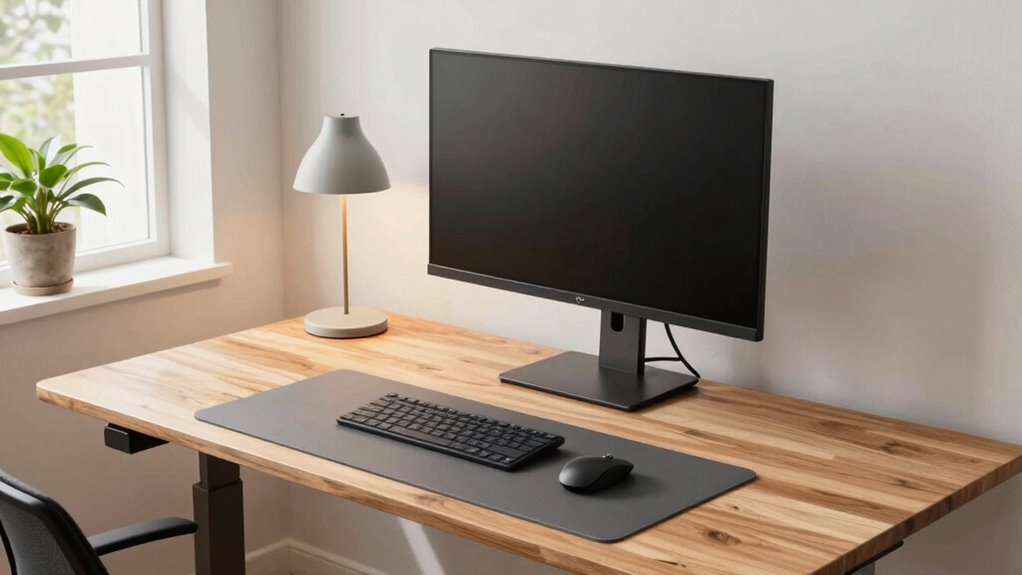
Setting up your standing desk at the correct height is essential for comfort and productivity. When you get this right, you’ll reduce strain on your neck, shoulders, and back, making your workday much more manageable. To achieve this, start by adjusting your desk so that your elbows are at a 90-degree angle when your hands rest comfortably on the keyboard. This positioning ensures proper ergonomics and helps prevent fatigue. Keep in mind that ergonomic accessories, such as adjustable monitor stands, keyboard trays, or footrests, can significantly enhance your setup, giving you more control over your workspace. These accessories allow you to fine-tune your position, ensuring your monitor is at eye level and your wrists stay straight, which lessens discomfort over long periods.
Adjust your desk so elbows are at 90 degrees for better comfort and reduced fatigue.
While adjusting your desk height, consider your overall workspace, including your flooring and footwear. If you’re standing on a hard surface, a good desk mat consideration can make a big difference. A cushioned mat provides support and absorbs shock, reducing pressure on your feet, legs, and lower back. It’s a small addition that can improve comfort, especially during extended periods of standing. When choosing a desk mat, opt for one that offers enough padding without slipping or sliding beneath your feet. The right mat will encourage better posture and help you stay focused, rather than shifting around or becoming distracted by discomfort. Additionally, incorporating ergonomic principles into your setup can help ensure your workspace promotes healthy posture and long-term comfort, which is supported by proper posture techniques. Incorporating proper posture techniques can further enhance your comfort and prevent musculoskeletal issues. When in doubt, consulting a proper ergonomic assessment can help identify specific adjustments suited to your body and workspace.
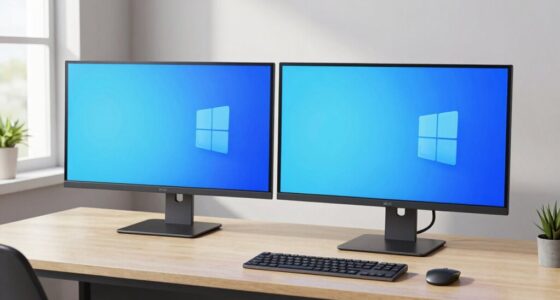
As you set your desk height, remember to check the alignment of your monitor. Your eyes should be level with the top third of your screen, so you avoid craning your neck up or down. If your monitor is adjustable, use ergonomic accessories to position it correctly. If it’s not, consider a riser or stand to bring it to eye level. This setup minimizes neck strain and promotes a natural, relaxed posture. Additionally, be mindful of your footwear; supportive shoes or anti-fatigue mats can help sustain your energy levels throughout your day. Standing in one position for too long isn’t ideal, so incorporate movement breaks into your routine.
Ultimately, the key to a proper standing desk height setup is making small adjustments until you find what feels natural and comfortable for your body. Use ergonomic accessories and desk mat considerations as tools to optimize your workspace. With these steps, you’ll create a healthier, more efficient environment that encourages good posture and reduces discomfort, helping you stay productive throughout your workday.

Single LCD Computer Monitor Free-Standing Desk Stand Mount Riser for 13 inch to 32 inch screen with Swivel, Height Adjustable, Rotation, Vesa Base Stand Holds One (1) Screen up to 77Lbs(HT05B-001))
COMPATIBILITY ☞ Single Computer monitor mount free standing Desk Stand Riser fitting screens for 13,15,17,19,21,23,27,30,32 inch LCD LED…
As an affiliate, we earn on qualifying purchases.
As an affiliate, we earn on qualifying purchases.
Frequently Asked Questions
How Often Should I Adjust My Standing Desk Height?
You should adjust your standing desk height regularly, ideally every 30 to 60 minutes, to maintain proper posture alignment and prevent discomfort. Pay attention to your desk ergonomics—your elbows should be at a 90-degree angle, and your screen at eye level. Frequent adjustments help you stay comfortable and reduce strain, ensuring you’re always working with ideal posture. Listen to your body and make changes as needed throughout the day.
Can I Use a Standing Desk if I Have a Back Injury?
Yes, you can use a standing desk if you have a back injury, but you should prioritize back injury precautions. Consult your healthcare provider before starting. Standing desk benefits include reducing strain and improving posture, but make sure you adjust the height correctly and take frequent breaks. Listen to your body, and if you experience pain, stop and seek professional advice to avoid aggravating your injury.
What Accessories Can Improve Ergonomic Comfort?
To boost your ergonomic comfort, adding accessories like a keyboard tray and an anti-fatigue mat can make a significant difference. Some worry these might be unnecessary or cumbersome, but they actually support better posture and reduce strain. A keyboard tray positions your wrists comfortably, while an anti-fatigue mat alleviates leg and foot discomfort during long standing periods. These accessories help you stay comfortable and focused throughout your workday.
Is There an Ideal Height for Different Types of Work?
The ideal desk height varies based on your task, but generally, desk height ergonomics aim for your elbows to be at a 90-degree angle when typing or working. For precision tasks like drawing, a slightly higher position might be better, while for reading or thinking, a lower height encourages relaxed posture alignment. Adjust your standing desk so your wrists stay straight, and your neck remains neutral to reduce strain and promote comfort.
How Do I Transition Safely From Sitting to Standing?
Did you know that abrupt shifts from sitting to standing can increase your risk of discomfort? To switch safely, start by adjusting your desk to a comfortable height, ensuring proper posture alignment. Shift gradually by alternating between sitting and standing every 30 minutes. Keep your feet flat on the floor, and maintain your elbows at a 90-degree angle. Proper desk positioning and mindful movement help prevent strain and promote comfort during the change.

VIVO Large Keyboard Tray Under Desk Pull Out with Extra Sturdy C Clamp Mount System, 27 (33 Including Clamps) x 11 Inch Slide-Out Platform Computer Drawer for Typing, Black, MOUNT-KB05E
Saves Desk Space: This 26.8” (32.5" including clamps) x 11” under-desk keyboard tray holds your keyboard, mouse, and…
As an affiliate, we earn on qualifying purchases.
As an affiliate, we earn on qualifying purchases.
Conclusion
Now, as you adjust your standing desk, imagine a perfectly balanced seesaw—your elbows gently bent at 90 degrees, wrists straight, and monitor at eye level. It’s as if you’ve found that sweet spot where comfort and productivity meet, much like a puzzle piece fitting seamlessly into place. When your setup feels just right, you’ll notice your energy rising, and work becoming smoother—proof that the right height isn’t just a coincidence, but a well-placed key to a healthier, happier workday.

ErGear Height Adjustable Electric Standing Desk, 48 x 24 Inches Sit Stand up Desk, Memory Computer Home Office Desk, Black
Electric Height Adjustable Standing Desk for Comfortable Work – Switch effortlessly between sitting and standing with this electric…
As an affiliate, we earn on qualifying purchases.
As an affiliate, we earn on qualifying purchases.

CasaZenith Foot Rest, Six Heights Adjustable Foot Rest for Under Desk at Work, Ergonomic Foots Stool for Under Office Desks, Under Desk Footrest with Foot Massage Roller, Chair Footrest for Leg Rests
Desk Foot Rest with 6 Six Height Adjustment: Our foot stool can be adjusted according to your height,…
As an affiliate, we earn on qualifying purchases.
As an affiliate, we earn on qualifying purchases.