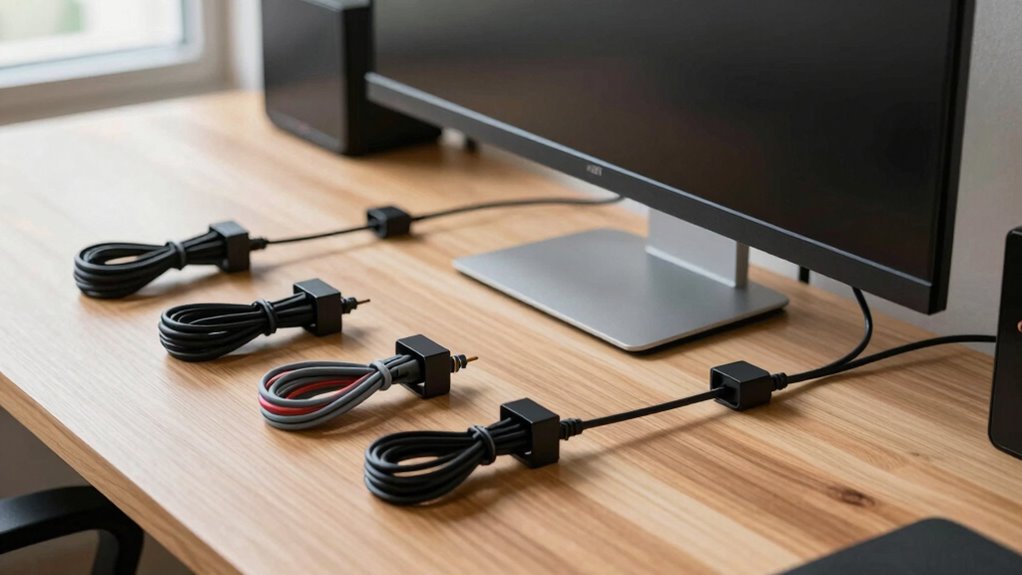

To keep your cable management tidy, use wire organizers and cable clips to secure and route your cables neatly along your desk or walls. Coil excess cables, avoid tangles, and regularly maintain your setup to prevent messes. Combining organizers with clips helps keep everything in place and makes adding or removing devices quick and easy. By following these tips, you’ll create a professional, clutter-free workspace—if you’d like more pointers, continue exploring how to optimize your setup.

Turn your quiet moments into listening time
- Thousands of audiobooks, podcasts and originals
- Listen on your phone, tablet or Echo — also offline
- Cancel anytime
Key Takeaways
- Use wire organizers and cable trays to centralize and contain multiple cables.
- Secure cables with clips along desks and walls to prevent tangling and slipping.
- Regularly coil and tidy excess cable lengths to avoid clutter and tangles.
- Implement a consistent routing system to maintain order over time.
- Perform routine maintenance and reorganization to ensure cables stay neat and functional.
Have you ever struggled with tangled cords and cluttered desks? It’s a common frustration that can make your workspace feel chaotic and unorganized. Luckily, there’s a simple solution: effective cable management. Using a wire organizer can dramatically improve your setup by keeping all your cables in one place. These organizers come in various styles—something like a tray or a box—to hold your power cords, chargers, and data cables neatly. When you have a dedicated space for your wires, it becomes easier to find what you need and prevents accidental unplugging or damage. Plus, a tidy surface looks more professional and inviting, whether you’re working from home or in an office.
A tidy workspace with organized cables looks professional and keeps your environment inviting and efficient.
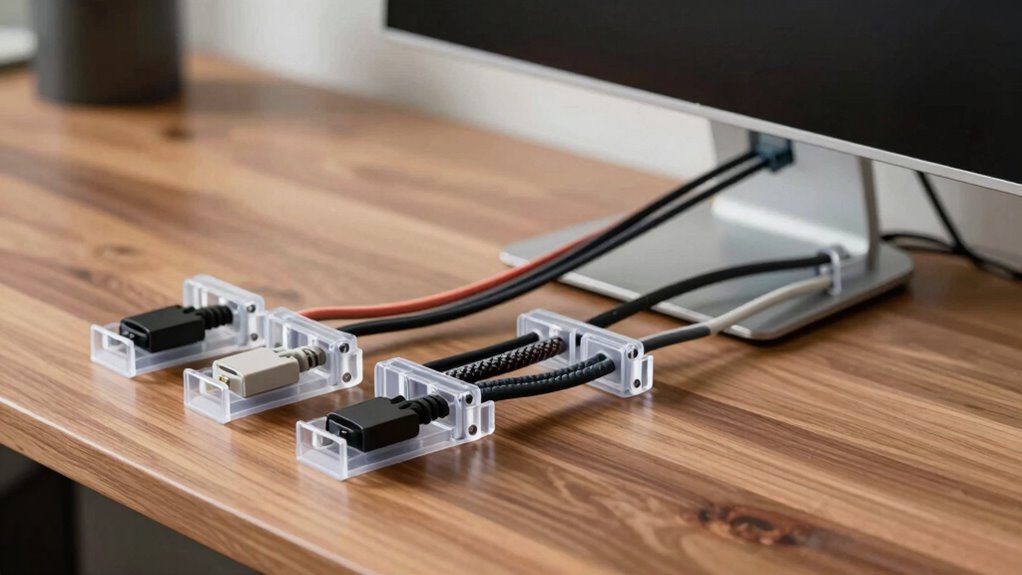
Another key tool in maintaining cable order is cable clips. These small, versatile devices stick to your desk, monitor, or wall and hold individual cables securely in place. With cable clips, you can route cords along the edges of your desk or behind your equipment, keeping them out of sight and reducing clutter. They also prevent cords from slipping off your desk or getting tangled with other wires when you move your equipment. When you use cable clips consistently, your workspace looks cleaner and feels less chaotic, which can boost your focus and productivity. Additionally, selecting the right cable management solutions can make your setup more efficient and safe, reducing wear and tear on your cables and connectors. Using quality cable organizers can further extend the lifespan of your cables by preventing unnecessary stress and bending. Incorporating proper cable routing practices can help minimize cable damage and improve airflow around your equipment. Taking the time to properly secure cables with clips and organizers can significantly prolong their lifespan and ensure safety.
To really keep your cables under control, combine a wire organizer with cable clips. First, gather all your cables and route them through the wire organizer, which acts as a central hub for your wires. Then, use cable clips along the length of your desk or behind your monitor to anchor each cable securely. This way, long cables won’t sag or tangle, and shorter ones will stay neatly coiled. When you need to add or remove a device, it’s quick and straightforward—just detach or reroute the cable without creating a mess. Regularly maintaining your cable organization ensures your cables stay organized over time, and you won’t have to deal with the frustration of untangling a nest of cords.
Taking a few minutes to implement these simple strategies makes a big difference. With a reliable wire organizer and a set of cable clips, you’ll create a workspace that’s not only tidy but also more functional. No more fighting with cords or hunting for the right plug. Instead, you’ll enjoy a clean, efficient environment that keeps your focus where it belongs—on your work, not on managing cables.
Products Worth Considering

Roborock RockNeo Q110H Wire-Free Robot Lawn Mower

LG C2 Series 65-Inch OLED evo 4K Smart TV (OLED65C2PUA, 2022)

Ring Battery Doorbell and Chime (3rd Gen), Satin Nickel
As an affiliate, we earn on qualifying purchases.
Frequently Asked Questions
How Often Should I Reorganize My Cable Management System?
You should reorganize your cable management system every few months or whenever you notice clutter or tangled cables. Regular maintenance helps maintain good cable organization and prevents potential damage. If you’re using wireless solutions where possible, you can reduce cable clutter, but for remaining cables, stay proactive in rechecking and tidying your setup. Doing this guarantees everything stays neat, accessible, and safe.
What Tools Are Best for Hiding Cables Effectively?
Did you know that cluttered cables can reduce workspace efficiency by up to 30%? To hide cables effectively, use a wire organizer to keep everything neat and prevent tangling. Cable sleeves are also excellent for concealing multiple wires in one sleek bundle, giving your setup a clean look. Combining these tools makes your cable management more organized and easier to maintain, ensuring your workspace stays tidy and functional.
Can Cable Management Solutions Be Reused or Recycled?
Yes, many cable management solutions can be reused or recycled. Reusable solutions like Velcro straps or modular cable clips allow you to organize cables efficiently without waste. When you’re done, opt for eco-friendly disposal methods, such as recycling plastic components or donating intact organizers. This way, you reduce environmental impact, save money, and keep your workspace tidy with sustainable, reusable options that make future cable management easier.
How Do I Prevent Cables From Tangling Over Time?
Did you know that the average person handles over 10 miles of cables in their lifetime? To prevent cables from tangling over time, focus on effective cable organization and tangle prevention techniques. Use cable ties, clips, or sleeves to keep cords neatly separated and avoid unnecessary movement. Regularly check and rearrange your setup, and avoid twisting or knotting cables. These steps help maintain a tidy, functional space and prolong your cables’ lifespan.
Are There Cable Management Tips for Irregularly Shaped Desks?
For irregularly shaped desks, you can use cable clips to secure cables along edges and curves, keeping them organized. Additionally, install desk grommets at strategic points to route cables neatly through the surface, preventing tangling and clutter. These solutions help you manage cables effectively, even on unconventional desk shapes, ensuring a tidy workspace. Just make sure to choose the right size and placement for a seamless, clutter-free setup.
Conclusion
By keeping your cables tidy, you’re not just avoiding a messy desk—you’re creating a sanctuary for your productivity. Imagine your workspace as a well-orchestrated symphony, where every cable plays its part in perfect harmony. With simple management tips, you’ll transform chaos into clarity, making your environment both functional and inviting. So, take control today—because a tidy cable setup isn’t just neat, it’s the masterpiece that keeps your day flowing smoothly.