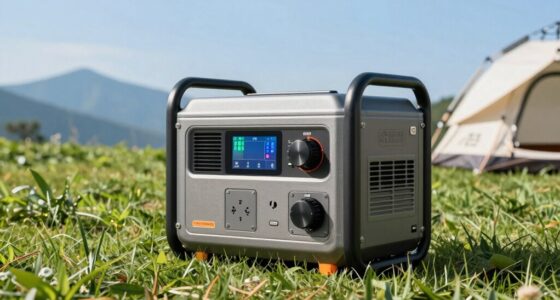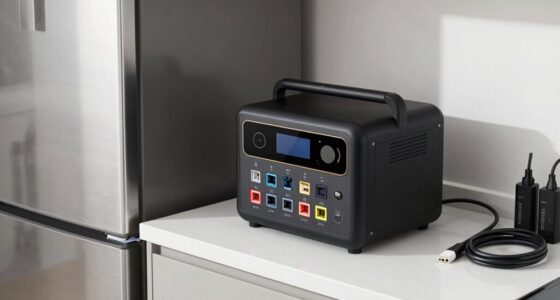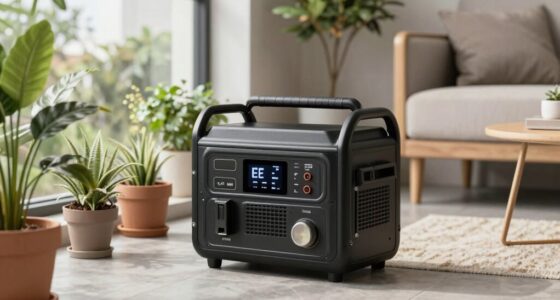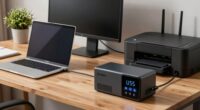
Protecting your router from power interruptions is essential for maintaining a stable internet connection, especially during outages or surges. The UPS battery backup for router ensures your network stays online, whether you’re working, gaming, or streaming. The best options balance runtime, ease of use, and affordability, but tradeoffs often involve size, battery capacity, and price. The top pick, CyberPower CP1500AVRLCD3, offers reliable backup with a built-in LCD, while more budget-friendly models like the APC BE425M provide basic protection. Continue reading for a full breakdown to find the best fit for your needs.

Turn your quiet moments into listening time
- Thousands of audiobooks, podcasts and originals
- Listen on your phone, tablet or Echo — also offline
- Cancel anytime
Key Takeaways
- The top-performing models offer at least 10-15 minutes of backup to prevent router shutdowns during outages.
- Battery capacity and runtime are key factors, but larger batteries tend to increase size and cost.
- Surge protection varies across options, with higher-end models providing more comprehensive electrical defense.
- Ease of setup and user interface, like LCD screens, improve usability, especially for less tech-savvy users.
- Price correlates with features; premium models deliver longer backup time and advanced features, but budget options can suffice for basic needs.
| CyberPower ST425 Standby UPS Battery Backup and Surge Protector |  | Best Budget Choice for Basic Router Protection | Capacity: 425VA/260W | Outlets: 8 NEMA 5-15R | Input Plug: NEMA 5-15P right angle, 45-degree offset | VIEW ON AMAZON | See Our Full Breakdown |
| CyberPower CP1500PFCLCD PFC Sinewave UPS Battery Backup and Surge Protector |  | Best for Active PFC Power Supplies and Network Devices | Capacity: 1500VA/1000W | Outlets: 12 (6 battery backup + surge, 6 surge only) | Input: NEMA 5-15P right angle, 5 ft cord | VIEW ON AMAZON | See Our Full Breakdown |
| CyberPower CP1500AVRLCD3 Intelligent LCD UPS Battery Backup |  | Best for Home and Office Computer and Entertainment Systems | Voltage: 120 volts | Maximum Power: 900 watts | Form Factor: Mini-Tower | VIEW ON AMAZON | See Our Full Breakdown |
| APC BE425M UPS Battery Backup and Surge Protector for Small Electronics |  | Best for Compact, Space-Saving Router Backup | Capacity: 425VA / 255W | Runtime: Up to 15 minutes at 100W | Outlets: 6 (4 with battery backup + surge, 2 surge-only) | VIEW ON AMAZON | See Our Full Breakdown |
| APC BX1500M UPS Battery Backup & Surge Protector for Computers and Electronics |  | Best for Longer Backup and High-Power Home Office Use | VA Capacity: 1500VA | Wattage: 900W | Backup Runtime: Up to 68 minutes at 100W | VIEW ON AMAZON | See Our Full Breakdown |
| APC BE600M1 UPS Battery Backup & Surge Protector for Computer, Router, NAS |  | Best Compact and User-Replaceable Battery | Capacity: 600VA/330W | Outlets: 7 (5 backup + 2 surge-only) | Surge Energy Rating: 490 joules | VIEW ON AMAZON | See Our Full Breakdown |
| CyberPower SL700U Standby UPS Battery Backup and Surge Protector |  | Best Slim Profile with Wall-Mount Convenience | VA: 700VA | Wattage: 370W | Outlets: 8 NEMA 5-15R | VIEW ON AMAZON | See Our Full Breakdown |
| CyberPower EC850LCD Ecologic UPS Battery Backup and Surge Protector |  | Best Eco-Friendly and Detailed Monitoring | Voltage: 120V | Maximum Power: 510W | Outlets: 12 | VIEW ON AMAZON | See Our Full Breakdown |
| APC Battery Backup 650VA/390W Uninterruptible Power Supply for PC, BE650G1 |  | Best Budget-Friendly Reliable Backup | Capacity: 650VA/390W | Outlets: 8 (4 backup + surge, 4 surge-only) | Runtime at 100W: 22 minutes | VIEW ON AMAZON | See Our Full Breakdown |
| ups battery backup for router | Outlets | Warranty | Capacity |
|---|---|---|---|
| CyberPower ST425 Standby UPS B | 8 NEMA 5-15R | 3 years including battery | 425VA/260W |
| CyberPower CP1500PFCLCD PFC Si | 12 (6 battery backup + surge, 6 surge only) | 3 years including battery | 1500VA/1000W |
| CyberPower CP1500AVRLCD3 Intel | — | — | — |
| APC BE425M UPS Battery Backup | 6 (4 with battery backup + surge, 2 surge-only) | 3 years | 425VA / 255W |
| APC BX1500M UPS Battery Backup | 5 battery backup, 5 surge-only | — | — |
| APC BE600M1 UPS Battery Backup | 7 (5 backup + 2 surge-only) | — | 600VA/330W |
| CyberPower SL700U Standby UPS | 8 NEMA 5-15R | 3 years | — |
| CyberPower EC850LCD Ecologic U | 12 | 3 years | — |
| APC Battery Backup 650VA/390W | 8 (4 backup + surge, 4 surge-only) | 3 years | 650VA/390W |
More Details on Our Top Picks
CyberPower ST425 Standby UPS Battery Backup and Surge Protector
This model stands out for its simplicity and affordability, offering reliable backup for a small home or office setup. Compared with larger units like the APC BX1500M, the ST425 is less capable of supporting multiple devices during extended outages, but it excels in providing essential surge protection and basic battery backup. Its 425VA capacity makes it suitable for a single router and modem, but it may fall short if you need to power additional devices. The simulated sine wave output is acceptable for most routers, yet it might not be ideal for sensitive electronics. The 3-year warranty and UL safety certification add peace of mind, especially given its low cost. However, the limited capacity and outlet count mean it’s best for small setups, not for those with multiple high-power peripherals.
Pros:- Affordable and straightforward for basic needs
- Provides essential surge protection and battery backup
- Includes a 3-year warranty and UL safety certification
Cons:- Limited to 425VA, insufficient for multiple devices during outages
- Simulated sine wave may not suit sensitive electronics
Best for: Home users with a single router and minimal connected devices seeking reliable, low-cost backup.
Not ideal for: Users with multiple or high-power devices needing longer backup times or more outlets.
- Capacity:425VA/260W
- Outlets:8 NEMA 5-15R
- Input Plug:NEMA 5-15P right angle, 45-degree offset
- Warranty:3 years including battery
- Certifications:UL
Our verdict“This pick is ideal for small, simple router setups where budget and space are limited.”
CyberPower CP1500PFCLCD PFC Sinewave UPS Battery Backup and Surge Protector
This model makes the most sense for users with active PFC power supplies, such as modern computers and networking gear, due to its pure sine wave output. Compared to the smaller CyberPower ST425, the CP1500PFCLCD offers a much higher 1500VA capacity, accommodating multiple devices during outages with better power quality. Its color LCD display provides real-time information on load, battery status, and runtime — a key advantage for those who monitor their backup system actively. The multiple outlets support both battery backup and surge protection, making it suitable for complex setups. A notable drawback is the lack of explicit runtime estimates, which could leave users guessing how long their devices will stay powered. Its size and weight also make it more suited for dedicated spaces rather than portable use.
Pros:- Provides clean sine wave output for sensitive electronics
- Multiple outlets with both battery backup and surge protection
- Color LCD display for real-time system monitoring
- Automatic voltage regulation enhances power stability
Cons:- No specified runtime duration, which can limit planning
- Relatively heavy and requires a nearby power outlet with a 5-foot cord
Best for: Tech-savvy users with active PFC-powered devices, such as gaming PCs or network equipment, needing clean power and monitoring tools.
Not ideal for: Casual users or those with minimal devices who don’t require sine wave output or detailed status updates.
- Capacity:1500VA/1000W
- Outlets:12 (6 battery backup + surge, 6 surge only)
- Input:NEMA 5-15P right angle, 5 ft cord
- Display:Color LCD, tilts up to 22°
- Warranty:3 years including battery
Our verdict“Best suited for users who need high-quality power and detailed system info for their critical network and computer gear.”
CyberPower CP1500AVRLCD3 Intelligent LCD UPS Battery Backup
The CP1500AVRLCD3 prioritizes reliable power for computers and entertainment systems, with a 1500VA/900W capacity that supports multiple devices during outages. Unlike the CyberPower CP1500PFCLCD, it features automatic voltage regulation that helps extend battery life and stabilize power, a benefit for both home and office environments. Its mini-tower form factor fits well on desks or shelves, and the color LCD provides ongoing feedback on system status. However, its maximum 900W output limits it to typical office and media setups, making it less suitable for high-power devices. The 8-hour charge time could be inconvenient for users who experience frequent outages. It’s a good choice for those who want a balance of capacity, features, and space efficiency.
Pros:- Reliable backup power with automatic voltage regulation
- Compact mini-tower design fits small spaces
- Color LCD for detailed status updates
- Supports multiple devices including entertainment systems
Cons:- Limited to 900W maximum, not suitable for high-power devices
- Battery charge time of 8 hours may be too long for frequent outages
Best for: Small office or home entertainment users who want a compact UPS with automatic voltage regulation.
Not ideal for: Power users with high wattage devices or requiring extended backup times, who should consider higher-capacity models.
- Voltage:120 volts
- Maximum Power:900 watts
- Form Factor:Mini-Tower
- Input Voltage:120 volts
- Surge Protection Rating:1500 Joules
Our verdict“This UPS is a solid choice for small office or home entertainment setups needing reliable power without taking up too much space.”
APC BE425M UPS Battery Backup and Surge Protector for Small Electronics
This model targets users seeking a small, wall-mountable UPS for essential electronics like routers and modems. Compared with larger models like the APC BX1500M, the BE425M offers a more compact form and shorter runtime—up to 15 minutes at 100W—making it ideal for brief power outages. Its 425VA capacity aligns with modest setups, but it falls short during longer outages or if multiple devices draw more power. The surge protection and 3-year warranty provide basic safety and peace of mind. The limited runtime means it’s mostly suited for quick shutdowns or brief outages, not for extended power support. Its space-saving design is perfect for small apartments or offices with limited room, but not for high-demand environments.
Pros:- Compact and wall-mountable for space savings
- Reliable surge protection and 3-year warranty
- Supports essential devices during brief outages
Cons:- Limited runtime of up to 15 minutes at 100W load
- Not suitable for supporting multiple devices for extended outages
Best for: Users with small electronics who need a compact backup solution for quick power outages and space constraints.
Not ideal for: Power users with multiple or high-power devices expecting longer outages or needing extended runtime.
- Capacity:425VA / 255W
- Runtime:Up to 15 minutes at 100W
- Outlets:6 (4 with battery backup + surge, 2 surge-only)
- Warranty:3 years
- Protection Coverage:$75,000
Our verdict“This UPS is best for small, essential electronics in space-constrained environments requiring quick backup during outages.”
APC BX1500M UPS Battery Backup & Surge Protector for Computers and Electronics
The APC BX1500M makes a strong case for users who want a higher-capacity UPS for home or small office setups, with a 1500VA/900W capacity supporting multiple devices during outages. Compared with the CyberPower CP1500PFCLCD, it offers a similar wattage but is often considered more user-friendly for home environments due to its straightforward design and well-known reliability. Its 68-minute backup at 100W load provides a significant advantage for longer power interruptions. The LCD display offers clear monitoring, and automatic voltage regulation ensures stable power. The main tradeoff involves its size and weight, which may be less convenient for those with limited space or who require portability. Battery replacement requires purchasing a separate model, adding to maintenance costs.
Pros:- Supports up to 68 minutes of backup at 100W
- Multiple outlets with surge and battery backup
- User-friendly LCD display for real-time info
- Automatic voltage regulation extends runtime
Cons:- Battery replacement involves purchasing separate batteries
- Bulkier size limits portability
Best for: Home or small office users seeking longer backup times and reliable power support for multiple critical devices.
Not ideal for: Users with very limited space or those expecting to move or carry their UPS frequently, due to its bulk.
- VA Capacity:1500VA
- Wattage:900W
- Backup Runtime:Up to 68 minutes at 100W
- Outlets:5 battery backup, 5 surge-only
- Surge Protection:Yes, including coaxial and Ethernet
Our verdict“This UPS is ideal for users wanting longer, dependable backup power for multi-device home or office setups.”
APC BE600M1 UPS Battery Backup & Surge Protector for Computer, Router, NAS
The APC BE600M1 stands out for its compact design combined with practical features like a user-replaceable battery, making it ideal for those who want reliable backup without bulky hardware. Compared with the CyberPower EC850LCD, it offers a more straightforward backup solution with fewer eco-friendly features but a longer runtime at moderate loads. Its seven outlets, including surge-only options, provide flexibility, while the USB port adds convenience for charging devices. The main tradeoff is the limited runtime at higher loads and the need to purchase a separate battery for replacement, which could be inconvenient for some users. This pick makes the most sense for small office setups or home users seeking straightforward, maintenance-friendly backup power.Pros:- Reliable battery backup during outages
- Includes multiple outlets with surge protection
- USB port for charging devices during power loss
- User-replaceable battery extends lifespan
Cons:- Battery replacement requires purchasing a separate battery
- Limited runtime at higher loads
- Design may be too compact for larger setups
Best for: Home office users or small setups needing reliable, easy-maintenance backup with replaceable batteries
Not ideal for: Power users with high device loads or larger networks requiring longer runtime or more outlets
- Capacity:600VA/330W
- Outlets:7 (5 backup + 2 surge-only)
- Surge Energy Rating:490 joules
- Battery Type:Sealed lead-acid, user-replaceable
- USB Charging Port:1.5A
- Runtime at 100W load:23 minutes
Our verdict“This UPS is ideal for small, maintenance-conscious setups that prioritize reliability and ease of replacing batteries.”
CyberPower SL700U Standby UPS Battery Backup and Surge Protector
The CyberPower SL700U excels in tight spaces thanks to its slim, wall-mountable profile, making it perfect for discreet installations. Unlike the CyberPower EC850LCD, which offers a multifunction LCD panel and eco-friendly outlets, the SL700U prioritizes space-saving design with a straightforward 700VA/370W capacity. It features multiple outlets with backup and surge protection, plus two USB ports for mobile device charging, which adds to its convenience. However, its backup capacity is limited for high-power devices, and the simulated sine wave output may not suit sensitive electronics as well as pure sine wave models. This makes it well-suited for users with modest power needs who value installation flexibility over extended runtime.Pros:- Slim, wall-mountable design for space-saving installation
- Multiple outlets with backup and surge protection
- USB ports for device charging
- Three-year warranty with connected equipment guarantee
Cons:- Limited backup power for high-wattage devices
- Uses simulated sine wave output, less ideal for sensitive electronics
Best for: Users with limited space needing a compact UPS for low to moderate loads
Not ideal for: Power-heavy setups or users requiring long backup durations for sensitive equipment
- VA:700VA
- Wattage:370W
- Outlets:8 NEMA 5-15R
- USB Ports:2
- Warranty:3 years
- Runtime:up to 4 minutes at 370W
Our verdict“This UPS is perfect for space-constrained environments where modest backup power and device charging are priorities.”
CyberPower EC850LCD Ecologic UPS Battery Backup and Surge Protector
The CyberPower EC850LCD stands out for its eco-conscious outlets and detailed LCD status display, making it a good choice for energy-savvy users who want to monitor their power consumption closely. Compared with the APC BE600M1, the EC850LCD offers more outlets and an LCD panel that provides real-time data, aiding in energy management. Its 850VA/510W capacity supports a range of networking and entertainment devices, but the limited 2-minute runtime at full load could be a drawback for users needing longer backup periods. The eco mode reduces power when devices are off or in sleep mode, helping lower energy costs. This model is best suited for users who value detailed information and energy efficiency over extended runtime.Pros:- Eco mode reduces power consumption and costs
- Multifunction LCD panel displays detailed status
- Provides reliable surge and backup protection
- Supports multiple devices with ample outlets
Cons:- Limited runtime at max load
- Requires USB connection for full feature set
Best for: Environmentally conscious users needing detailed power usage info for small to medium setups
Not ideal for: Users with critical equipment requiring long backup duration or high power loads
- Voltage:120V
- Maximum Power:510W
- Outlets:12
- Battery Type:Sealed lead acid
- Warranty:3 years
- Runtime:about 2 minutes at full load
Our verdict“This UPS is well suited for energy-aware users who want detailed monitoring and moderate backup capacity.”
APC Battery Backup 650VA/390W Uninterruptible Power Supply for PC, BE650G1
The APC BE650G1 offers a balanced mix of affordability and dependable backup power, making it a solid choice for budget-conscious users. It provides 650VA/390W capacity, offering up to 22 minutes of runtime at 100W load, which is competitive against the CyberPower EC850LCD for typical home office setups. While it lacks USB charging ports and advanced features like energy monitoring, its user-replaceable battery simplifies maintenance and reduces long-term costs. Compared with the APC BE600M1, the higher wattage capacity supports slightly larger loads, but it still falls short for high-power devices. This model suits those who want a straightforward, reliable UPS without extra frills.Pros:- Reliable backup during outages
- User-replaceable battery for easy maintenance
- Multiple outlets with backup and surge protection
- Affordable price point
Cons:- Limited runtime at higher loads
- No USB charging ports or detailed monitoring
Best for: Budget-conscious home users or small office setups needing reliable backup without high complexity
Not ideal for: Power users or tech enthusiasts seeking advanced features or longer runtimes
- Capacity:650VA/390W
- Outlets:8 (4 backup + surge, 4 surge-only)
- Runtime at 100W:22 minutes
- Warranty:3 years
- Protection Level:$75,000 Equipment Protection
- Battery Type:Sealed lead acid
Our verdict“This UPS provides dependable power protection for basic needs at an accessible price, ideal for small setups.”

How We Picked
The products in this roundup were evaluated based on performance, battery capacity, ease of use, build quality, and value for money. We prioritized models that offer sufficient backup runtime for typical router use, focusing on those that provide at least 10 minutes of power during outages. Reliability and surge protection features were also critical, ensuring the devices protect connected equipment against power spikes. Lastly, we considered user-friendliness, such as clear displays and simple setup, to recommend options suited for both tech-savvy users and beginners. The ranking reflects a balance of these factors, with higher-rated models offering longer backup time and more comprehensive electrical protection.Factors to Consider When Choosing Ups Battery Backup For Router
Choosing the right UPS battery backup for your router involves more than just capacity. Several factors influence how well a model will protect your network during power disruptions, and understanding these can help prevent common mistakes like underestimating needed runtime or overpaying for unnecessary features. Here are key considerations to keep in mind:Battery Capacity and Runtime
The primary factor in selecting a UPS for your router is battery capacity, which determines how long your router can stay powered during an outage. While larger batteries provide longer runtime, they also increase size and cost. For most home routers, a backup of 10-15 minutes is sufficient to save work or shut down safely. Commercial or critical setups may require longer runtime, pushing you toward models with bigger batteries or additional units. Be mindful that real-world runtime varies depending on your router’s power draw, so check specifications carefully.
Surge Protection and Power Conditioning
Beyond battery backup, surge protection is vital to guard your router against voltage spikes that could damage sensitive electronics. Not all UPS units provide equal protection; higher-end models often include advanced filtering and noise reduction. This feature is especially important if you live in an area prone to electrical surges or if your power grid is unstable. Skipping robust surge protection could lead to equipment damage, negating the benefits of the backup power.
Ease of Use and Monitoring
A user-friendly interface, such as an LCD display, can make managing your UPS straightforward. Features like automatic shutdown, status alerts, and simple setup processes help prevent user errors during outages. For those less familiar with UPS systems, models with clear indicators and easy-to-understand controls reduce frustration. Conversely, more basic units may lack these features but can still provide essential backup if simplicity is preferred.
Size, Portability, and Placement
The physical dimensions of a UPS impact where and how you place it. Larger models with bigger batteries tend to be heavier and less portable, which is worth considering if space or mobility matters. Compact options might fit easily on a desk or shelf, but often offer shorter backup times. Balance your need for portability with the desired runtime to find the best compromise for your environment.
Price and Overall Value
While more expensive UPS units generally offer longer backup times, better surge protection, and more features, they aren’t always necessary for simple router protection. Budget models can provide adequate runtime for basic needs, but may lack durability or advanced features. Consider your specific needs—if you experience frequent outages or need reliable backup for work, investing in a higher-tier model could save frustration in the long run. Conversely, casual users might find basic models entirely sufficient.
Frequently Asked Questions
How long should a UPS battery backup last for my router?
For most home setups, a UPS providing 10-15 minutes of backup is sufficient to save documents, finish ongoing tasks, or shut down devices safely. If your area experiences frequent outages or you need to keep your network online for extended periods, consider models with larger batteries that offer 30 minutes or more. Always check the specifications to ensure the backup time aligns with your needs, and remember that actual runtime depends on your router’s power consumption.
Can I use a UPS designed for computers to power my router?
Yes, many UPS units intended for computers are suitable for routers, especially those with a pure sine wave output and enough capacity. Routers typically draw less power than computers, so many smaller UPS models can handle them comfortably. However, ensure the UPS provides enough wattage and backup time for your specific router. Using a UPS with surge protection and a reliable battery is crucial for safeguarding your network equipment.
Is surge protection enough, or do I need a backup battery too?
Surge protection alone defends against voltage spikes but does not provide power during outages. For continuous internet connectivity, a backup battery is essential. A UPS combines both features, offering surge protection and runtime during power failures. If keeping your router online during outages is important, selecting a model with both functions is recommended, rather than relying solely on surge protectors.
How often should I replace the battery in my UPS?
Most UPS batteries last between 3 to 5 years, though this can vary based on usage and environmental conditions. Regularly testing your UPS’s backup runtime can help identify when the battery capacity diminishes. If your UPS no longer provides sufficient backup time or shows warning indicators, replacing the battery or upgrading to a new unit becomes necessary. Proper maintenance prolongs the life of your backup system and ensures reliable performance.
Are there specific features I should look for if I want to protect multiple devices with one UPS?
Yes, if you plan to connect multiple devices, look for a UPS with sufficient wattage capacity and multiple outlets. Features like automatic voltage regulation (AVR) help stabilize power for connected devices, while USB or network management ports allow monitoring and control. Ensure the model provides enough runtime for all connected equipment, especially during longer outages. Prioritizing these features prevents overloads and guarantees comprehensive protection.
Conclusion
For most home users seeking reliable backup, the CyberPower CP1500AVRLCD3 offers a solid balance of runtime and features, making it the best overall choice. Budget-conscious buyers can opt for the APC BE425M, which provides basic protection at an affordable price. Those with more critical needs or a larger network should consider premium options like the CyberPower CP1500PFCLCD for longer backup times and advanced surge protection. Beginners will benefit from models with clear displays and simple setup, while power users should look for units with higher capacity and additional outlets. Matching your specific needs with the right features ensures your router stays connected when it matters most.
Halloween Picks
halloween
As an affiliate, we earn on qualifying purchases.