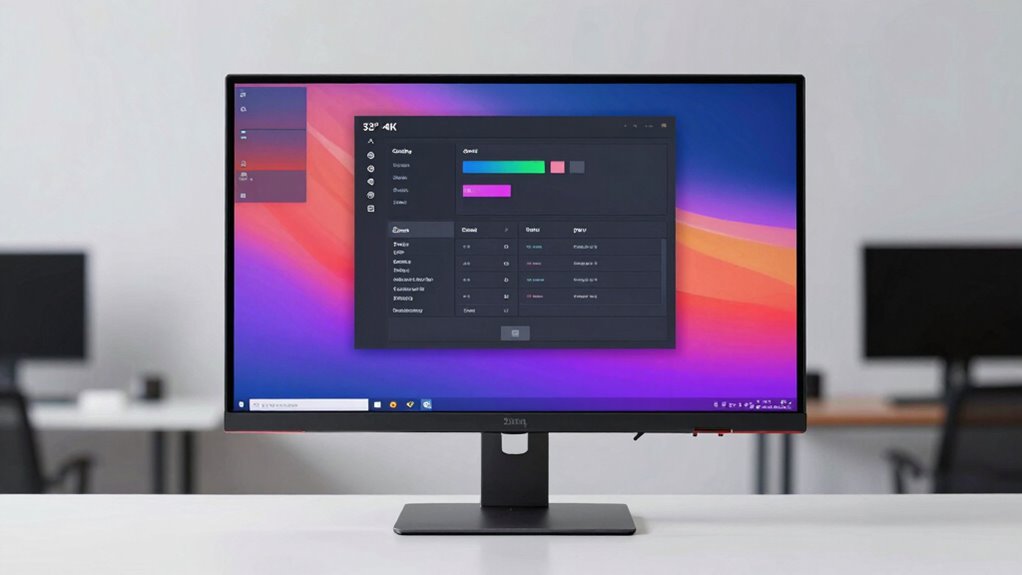

A 32-inch 4K monitor gives you a large workspace and sharp 3840 × 2160 detail, but the right pick depends on whether you value smooth gaming, color, or everyday usability most. My best overall pick is the Dell 32 Plus S3225QS, whose 120Hz refresh rate and FreeSync Premium make it a versatile choice for work and play. For high-end gaming, the ASUS ROG Swift OLED PG32UCDM3 stands apart with its 4K 240Hz OLED panel, while the Samsung ViewFinity S7 IPS is a straightforward option for buyers who prioritize an IPS display. The main tradeoffs are panel type, refresh rate, and how much you need extras such as built-in speakers or gaming features. Read on for the full breakdown and guidance on matching a monitor to your setup.

Turn your quiet moments into listening time
- Thousands of audiobooks, podcasts and originals
- Listen on your phone, tablet or Echo — also offline
- Cancel anytime
Key Takeaways
- The lineup splits clearly by use: Dell’s S3225QS adds 120Hz and FreeSync Premium, while several work-focused options are listed at 60Hz.
- The ASUS ROG Swift OLED PG32UCDM3 is the standout for demanding gaming because it combines a 4K resolution with a 240Hz refresh rate and OLED panel.
- The Samsung ViewFinity S7 S71H is the specifically identified IPS option for buyers who prefer that panel type over the VA models in the list.
- Several models share similar 32-inch 4K basics, so buyers should check the exact model and listed features rather than choosing by brand name alone.
- The PIJ model is the only one described with a curved screen, built-in speakers, and RGB lighting; those extras may suit an all-in-one setup but do not replace checking core display needs.
| ASUS VP327Q 31.5-Inch 4K UHD Monitor |  | Best for sRGB Color Work | Screen size: 31.5 inches | Resolution: 3840 × 2160 (4K UHD) | Panel type: IPS | VIEW ON AMAZON | See Our Full Breakdown |
| Samsung ViewFinity UJ59 32-Inch 4K UHD Monitor |  | Best for Two-Device Multitasking | Screen size: 32 inches | Resolution: 3840 × 2160 (4K UHD) | Display type: LED | VIEW ON AMAZON | See Our Full Breakdown |
| Samsung 32-Inch 4K UHD VA Monitor with AMD FreeSync |  | Best for Contrast and Console Play | Screen size: 32 inches | Resolution: 3840 × 2160 (4K UHD) | Panel type: VA LED | VIEW ON AMAZON | See Our Full Breakdown |
| Samsung 32″ ViewFinity S7 (S71H) 4K UHD IPS Monitor |  | Best for a Work-First Desk Setup | Screen size: 32 inches | Resolution: 3840 × 2160 (4K UHD) | Panel type: IPS | VIEW ON AMAZON | See Our Full Breakdown |
| Raywego 32-Inch 4K UHD IPS Monitor |  | Best for a Matte IPS Feature Mix | Screen size: 32 inches | Resolution: 3840 × 2160 (4K UHD) | Panel type: IPS | VIEW ON AMAZON | See Our Full Breakdown |
| ASUS ROG Swift OLED PG32UCDM3 32-Inch 4K 240Hz Gaming Monitor |  | Best for High-Refresh 4K Gaming | Screen size and resolution: 32 inches; 3840 × 2160 (4K) | Panel: Tandem QD-OLED | Refresh rate: 240 Hz | VIEW ON AMAZON | See Our Full Breakdown |
| Dell 32 Plus 4K Monitor (S3225QS), 32-Inch VA, 120Hz, FreeSync Premium |  | Best Value for Everyday Gaming | Screen size and resolution: 32 inches; 3840 × 2160 (4K UHD) | Panel type: VA | Refresh rate: 120 Hz | VIEW ON AMAZON | See Our Full Breakdown |
| Samsung 32-Inch ViewFinity S7 (S70H) 4K UHD Monitor |  | Best for Straightforward Office Use | Screen size and resolution: 32 inches; 3840 × 2160 (4K UHD) | Panel type and finish: VA; matte | Refresh rate and response time: 60 Hz; 5 ms | VIEW ON AMAZON | See Our Full Breakdown |
| LG UltraFine 32-inch 4K UHD Monitor, 60Hz, HDR10 |  | Best for Color-Conscious Everyday Work | Screen size and resolution: 32 inches; 3840 × 2160 (4K UHD) | Display technology: VA LED | Refresh rate: 60 Hz | VIEW ON AMAZON | See Our Full Breakdown |
| Gawfolk 32-Inch 4K UHD VA Monitor, 60 Hz |  | Best for Multi-Device Connections | Screen size and resolution: 32 inches; 3840 × 2160 | Panel type and finish: VA LCD; matte | Refresh rate and response time: 60 Hz; 1 ms | VIEW ON AMAZON | See Our Full Breakdown |
| PIJ 32-Inch Curved 4K UHD Monitor with Built-in Speakers and RGB Lighting |  | Best for Curved, All-in-One Desk Setups | Screen size: 32 inches | Resolution: 3840 x 2160 (4K UHD) | Panel type: VA | VIEW ON AMAZON | See Our Full Breakdown |
| 32-Inch 4K UHD IPS Monitor, 3840 × 2160 |  | Best for Multi-Device Desktop Use | Screen size: 32 inches | Resolution: 3840 × 2160 (4K UHD) | Panel type: IPS | VIEW ON AMAZON | See Our Full Breakdown |
| 4k monitor 32 inch | Refresh rate | Contrast ratio | Brightness | Screen size |
|---|---|---|---|---|
| ASUS VP327Q 31.5-Inch 4K UHD M | 60 Hz | — | — | 31.5 inches |
| Samsung ViewFinity UJ59 32-Inc | 60 Hz | 3000:1 | — | 32 inches |
| Samsung 32-Inch 4K UHD VA Moni | 60 Hz | 3000:1 | 250 cd/m² | 32 inches |
| Samsung 32" ViewFinity S7 | 60 Hz | 1000:1 | 300 cd/m² | 32 inches |
| Raywego 32-Inch 4K UHD IPS Mon | 60 Hz | 4000:1 | 300 cd | 32 inches |
| ASUS ROG Swift OLED PG32UCDM3 | 240 Hz | — | — | — |
| Dell 32 Plus 4K Monitor | 120 Hz | — | — | — |
| Samsung 32-Inch ViewFinity S7 | — | 3000:1 | 300 cd/m² | — |
| LG UltraFine 32-inch 4K UHD Mo | 60 Hz | 3000:1 | 250 cd/m² | — |
| Gawfolk 32-Inch 4K UHD VA Moni | — | 4000:1 | 230 cd/m² | — |
| PIJ 32-Inch Curved 4K UHD Moni | 60Hz | 3000:1 | 250 cd/m² | 32 inches |
| 32-Inch 4K UHD IPS Monitor | 60 Hz | — | 230 cd/m² | 32 inches |
More Details on Our Top Picks
ASUS VP327Q 31.5-Inch 4K UHD Monitor
The ASUS VP327Q is a strong fit for everyday creative work when wide viewing angles and familiar sRGB color coverage matter more than gaming speed. Its 31.5-inch IPS panel, 4K resolution, and 99% sRGB gamut suit photo editing, documents, and media viewed across a desk. Compared with the Samsung 32-inch 4K UHD VA Monitor, the ASUS trades the Samsung’s glossy VA panel and higher stated contrast ratio for an IPS screen with a matte finish, which can be easier to use around ambient light. HDR10 and Adaptive-Sync add flexibility, but neither changes its core 60 Hz limit; the Dell S3225QS is a better match for buyers seeking a higher refresh rate. Built-in speakers and dual HDMI ports simplify a basic setup, though they do not replace dedicated audio or a faster gaming display.
Pros:- 31.5-inch 4K IPS panel with 178-degree viewing angles
- 99% sRGB coverage and HDR10 support
- Matte screen, flicker-free technology, and low blue light filter
- Two HDMI ports, DisplayPort, built-in speakers, and VESA compatibility
Cons:- 60 Hz refresh rate is less suited to fast-paced gaming than the 120 Hz Dell S3225QS
- HDR10 support alone does not make it a high-brightness HDR display
- The listed brightness is given in lm, which is not directly comparable to the cd/m² figures supplied for some alternatives
Best for: Home-office users and entry-level creators who want a matte 32-inch-class 4K IPS screen with broad sRGB coverage and built-in speakers.
Not ideal for: Competitive gamers or anyone who prioritizes refresh rates above 60 Hz; its stated refresh rate is limited to 60 Hz.
- Screen size:31.5 inches
- Resolution:3840 × 2160 (4K UHD)
- Panel type:IPS
- Refresh rate:60 Hz
- Color gamut:99% sRGB
- Screen finish:Matte
- Connectivity:2 HDMI ports, DisplayPort
- Features:HDR10, Adaptive-Sync, flicker-free, low blue light filter
Our verdict“Choose the ASUS VP327Q for a versatile, matte IPS 4K screen with useful sRGB coverage, not for high-refresh-rate gaming.”
Samsung ViewFinity UJ59 32-Inch 4K UHD Monitor
The ViewFinity UJ59 earns its place through Picture-in-Picture and Picture-by-Picture, which let compatible sources share one 32-inch 4K screen. That makes it more useful for comparing files or keeping a second device visible than the ASUS VP327Q, whose supplied feature list does not include split-screen modes. Samsung also lists support for a billion shades of color and AMD FreeSync, giving this 60 Hz LED monitor some appeal for media and casual gaming. Its 4 ms response time and 60 Hz ceiling still put it behind the Dell S3225QS for smoother gameplay. The source data lists one HDMI port and mentions DisplayPort in the title, so buyers should confirm the exact port configuration before planning a multi-device setup. This is a practical productivity pick, but not a high-refresh gaming upgrade.
Pros:- 32-inch 4K UHD screen provides detailed workspace
- Picture-in-Picture and Picture-by-Picture support two-source workflows
- AMD FreeSync can reduce tearing with compatible systems
- Matte finish and stated support for a billion shades of color
Cons:- 60 Hz refresh rate and 4 ms response time are less suited to fast gaming than the Dell S3225QS
- Only one HDMI port is specified in the supplied specs
- Color gamut coverage is not stated, making color-work suitability harder to judge
Best for: People who regularly compare work across two computers or devices and want Picture-in-Picture or Picture-by-Picture on a 32-inch 4K display.
Not ideal for: Competitive gamers or buyers who need several clearly specified video inputs; it is limited to 60 Hz, and the supplied port details are incomplete.
- Screen size:32 inches
- Resolution:3840 × 2160 (4K UHD)
- Display type:LED
- Refresh rate:60 Hz
- Response time:4 ms
- Contrast ratio:3000:1
- Adaptive sync:AMD FreeSync
- Multitasking features:Picture-in-Picture and Picture-by-Picture
Our verdict“Pick the UJ59 when split-screen work across two devices matters more than gaming speed or a fully specified port list.”
Samsung 32-Inch 4K UHD VA Monitor with AMD FreeSync
This Samsung’s VA panel and 3000:1 contrast ratio make it a better choice for deep-looking dark scenes than the IPS-based ASUS VP327Q or ViewFinity S7 S71H, both listed at lower contrast ratios. It also offers a useful mix of console-friendly basics: AMD FreeSync, low input lag mode, two HDMI ports, and UHD upscaling for lower-resolution content. Picture-by-Picture adds a distinct productivity advantage over the Raywego, whose supplied features do not include split-screen support. The tradeoffs are its glossy finish, which may reflect nearby light, and a 60 Hz refresh rate that cannot match the 120 Hz Dell S3225QS for motion smoothness. At 250 cd/m², brightness is also modest for very bright rooms. I’d choose it for contrast-focused viewing and casual play, rather than a sunlit workspace or competitive gaming.
Pros:- VA panel with a 3000:1 contrast ratio
- Two HDMI ports plus DisplayPort
- AMD FreeSync and low input lag mode support casual gaming
- Picture-by-Picture and UHD upscaling add flexibility for mixed use
Cons:- 60 Hz refresh rate falls short of the 120 Hz Dell S3225QS for smoother motion
- Glossy finish can reflect windows and room lighting
- 250 cd/m² brightness may be limiting in bright environments
Best for: Console owners and movie viewers who prefer stronger stated contrast, need two HDMI connections, and play at standard refresh rates.
Not ideal for: People gaming at high frame rates or working in a bright room where the glossy screen can reflect light.
- Screen size:32 inches
- Resolution:3840 × 2160 (4K UHD)
- Panel type:VA LED
- Refresh rate:60 Hz
- Response time:4 ms
- Contrast ratio:3000:1
- Brightness:250 cd/m²
- Screen finish:Glossy
- Connectivity:2 HDMI ports, DisplayPort
Our verdict“Choose this Samsung for contrast-focused viewing and casual console play, provided you can manage reflections and do not need a faster refresh rate.”
Samsung 32″ ViewFinity S7 (S71H) 4K UHD IPS Monitor
The ViewFinity S7 S71H is the clearest work-first option here: its 32-inch 4K IPS panel pairs wide viewing angles with a stated 300 cd/m² brightness, while TÜV-certified Eye Saver Mode is aimed at long desk sessions. Compared with the Samsung VA monitor, the S71H lists a lower 1000:1 contrast ratio, so dark scenes may look less pronounced; in return, its IPS viewing angles suit a screen shared with coworkers or viewed off-center. Its connection list is also distinctive, with two DisplayPort inputs and one HDMI, though buyers should check that arrangement against their devices. The 60 Hz refresh rate and 5 ms response time make it less suitable for fast gaming than the Dell S3225QS. HDR10 and Game Mode are useful extras, but the moderate brightness and standard refresh rate keep this focused on office and creative work.
Pros:- 32-inch 4K IPS panel with 178-degree viewing angles
- TÜV-certified Eye Saver Mode and HDR10 support
- Two DisplayPort inputs and one HDMI connection
- 300 cd/m² brightness is stated in the supplied specifications
Cons:- 60 Hz refresh rate and 5 ms response time lag behind the Dell S3225QS for gaming
- 1000:1 contrast ratio is lower than the Samsung VA monitor’s stated 3000:1
- Moderate brightness may be limiting in very bright rooms
Best for: Designers, office professionals, and shared-desk users who value a large 4K IPS workspace, eye-comfort features, and two DisplayPort connections.
Not ideal for: High-refresh-rate gamers or users who need a brighter HDR experience; the display is 60 Hz and rated at 300 cd/m².
- Screen size:32 inches
- Resolution:3840 × 2160 (4K UHD)
- Panel type:IPS
- Refresh rate:60 Hz
- Response time:5 ms
- Brightness:300 cd/m²
- Contrast ratio:1000:1
- Ports:1 HDMI, 2 DisplayPort
- Features:HDR10, TÜV-certified Eye Saver Mode, Game Mode
Our verdict“Choose the S71H for a shared or work-focused 4K IPS desk setup, not for fast gaming or high-impact HDR.”
Raywego 32-Inch 4K UHD IPS Monitor
Raywego combines a matte 32-inch 4K IPS panel with 97% sRGB coverage, HDR10, and a stated 4000:1 contrast ratio, making its spec mix different from the better-documented ASUS VP327Q. The ASUS lists slightly broader sRGB coverage at 99% and built-in speakers, while Raywego claims a faster 1 ms response time and higher contrast; both remain 60 Hz displays, so that response-time figure does not make Raywego a high-refresh gaming monitor. Its two HDMI ports and DisplayPort cover common PC and console setups, and the matte finish avoids the reflections possible on the glossy Samsung VA model. There are gaps in the supplied information, including no USB ports listed and no mention of speakers or adaptive sync. I’d treat it as a straightforward IPS option, not a proven all-round gaming display.
Pros:- 32-inch 4K IPS panel with 178-degree viewing angles
- Matte finish and stated 97% sRGB coverage
- Two HDMI ports and DisplayPort
- HDR10 support and low blue light technology
Cons:- 60 Hz refresh rate limits its appeal for fast gaming despite the listed 1 ms response time
- No USB ports are listed
- Built-in speakers and adaptive sync are not specified
Best for: Buyers seeking a matte 32-inch 4K IPS monitor with stated sRGB coverage and several standard video inputs for a home PC or console.
Not ideal for: People who need USB connectivity, built-in speakers, or a clearly documented adaptive-sync feature; those details are not listed in the supplied data.
- Screen size:32 inches
- Resolution:3840 × 2160 (4K UHD)
- Panel type:IPS
- Refresh rate:60 Hz
- Response time:1 ms
- Brightness:300 cd
- Contrast ratio:4000:1
- Color gamut:97% sRGB
- Ports:2 HDMI, DisplayPort
Our verdict“Choose Raywego for a matte IPS 4K screen with common video inputs, but look elsewhere if you need USB ports, speakers, or documented high-refresh gaming features.”
ASUS ROG Swift OLED PG32UCDM3 32-Inch 4K 240Hz Gaming Monitor
The ASUS ROG Swift OLED PG32UCDM3 is the clear gaming specialist here: its 240Hz refresh rate and 0.03ms response time pair 4K detail with unusually fast motion handling. The Dell S3225QS also offers a high refresh rate, but its 120Hz VA panel is a less ambitious choice for competitive play. ASUS’s Tandem QD-OLED, 10-bit color, and 99.5% DCI-P3 coverage also suit vivid games and creative work, while DisplayPort 2.1 UHBR20 and 90W USB-C add flexibility for powerful PCs and laptops. BlackShield film and OLED Care Pro’s proximity sensor address panel protection, and the three-year warranty includes burn-in coverage. The tradeoff is that OLED-focused features carry less value for office-only use, and its matte 1000 cd/m² specification does not make it a simple budget productivity pick.
Pros:- 240Hz refresh rate and 0.03ms response time target exceptionally fluid gaming.
- Tandem QD-OLED, 10-bit color, and 99.5% DCI-P3 coverage support rich, detailed imagery.
- DisplayPort 2.1 UHBR20 and 90W USB-C support high-bandwidth PC and laptop setups.
- OLED Care Pro, BlackShield film, and three-year burn-in coverage address panel-protection concerns.
Cons:- Its gaming-focused OLED capabilities are excessive for buyers who mainly need a basic office display.
- The listed power voltage is 240 volts, which buyers should check against their setup.
- The Adobe Creative Cloud subscription offer has an expiration date and may not be useful to every buyer.
Best for: PC gamers seeking 4K detail and very high refresh rates, especially those who also want wide-gamut color and USB-C laptop connectivity.
Not ideal for: Office users prioritizing straightforward document work over fast gaming, or buyers who prefer a lower-cost LCD without OLED care concerns.
- Screen size and resolution:32 inches; 3840 × 2160 (4K)
- Panel:Tandem QD-OLED
- Refresh rate:240 Hz
- Response time:0.03 ms
- Color:10-bit; 99.5% DCI-P3
- HDR and contrast:VESA DisplayHDR 500 True Black; 1,500,000:1
- Connectivity:DisplayPort 2.1 UHBR20, HDMI 2.1, USB-C
- USB-C power delivery:90 W
- Warranty:3 years, including burn-in coverage
Our verdict“Choose the ASUS if high-refresh 4K gaming and OLED image quality matter more than keeping the display simple.”
Dell 32 Plus 4K Monitor (S3225QS), 32-Inch VA, 120Hz, FreeSync Premium
The Dell S3225QS makes a practical middle ground for buyers who want smoother gaming than a standard 60Hz 4K screen without moving to the ASUS ROG Swift’s 240Hz OLED tier. Its 120Hz refresh rate and AMD FreeSync Premium can make compatible games feel more fluid, while 99% sRGB and 95% DCI-P3 coverage give photos and video a broad color range. The VA panel and 300 cd/m² brightness are more conventional than the ASUS’s high-contrast OLED, so this is not the pick for buyers chasing premium HDR impact. ComfortView Plus, built-in speakers, and an ash white finish suit a mixed-use desk; the stated connectivity is limited to HDMI and DisplayPort, however, with no USB-C listed. Its one-year service warranty is also shorter than ASUS’s three-year coverage.
Pros:- 120Hz and AMD FreeSync Premium offer smoother gameplay than the 60Hz Samsung S70H and LG UltraFine.
- 99% sRGB and 95% DCI-P3 coverage support varied everyday color work.
- ComfortView Plus reduces blue-light emissions while preserving color accuracy.
- Built-in speakers and a height- and tilt-adjustable stand support a tidy desk setup.
Cons:- 300 cd/m² brightness may be limiting in a bright room.
- Only HDMI and DisplayPort connectivity are listed; USB-C is not included in the provided data.
- The one-year warranty is shorter than the ASUS ROG Swift’s three-year coverage.
Best for: Mixed-use PC owners who want a 32-inch 4K screen for work and casual gaming, plus adaptive sync and built-in speakers.
Not ideal for: Competitive gamers seeking 240Hz, laptop users who need USB-C charging, or buyers who work in a very bright room.
- Screen size and resolution:32 inches; 3840 × 2160 (4K UHD)
- Panel type:VA
- Refresh rate:120 Hz
- Response time:0.03 ms
- Color coverage:99% sRGB; 95% DCI-P3
- Brightness and contrast:300 cd/m²; 1500:1
- Adaptive sync and HDR:AMD FreeSync Premium; HDR ready
- Connectivity:DisplayPort, HDMI
- Warranty:1-Year Advanced Exchange Service & Premium Panel Exchange
Our verdict“Pick the Dell for a balanced work-and-play setup if 120Hz is enough and you do not need USB-C.”
Samsung 32-Inch ViewFinity S7 (S70H) 4K UHD Monitor
The Samsung ViewFinity S7 S70H keeps the brief simple: a large 32-inch 4K workspace, matte VA screen, and familiar HDMI and DisplayPort connections. Its 3000:1 contrast ratio gives dark areas more depth than the LG UltraFine’s listed 3000:1 tie is not an advantage, but it does exceed the Dell S3225QS’s 1500:1 figure on paper. HDR10 is included, though the 300 cd/m² brightness and 60Hz refresh rate make this a basic display rather than a high-impact HDR or gaming choice. Eye Saver Mode and a 178-degree viewing angle suit long desk sessions and shared viewing. I’d choose the Dell instead for 120Hz gaming, or the LG if a headphone input and stated sRGB coverage matter more. One HDMI port may also constrain multi-device setups.
Pros:- 4K resolution offers generous workspace for side-by-side documents and detailed content.
- 3000:1 contrast ratio supports deeper-looking dark areas than the Dell S3225QS’s listed 1500:1.
- Matte finish and 178-degree viewing angle suit varied desk positions.
- Eye Saver Mode and included HDMI and DisplayPort cables support a simple desk setup.
Cons:- 60Hz refresh rate is less suited to fast gaming than the Dell S3225QS’s 120Hz.
- Only one HDMI port is listed, limiting convenient connection of several HDMI devices.
- 300 cd/m² brightness and HDR10 support are modest for bright rooms or demanding HDR viewing.
Best for: Home-office users who want a matte 32-inch 4K workspace for documents, browsing, and general content viewing.
Not ideal for: Fast-action gamers, users who need multiple HDMI-connected devices, or buyers seeking high brightness and pronounced HDR performance.
- Screen size and resolution:32 inches; 3840 × 2160 (4K UHD)
- Panel type and finish:VA; matte
- Refresh rate and response time:60 Hz; 5 ms
- Contrast ratio:3000:1
- Brightness:300 cd/m²
- HDR:HDR10
- Viewing angle:178 degrees
- Ports:1 HDMI; DisplayPort
- Warranty:1 year
Our verdict“Choose the Samsung S70H for everyday 4K office work if 60Hz and a single HDMI port fit your setup.”
LG UltraFine 32-inch 4K UHD Monitor, 60Hz, HDR10
The LG UltraFine 32-inch is a sensible desk monitor for buyers who value useful connections and basic color coverage more than gaming speed. Its up to 99% sRGB coverage gives everyday images and web content a defined color target, while HDMI, DisplayPort 1.4, and a headphone input offer more connection flexibility than the Samsung S70H’s listed single HDMI port. Both displays are 60Hz VA 4K options with HDR10, so neither is built for high-refresh gaming; LG’s 250 cd/m² brightness is also lower than Samsung’s 300 cd/m². Reader Mode and Flicker Safe address comfort during longer sessions, but the stand only tilts, with no height adjustment listed. That makes the UltraFine better for buyers whose desk height already suits the screen.
Pros:- Up to 99% sRGB coverage supports consistent everyday color for web and office content.
- HDMI, DisplayPort 1.4, and headphone input provide more connection options than the Samsung S70H’s listed ports.
- Reader Mode and Flicker Safe are aimed at comfortable extended viewing.
- Tilt adjustment allows basic screen-angle positioning.
Cons:- 60Hz refresh rate is a poor fit for buyers prioritizing smooth fast-action gaming.
- 250 cd/m² brightness is lower than the Samsung S70H’s listed 300 cd/m².
- The stand offers tilt adjustment only, with no height adjustment listed.
Best for: Home-office users who want 4K detail, stated sRGB coverage, a headphone jack, and comfort features for long reading sessions.
Not ideal for: Gamers wanting refresh rates above 60Hz, users working in bright rooms, or anyone who needs height adjustment from the included stand.
- Screen size and resolution:32 inches; 3840 × 2160 (4K UHD)
- Display technology:VA LED
- Refresh rate:60 Hz
- Contrast ratio:3000:1
- Brightness:250 cd/m²
- Color gamut:Up to 99% sRGB
- HDR:HDR10
- Connectivity:HDMI, DisplayPort 1.4, headphone input
- Stand adjustment:Tilt
Our verdict“Pick the LG UltraFine for everyday work if its headphone input and comfort modes matter more than stand adjustability or gaming speed.”
Gawfolk 32-Inch 4K UHD VA Monitor, 60 Hz
The Gawfolk 32-inch 4K VA monitor earns its place through a connection layout that is unusually accommodating for a basic 60Hz screen: two HDMI and two DisplayPort inputs let several devices stay attached. That is more generous than the LG UltraFine’s HDMI, DisplayPort, and headphone input, though LG gives a clearer color-coverage claim with up to 99% sRGB. Gawfolk lists a 4000:1 contrast ratio, but its 73% NTSC color coverage and 230 cd/m² brightness make it a less appealing choice for color-sensitive work or bright rooms. The 4K resolution still gives spreadsheets and documents room to breathe, and VESA mounting plus tilt support help with desk placement. Its 60Hz refresh rate keeps this firmly in general-use territory rather than fast gaming.
Pros:- Two HDMI and two DisplayPort inputs accommodate multiple connected devices.
- 4K resolution on a 32-inch screen provides space for documents and side-by-side windows.
- 4000:1 stated contrast ratio supports strong dark-to-light separation.
- 100 × 100 mm VESA mounting and up to 15-degree tilt allow flexible placement.
Cons:- 230 cd/m² brightness may be limiting in bright rooms.
- 73% NTSC color coverage is less suited to color-sensitive work than the LG UltraFine’s stated up to 99% sRGB.
- 60Hz refresh rate is not aimed at high-refresh gaming.
Best for: Budget-conscious home-office users who keep multiple computers or media devices connected and want a 32-inch 4K workspace.
Not ideal for: Color-focused creators, users in bright rooms, or gamers who want high-refresh motion beyond 60Hz.
- Screen size and resolution:32 inches; 3840 × 2160
- Panel type and finish:VA LCD; matte
- Refresh rate and response time:60 Hz; 1 ms
- Contrast ratio:4000:1
- Brightness:230 cd/m²
- Color coverage and depth:73% NTSC; 8-bit, 16.7 million colors
- HDR:HDR10
- Inputs:2 HDMI; 2 DisplayPort
- Mounting and adjustment:100 × 100 mm VESA; tilt up to 15 degrees
Our verdict“Choose the Gawfolk if keeping multiple devices connected matters more than color coverage, brightness, or gaming speed.”
PIJ 32-Inch Curved 4K UHD Monitor with Built-in Speakers and RGB Lighting
The PIJ 32-inch pairs 4K detail with a 1500R curve, which brings the screen edges toward the viewer for a more enveloping feel in games and movies. Its VA panel and 3000:1 contrast ratio favor deep-looking dark scenes, while built-in speakers and RGB lighting add convenience and atmosphere without extra desk accessories. Compared with the 32-Inch 4K UHD IPS Monitor, the PIJ trades an IPS panel and FreeSync support for a curved design and integrated audio. The compromises matter: 60Hz is not aimed at high-refresh competitive gaming, and 250 cd/m² brightness may feel limited in a sunlit room. Tilt-only adjustment also gives less positioning flexibility than a fully adjustable stand.
Pros:- 4K UHD resolution gives ample detail for media and general desktop work.
- 1500R curvature creates a more enveloping viewing position than a flat screen.
- VA panel with a 3000:1 contrast ratio is suited to dark scenes.
- Built-in speakers, RGB lighting, and VESA mounting add setup flexibility.
Cons:- 60Hz refresh rate falls short of faster gaming displays.
- 250 cd/m² brightness may be limiting in bright environments.
- Stand offers tilt adjustment only, with no height or swivel adjustment.
Best for: Desk-based movie viewers and casual gamers who want a curved 32-inch 4K screen with built-in audio and a more decorated setup.
Not ideal for: Competitive gamers seeking high refresh rates, or users in bright rooms who need stronger brightness and height-adjustable positioning.
- Screen size:32 inches
- Resolution:3840 x 2160 (4K UHD)
- Panel type:VA
- Curvature:1500R
- Refresh rate:60Hz
- Contrast ratio:3000:1
- Brightness:250 cd/m²
- Connectivity:HDMI, DisplayPort, 3.5mm audio
- Mounting:100 x 100mm VESA
Our verdict“Choose the PIJ if a curved 4K screen with built-in speakers matters more than high refresh rates, stronger brightness, or extensive stand adjustments.”
32-Inch 4K UHD IPS Monitor, 3840 × 2160
This 32-inch 4K IPS monitor is the more practical fit for buyers who connect several devices: it has two DisplayPort 1.4 inputs alongside HDMI 2.0. Its matte screen and IPS panel suit everyday work, while FreeSync can help reduce tearing with compatible systems. Against the curved PIJ, this model offers a flat IPS display and more DisplayPort connections, but gives up the PIJ’s built-in speakers, RGB lighting, and immersive curve. It is still a 60Hz monitor, so FreeSync does not make it a high-refresh gaming choice. The 230 cd/m² brightness is modest, and the tilt-only stand limits ergonomic positioning; users wanting audio will need separate speakers or headphones.
Pros:- 4K UHD resolution on a 32-inch IPS display suits detailed desktop work.
- Matte finish helps keep reflections less distracting.
- Two DisplayPort 1.4 inputs plus HDMI 2.0 support multiple connected devices.
- AMD FreeSync can reduce tearing with compatible hardware.
Cons:- No built-in speakers, unlike the PIJ curved monitor.
- 60Hz refresh rate is a limitation for fast-paced gaming.
- 230 cd/m² brightness and tilt-only adjustment restrict placement flexibility.
Best for: Home-office users who switch between a computer and other DisplayPort-connected devices and prefer a flat matte IPS screen.
Not ideal for: Buyers seeking built-in speakers, an adjustable-height stand, brighter performance for a sunlit workspace, or high-refresh gaming.
- Screen size:32 inches
- Resolution:3840 × 2160 (4K UHD)
- Panel type:IPS
- Screen finish:Matte
- Refresh rate:60 Hz
- Response time:3 ms
- Brightness:230 cd/m²
- Ports:1 HDMI 2.0, 2 DisplayPort 1.4
- VESA mount:100 × 100 mm
Our verdict“Pick this model for a flat 4K IPS workspace with multiple video inputs, provided you can supply your own audio and do not need a faster refresh rate.”
How We Picked
I ranked these monitors around the choices that most affect a 32-inch 4K setup: panel type, refresh rate, gaming support, and suitability for everyday work. I gave more weight to clearly specified features that make a practical difference than to vague claims or accessories. For example, a stated 120Hz or 240Hz refresh rate helps separate gaming-capable options from the 60Hz models, while an identified IPS or OLED panel gives buyers a clearer basis for comparing display types.
The order favors versatility first, then specialized strengths. The Dell S3225QS leads as a stated 120Hz option with FreeSync Premium, while ASUS’s ROG Swift OLED takes the premium gaming role through its 240Hz OLED specification. The remaining models are positioned by their stated panel type and use-case details; where the product information is limited, I avoid assuming features that are not listed. That makes the ranking useful for choosing by need, while also signaling which listings call for closer specification checks.
Factors to Consider When Choosing 4k Monitor 32 Inch
Before choosing among these monitors, decide what you need the screen to do most often. A large 4K display can serve as a work surface, a gaming screen, or both, but those priorities lead to different compromises. I’d use the factors below to narrow the field before comparing model names.
Match Refresh Rate to Your Main Use
Refresh rate matters most when motion is part of your daily use, such as fast-paced games, rapid scrolling, or animation work. A 60Hz monitor can be perfectly suitable for office tasks and video, but it will not offer the same motion smoothness as the Dell’s stated 120Hz or the ASUS ROG Swift OLED’s 240Hz. Higher refresh rates also make sense only if your computer can produce enough frames to use them. Check that the connection and graphics hardware support the resolution and refresh rate you want at the same time. A common mistake is paying for a fast panel while using a system that rarely reaches its potential. If work is your priority, consider whether a smoother refresh rate is worth more to you than other display or setup features.
Choose a Panel Type for Your Work and Viewing Habits
Panel type affects the character of the image, but labels alone do not tell the whole story about a particular monitor. The lineup includes explicitly named IPS, VA, and OLED options, giving buyers a useful starting point for comparison. If you care about viewing angles or color consistency across a wide workspace, look closely at the IPS models. VA options may appeal to buyers focused on contrast, while OLED is the specialized choice here for high-end gaming. Check the manufacturer’s full specifications for brightness, color coverage, and any usage limits before making a decision. Avoid assuming that every model in a product family uses the same panel or feature set.
Think About Desk Space and Viewing Distance
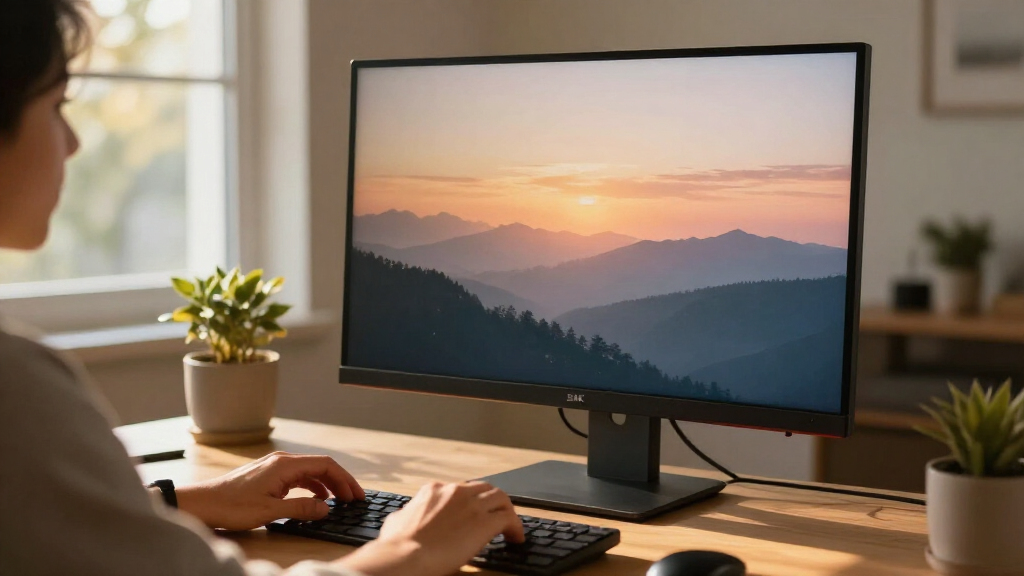
A 32-inch screen needs enough desk depth for comfortable viewing, especially if you plan to use it close up. At 4K, the dense resolution can make text and interface elements look small unless your operating system uses scaling. Scaling generally keeps menus readable while retaining plenty of desktop room, but older applications may not behave as cleanly. Measure the stand footprint as well as the display width, since the base can take up useful space. A curved screen such as the PIJ may fit some desk layouts or viewing preferences, but curvature is not a substitute for checking ergonomics. If you sit close or have limited desk depth, compare the monitor’s dimensions and stand options before committing.
Check Ports, Mounting, and Setup Details
Resolution and refresh rate are only useful if your computer can connect at the settings you expect. Verify the input types, supported refresh rates by port, and whether the monitor can charge a laptop if that matters to your setup. Do not assume that two monitors with similar names share the same ports or mounting support; the ViewFinity S7 S70H and S71H are listed as distinct models. If you use a monitor arm, confirm the VESA pattern and account for the monitor’s weight. Built-in speakers can reduce desk clutter, but they may not meet the needs of someone who cares about sound quality. A short specification check can prevent adapter purchases or an awkward mounting setup later.
Decide Which Extras Are Worth Prioritizing
Features such as FreeSync, HDR support, speakers, and lighting matter only when they solve a problem in your setup. Variable refresh support can reduce visual tearing in compatible games, while built-in speakers are handy for calls or casual viewing. HDR labels vary widely in practical impact, so check brightness and HDR capabilities rather than treating the label as a guarantee of a dramatic image. The PIJ listing calls out speakers and RGB lighting, but buyers who care more about smooth motion may prefer to prioritize a stated higher refresh rate instead. Likewise, a premium OLED gaming monitor is difficult to justify if your main tasks are documents and browsing. Put the features you will use regularly ahead of decorative or rarely used extras.
Compare the Exact Model, Not Just the Brand
This roundup includes multiple Samsung 32-inch 4K monitors with different names and stated details, along with generic listings that provide fewer specifications. A familiar brand does not guarantee that every model has the same panel, refresh rate, or connectivity. Check the exact model number on the listing and compare it with the manufacturer’s specifications before ordering. For less-detailed listings, confirm warranty terms, ports, stand adjustment, and return options rather than filling gaps with assumptions. This matters especially when two products appear similar but one explicitly identifies an IPS panel or gaming feature. Clear specifications make it easier to judge value and reduce the risk of buying a screen that misses a key requirement.
Frequently Asked Questions
Is a 32-inch 4K monitor a good choice for both work and gaming?
It can be, but the refresh rate and your computer’s capabilities shape how well it handles games. The Dell S3225QS is listed at 120Hz with FreeSync Premium, making it a more balanced choice for mixed work and play than the 60Hz models. The ASUS ROG Swift OLED is a more specialized gaming pick with a stated 240Hz refresh rate, but that level of performance may be unnecessary for office use. Check the games you play and whether your graphics hardware can drive 4K at the desired frame rate. If gaming is occasional, a general-purpose monitor may make more sense than paying for features you will rarely use.
Should I choose IPS, VA, or OLED for a 32-inch 4K screen?
Start with the type of work and viewing conditions you have rather than treating one panel type as a universal winner. This list identifies IPS on the Samsung ViewFinity S7 S71H and Raywego, VA on several models including the Dell S3225QS, and OLED on the ASUS ROG Swift. Compare the manufacturer’s details for brightness, color coverage, contrast, and intended use, since panel type does not provide every answer. OLED is the clearest fit here for a premium gaming setup, while IPS or VA may suit other work and entertainment needs. If you rely on color accuracy, look for measured color specifications rather than choosing on panel label alone.
Will 4K text be too small on a 32-inch monitor?
Text can appear small at the default scaling setting, but most operating systems let you enlarge interface elements while keeping the desktop sharp. At 32 inches, 4K provides detailed text and room for multiple windows, though your preferred viewing distance affects comfort. Try scaling settings before deciding that the display is unsuitable, and check whether the apps you rely on handle scaling well. If you mainly work with large text or sit far from the screen, the extra workspace may be less valuable than a simpler display setup. Desk depth and viewing distance should be part of the decision, not just resolution.
How can I tell whether a monitor listing has the features I need?
Use the exact model number to find the manufacturer’s specification sheet, then confirm ports, refresh rate, panel type, stand adjustments, and mounting support. This is especially useful here because several Samsung models have similar names, while some generic listings provide limited feature details. Check whether a stated refresh rate applies at 4K through the input you plan to use. Also verify warranty and return terms when specifications are unclear. If a feature is central to your decision but absent from the listing, do not assume the monitor includes it.
Is a 60Hz 32-inch 4K monitor enough, or should I choose 120Hz?
For documents, browsing, streaming, and many creative tasks, 60Hz can be adequate. A 120Hz model such as the Dell S3225QS gives smoother movement and is a better fit for gaming or users who notice motion changes while scrolling. The benefit depends on the computer and content: a system that cannot output higher frame rates will not make full use of the faster panel. Compare refresh rate with other needs such as panel type, inputs, and ergonomics instead of treating it as the only measure of quality. If gaming is central and your system can support it, the faster options in this roundup deserve closer attention.
Conclusion
For most mixed-use buyers, I’d start with the Dell 32 Plus S3225QS: its listed 120Hz refresh rate and FreeSync Premium give it the clearest balance of everyday use and gaming in this lineup. My best premium pick is the ASUS ROG Swift OLED PG32UCDM3 for buyers who want a 4K OLED gaming monitor with a stated 240Hz refresh rate. For a best value choice, compare the Samsung and other 60Hz models by their confirmed panel, ports, and setup features rather than assuming similarly named products are identical. Beginners who want a straightforward screen for work and general use can start with a clearly specified 4K model such as the Samsung ViewFinity S7 S71H IPS, after checking the exact listing details. For specific needs, choose the PIJ if its curved design and built-in extras suit your setup, or focus on the ASUS ROG Swift if high-refresh gaming is the priority.
Veterans Day Picks

Shark Matrix Plus 2-in-1 Robot Vacuum and Mop with 60-Day Self-Emptying Base
As an affiliate, we earn on qualifying purchases.