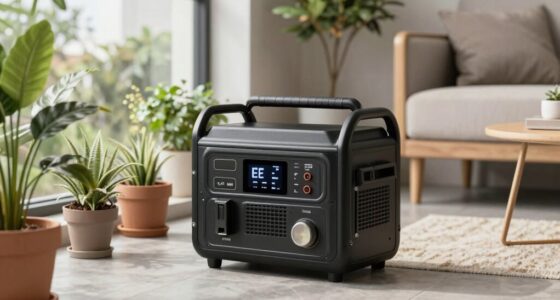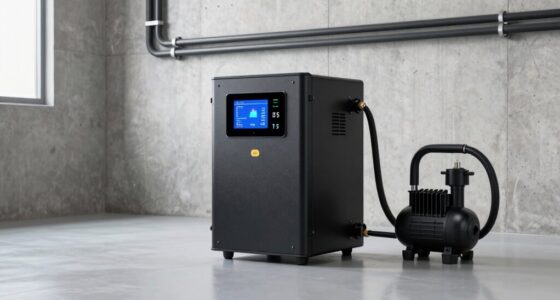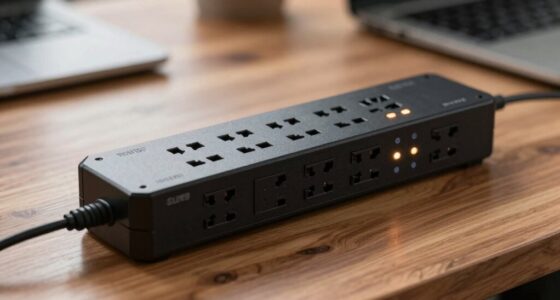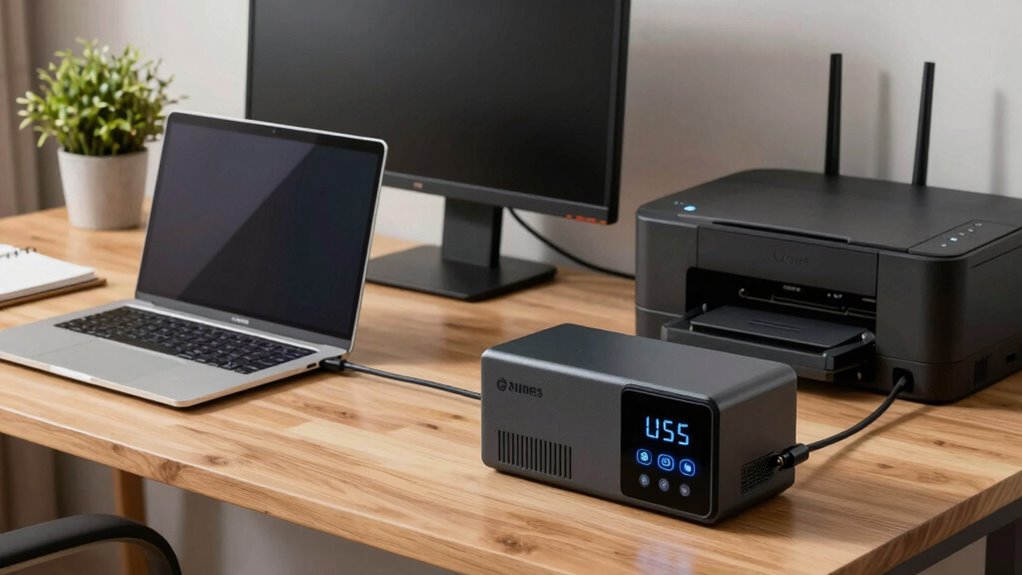
If you’re looking for a reliable UPS battery backup for your home office, you want a model that keeps your essential devices running during outages and protects against surges. The CyberPower EC850LCD stands out as the overall best choice, offering a solid balance of capacity and features. The CyberPower CP1500AVRLCD is another strong contender, especially for those needing higher power capacity, while the APC BE600M1 is ideal for compact spaces and budget-conscious setups. The main tradeoffs often involve balancing capacity, size, and cost, so understanding your needs is key. Keep reading for a detailed breakdown to help you find the perfect fit for your home office.

Turn your quiet moments into listening time
- Thousands of audiobooks, podcasts and originals
- Listen on your phone, tablet or Echo — also offline
- Cancel anytime
Key Takeaways
- The top picks balance capacity and size to suit different home office setups.
- Higher wattage models like the CyberPower CP1500AVRLCD provide more backup time but come at a higher price.
- Compact models like the APC BE600M1 are best for minimal setups with limited space and power needs.
- Surge protection features vary, making it important to choose a model that offers adequate device safeguarding.
- Price differences often reflect capacity, build quality, and additional features like LCD displays or sinewave output.
| CyberPower EC850LCD Ecologic UPS Battery Backup and Surge Protector |  | Best Budget-Friendly Backup with Essential Features | Voltage: 120 volts | Maximum Power: 500 watts | Number of Outlets: 12 | VIEW ON AMAZON | See Our Full Breakdown |
| GOLDENMATE 1000VA/600W Lithium UPS Battery Backup & Surge Protector |  | Best Long-Life Lithium Battery for Extended Use | Voltage: 120 volts | Maximum Power: 600 watts | Number of Outlets: 8 | VIEW ON AMAZON | See Our Full Breakdown |
| CyberPower CP1500AVRLCD3 Intelligent LCD UPS Battery Backup |  | Best for Critical Systems with Voltage Regulation | Voltage: 120 volts | Maximum Power: 900 watts | Number of Outlets: 8 | VIEW ON AMAZON | See Our Full Breakdown |
| APC Battery Backup 650VA/390W Uninterruptible Power Supply for PC, BE650G1 |  | Best Compact and Easy-to-Use Backup | Capacity: 650VA/390W | Outlets: 8 (4 battery backup + surge, 4 surge-only) | Runtime at 100W: 22 minutes | VIEW ON AMAZON | See Our Full Breakdown |
| APC 1500VA UPS Battery Backup & Surge Protector BN1500M2R (Renewed) |  | Best for High-Capacity, Reliable Power with Expandability | Voltage: 120 V | Maximum Power: 900 watts | Number of Outlets: 10 | VIEW ON AMAZON | See Our Full Breakdown |
| CyberPower CP1500PFCLCD PFC Sinewave UPS Battery Backup and Surge Protector |  | Best Overall for High-Performance Home Office Setups | Capacity: 1500VA/1000W | Outlets: 12 NEMA 5-15R (6 backup & surge, 6 surge only) | Input: NEMA 5-15P right angle, 45° offset, 5 ft cord | VIEW ON AMAZON | See Our Full Breakdown |
| APC BE600M1 UPS Battery Backup & Surge Protector for Computer, Router, NAS |  | Best for Compact, Cost-Effective Home Office Essentials | Capacity: 600VA/330W | Outlets: 7 (5 backup + surge, 2 surge only) | Surge Energy Rating: 490 joules | VIEW ON AMAZON | See Our Full Breakdown |
| APC BX1500M UPS Battery Backup & Surge Protector for Computers and Electronics |  | Best for Extended Runtime and Energy Efficiency | VA Capacity: 1500VA | Wattage: 900W | Backup Runtime: up to 68 minutes at 100W | VIEW ON AMAZON | See Our Full Breakdown |
| CyberPower ST425 Standby UPS Battery Backup and Surge Protector |  | Best for Budget-Conscious, Light Home Office Use | Capacity: 425VA/260W | Outlets: 8 NEMA 5-15R (4 backup & surge, 4 surge only) | Input: NEMA 5-15P right angle, 45° offset | VIEW ON AMAZON | See Our Full Breakdown |
| CyberPower ST625U Standby UPS Battery Backup and Surge Protector |  | Best for Moderate Power Needs and Versatility | Capacity: 625VA/360W | Outlets: 8 NEMA 5-15R (4 backup & surge, 4 surge only) | Battery Backup Outlets: 4 | VIEW ON AMAZON | See Our Full Breakdown |
| ups battery backup for home office | Outlets | Capacity |
|---|---|---|
| CyberPower EC850LCD Ecologic U | — | — |
| GOLDENMATE 1000VA/600W Lithium | — | — |
| CyberPower CP1500AVRLCD3 Intel | — | — |
| APC Battery Backup 650VA/390W | 8 (4 battery backup + surge, 4 surge-only) | 650VA/390W |
| APC 1500VA UPS Battery Backup | — | — |
| CyberPower CP1500PFCLCD PFC Si | 12 NEMA 5-15R (6 backup & surge, 6 surge only) | 1500VA/1000W |
| APC BE600M1 UPS Battery Backup | 7 (5 backup + surge, 2 surge only) | 600VA/330W |
| APC BX1500M UPS Battery Backup | 10 (5 backup, 5 surge only) | — |
| CyberPower ST425 Standby UPS B | 8 NEMA 5-15R (4 backup & surge, 4 surge only) | 425VA/260W |
| CyberPower ST625U Standby UPS | 8 NEMA 5-15R (4 backup & surge, 4 surge only) | 625VA/360W |
More Details on Our Top Picks
CyberPower EC850LCD Ecologic UPS Battery Backup and Surge Protector
The CyberPower EC850LCD stands out for providing reliable battery backup and surge protection at an accessible price point. Its compact form factor makes it suitable for small home offices, and the multifunction LCD offers real-time insights into power status, which is a step above basic models. Unlike larger units such as the APC BN1500M, its limited runtime of around 2 minutes during outages means it’s best suited for brief power interruptions or safe shutdown procedures. The ECO mode helps reduce power consumption, lowering energy bills, but this feature may be less relevant during extended outages. The unit’s 12 outlets are generous but could be excessive for users with minimal devices, and some report bulkiness, making it less ideal where space is tight. Overall, this model makes the most sense for those prioritizing affordability and dependable surge protection over long runtime.
Pros:- Affordable price point with reliable backup and surge protection
- Multifunction LCD for real-time power status updates
- ECO mode reduces energy consumption
Cons:- Limited runtime of approximately 2 minutes during outages
- Bulky design may be inconvenient in tight spaces
Best for: Small home offices or users needing basic backup and surge protection without high capacity requirements
Not ideal for: Users seeking extended runtime or to protect high-power equipment like large monitors or servers
- Voltage:120 volts
- Maximum Power:500 watts
- Number of Outlets:12
- Surge Protection Rating:526 Joules
- Runtime:2 minutes
- Battery Type:Sealed Lead Acid
Our verdict“This UPS is best for budget-conscious users who need quick backup for essential devices and surge protection in a small home office.”
GOLDENMATE 1000VA/600W Lithium UPS Battery Backup & Surge Protector
The GOLDENMATE 1000VA/600W offers a significant advantage with its lithium-ion battery, promising over a decade of service and more than 5000 charge cycles, unlike the typical lead-acid batteries in models like the APC BE650G1. Its tower form factor makes it easy to place in various home office setups, and the multiple outlets with real-time monitoring support busy work environments. However, the fan only activates during heavy use, which can be a surprise if noise during operation is a concern. Additionally, it supports only 110V power, so compatibility with certain regions may be limited. The 30-minute runtime at full load is handy, but for users needing longer backup, this may fall short. Overall, it’s ideal for those wanting a maintenance-free, high-end battery solution with a very long lifespan.
Pros:- Long-lasting lithium-iron phosphate battery with over 10 years of lifespan
- Multiple outlets with surge protection and real-time status monitoring
- Maintenance-free operation with safety certifications
Cons:- Fan activates only during heavy usage, which may generate noise
- Supports only 110V, limiting use in some regions
Best for: Tech-savvy users or small businesses looking for a durable, long-term backup with minimal maintenance
Not ideal for: Users who need longer runtime at full load or operate on 240V power systems
- Voltage:120 volts
- Maximum Power:600 watts
- Number of Outlets:8
- Runtime:30 minutes
- Battery Cell Type:Lithium-Phosphate
- Warranty Duration:10 years
Our verdict“This UPS is well-suited for users seeking a low-maintenance, durable power backup that outlasts most traditional models.”
CyberPower CP1500AVRLCD3 Intelligent LCD UPS Battery Backup
The CyberPower CP1500AVRLCD3 makes a strong case for protecting sensitive equipment in a home office with its automatic voltage regulation (AVR) and robust 1500VA/900W capacity. Its mini-tower design and color LCD display provide clear, real-time insights into power conditions, surpassing basic models like the APC BE650G1. While the 8-hour charging time might be lengthy for some, the AVR feature helps extend battery life during fluctuating power conditions, which is ideal for areas with inconsistent power. The 900W maximum load limits usage for high-power devices, but it covers most home office essentials comfortably. It lacks the longer runtime of larger units like the APC BN1500M but compensates with smarter regulation and monitoring. This pick is best for users who want reliable power with smart features to prevent damage and data loss.
Pros:- Automatic voltage regulation extends battery life and device safety
- Color LCD shows real-time power conditions clearly
- Reliable surge protection for critical electronics
Cons:- Limited to 900W maximum power output
- Longer battery charge time of 8 hours
Best for: Home office users with sensitive electronics needing stable power and voltage regulation
Not ideal for: Those requiring long backup durations or high wattage capacity for power-hungry devices
- Voltage:120 volts
- Maximum Power:900 watts
- Number of Outlets:8
- Surge Protection Rating:1500 Joules
- Battery Charge Time:8 hours
- Display:Color LCD
Our verdict“This UPS is ideal for protecting sensitive equipment with smart voltage regulation in a home office setting.”
APC Battery Backup 650VA/390W Uninterruptible Power Supply for PC, BE650G1
The APC BE650G1 offers a straightforward, reliable power backup solution for small home offices, especially where space is limited. Its 650VA/390W capacity provides enough runtime to save work and shut down equipment safely during brief outages, but it’s less suited for extended power interruptions compared to larger units like the BN1500M. The multiple outlets with surge protection are convenient, and battery replacement is simple, making maintenance manageable. It’s a good choice for users with minimal devices or those who prioritize compactness over long backup durations. However, the limited runtime at higher loads can be a drawback if power outages tend to last longer. This model is best for those needing a compact, easy-to-maintain backup for essential equipment.
Pros:- Compact size suitable for small spaces
- Easy battery replacement for quick maintenance
- Reliable surge protection for essential devices
Cons:- Limited runtime at higher loads
- Not suitable for high-power equipment or long outages
Best for: Users with small setups requiring quick safety shutdowns and space-efficient design
Not ideal for: Power users with many devices or frequent, extended outages needing longer backup times
- Capacity:650VA/390W
- Outlets:8 (4 battery backup + surge, 4 surge-only)
- Runtime at 100W:22 minutes
- Warranty:3 years
Our verdict“This UPS works well for small, space-constrained setups needing quick backup and simple operation.”
APC 1500VA UPS Battery Backup & Surge Protector BN1500M2R (Renewed)
The APC BN1500M2R provides a strong backup option for home offices with its 1500VA/900W capacity, making it suitable for multiple devices or longer outages compared to smaller units like the APC BE650G1. Its 10 outlets, including a mix of battery-backed and surge-only, accommodate diverse equipment, and the automatic voltage regulation ensures stable power delivery. While being a renewed product might raise concerns about warranty and lifespan, it offers comparable performance to new units at a lower price. The limited detailed review info makes it less transparent, but the large capacity and multiple outlets make it ideal for users with higher power needs or those wanting a more robust backup solution. This model is best for those looking for a dependable, high-capacity UPS that can handle a busy home office.
Pros:- High capacity with 1500VA/900W for multiple devices
- Multiple outlets with a mix of backup and surge protection
- Automatic voltage regulation for stable power
Cons:- Renewed product may have limited warranty or unknown lifespan
- Requires replacement battery for optimal long-term performance
Best for: Power users needing extended runtime and multiple device support in a home or small office environment
Not ideal for: Casual users with minimal devices or those who prefer brand new units with full warranty coverage
- Voltage:120 V
- Maximum Power:900 watts
- Number of Outlets:10
- Wattage:900 watts
- Battery Type:Lead Acid
Our verdict“This UPS is suited for those needing significant power backup capacity and reliability, especially in a busy home office setting.”
CyberPower CP1500PFCLCD PFC Sinewave UPS Battery Backup and Surge Protector
The CyberPower CP1500PFCLCD stands out for its ability to deliver pure sine wave power, making it ideal for systems with active PFC power supplies like high-end desktops or workstations. Compared with the APC BX1500M, it offers better compatibility with sensitive electronics thanks to its sine wave output. Its large capacity of 1500VA/1000W supports multiple devices simultaneously, but this also means it’s bulkier and more expensive. The color LCD provides detailed real-time info, which is valuable for monitoring, yet it requires proper setup to fully leverage its features. The automatic voltage regulation helps stabilize power, but over time, battery capacity may diminish despite the 3-year warranty. This pick makes the most sense for professionals with power-hungry, sensitive equipment who want reliable, high-quality backup power.
Pros:- Provides sine wave output suitable for active PFC power supplies
- Multiple outlets with both battery backup and surge protection
- Color LCD display offers detailed real-time information
- Automatic voltage regulation improves power stability
Cons:- Limited to 1500VA capacity, not suitable for very high power needs
- Battery life may decline over time despite warranty
Best for: Power users with high-performance workstations and active PFC systems needing reliable sine wave power.
Not ideal for: Casual home users with basic setups who don’t require high capacity or sine wave output.
- Capacity:1500VA/1000W
- Outlets:12 NEMA 5-15R (6 backup & surge, 6 surge only)
- Input:NEMA 5-15P right angle, 45° offset, 5 ft cord
- USB Ports:1 Type-A, 1 Type-C
- Display:Color LCD with tilt
- Warranty:3 years including battery
Our verdict“This UPS is best for tech-savvy users with high-performance equipment who need dependable, high-quality power backup.”
APC BE600M1 UPS Battery Backup & Surge Protector for Computer, Router, NAS
The APC BE600M1 offers a compact and affordable solution for small home offices, providing 600VA/330W of backup power. Unlike the CyberPower CP1500PFCLCD, it’s designed for lighter loads and simpler setups, making it perfect for protecting a single PC, router, or NAS. Its user-replaceable battery extends its lifespan without the need for professional service, though this feature can be a double-edged sword if users are unfamiliar with battery replacement. The 23-minute runtime at 100W is sufficient for saving work during brief outages, but might fall short for longer power interruptions or high-demand devices. It includes seven outlets and a USB charging port, making it versatile for small setups. This model is ideal for users seeking a straightforward, budget-friendly backup without complex features.
Pros:- Compact and space-efficient design
- User-replaceable battery extends lifespan and reduces replacement costs
- Multiple outlets with surge protection
- Includes USB port for mobile device charging
Cons:- Limited runtime at higher loads, may only last about 23 minutes at 100W
- Battery replacement requires purchase of separate pack, which adds cost
Best for: Small home office users with basic backup needs, such as a single computer and network gear.
Not ideal for: Power users with multiple high-demand devices or larger setups requiring extended runtime.
- Capacity:600VA/330W
- Outlets:7 (5 backup + surge, 2 surge only)
- Surge Energy Rating:490 joules
- USB Charging Port:1.5A
- Battery Type:Sealed lead-acid, user-replaceable
- Battery Life:23 minutes at 100W
Our verdict“This UPS suits small-scale, budget-conscious home users who prioritize simplicity and cost-effectiveness.”
APC BX1500M UPS Battery Backup & Surge Protector for Computers and Electronics
The APC BX1500M delivers 1500VA/900W of backup power with a focus on energy efficiency and longer runtime, making it suitable for more demanding home office setups. Compared to smaller models like the APC BE600M1, it offers nearly double the capacity and up to 68 minutes of runtime at 100W, which can be critical during extended outages. Its LCD display provides real-time system monitoring, and the replaceable battery extends device lifespan, much like the APC BE600M1. However, the need to purchase batteries separately adds ongoing costs, and the setup can seem complex for less tech-savvy users. This model is best for those who want a balance between capacity, energy efficiency, and longer backup times for multiple devices.
Pros:- Provides up to 68 minutes of backup at 100W load
- Multiple outlets with surge and battery backup
- Real-time LCD for system monitoring
- Energy-efficient, ENERGY STAR certified
Cons:- Battery replacement requires purchasing separately
- Setup may be complex for beginners
Best for: Home office users with multiple devices seeking extended backup runtime and energy efficiency.
Not ideal for: Casual users with minimal equipment or those who prefer plug-and-play simplicity over detailed monitoring.
- VA Capacity:1500VA
- Wattage:900W
- Backup Runtime:up to 68 minutes at 100W
- Outlets:10 (5 backup, 5 surge only)
- Energy Star Certified:Yes
- Battery Type:Replaceable (sold separately)
Our verdict“This UPS is well-suited for users needing longer backup times and energy efficiency for multiple devices.”
CyberPower ST425 Standby UPS Battery Backup and Surge Protector
The CyberPower ST425 provides a practical, low-cost backup solution with 425VA/260W capacity, making it suitable for basic home office or entertainment setups. Its high efficiency design helps reduce power consumption, a feature not always present in larger, more complex UPS units like the CyberPower CP1500PFCLCD. It includes 8 outlets, half of which are backup and surge protected, and has a simple LED status indicator for quick health checks. While it’s reliable for smaller setups, its limited capacity means it can’t support high-power or multiple large devices simultaneously, and the 3-year warranty is standard but doesn’t compensate for its modest runtime. It fits best for users with light needs who want straightforward protection without fuss.
Pros:- Reliable backup and surge protection for multiple devices
- High efficiency design reduces power use
- Includes 3-year warranty and connected equipment guarantee
- Simple LED indicators for easy status checks
Cons:- Limited to 425VA/260W, not suitable for high-power devices
- Only 8 outlets, which may be insufficient for larger setups
Best for: Home users seeking affordable, reliable backup for a few essential devices.
Not ideal for: Power users or those with multiple high-demand devices requiring longer runtime.
- Capacity:425VA/260W
- Outlets:8 NEMA 5-15R (4 backup & surge, 4 surge only)
- Input:NEMA 5-15P right angle, 45° offset
- Cord Length:5 feet
- Warranty:3 years including battery
- Safety Certification:UL listed
Our verdict“This UPS is best for basic home office setups with minimal power demands and a need for budget-friendly protection.”
CyberPower ST625U Standby UPS Battery Backup and Surge Protector
The CyberPower ST625U offers a middle ground with 625VA/360W capacity, making it suitable for typical home office setups that include computers, monitors, and networking gear. Its 8 outlets are split evenly between backup and surge protection, providing flexible device management. The simulated sine wave output is a common feature at this price point, but it may not be compatible with sensitive electronics, unlike the pure sine wave in higher-end models like the CyberPower CP1500PFCLCD. The 4 USB ports add convenience for mobile device charging, and the 3-year warranty offers peace of mind. While it’s more capable than smaller units, its capacity still limits support for high-power devices or multiple large electronics simultaneously, making it better suited for moderate needs.
Pros:- Reliable backup power for multiple devices
- Includes 2 USB charging ports
- Affordable and versatile for typical home office needs
- 3-year warranty offers reassurance
Cons:- Simulated sine wave may not suit sensitive electronics
- Limited capacity for supporting high-power devices
Best for: Home offices with a mix of computers, routers, and small peripherals seeking balanced backup power.
Not ideal for: Users with high-power equipment or requiring long backup durations during outages.
- Capacity:625VA/360W
- Outlets:8 NEMA 5-15R (4 backup & surge, 4 surge only)
- Battery Backup Outlets:4
- USB Ports:2
- Waveform:Simulated sine wave
- Warranty:3 years
Our verdict“This UPS makes sense for users with moderate backup needs who want a reliable, versatile device at an affordable price.”

How We Picked
This lineup was evaluated based on performance, reliability, usability, build quality, and value. We prioritized models with sufficient capacity to support essential home office devices like computers, routers, and external drives. Ease of setup and user interface, such as LCD screens or notifications, also influenced rankings. Cost-effectiveness was considered alongside durability and surge protection features, ensuring the options cater to different budgets and needs. These criteria collectively helped us rank the UPS units from versatile all-rounders to specialized, high-capacity solutions.Factors to Consider When Choosing Ups Battery Backup For Home Office
Choosing the right UPS battery backup for a home office involves more than just capacity. It’s important to consider factors like total wattage needs, form factor, and additional features to make an informed purchase that matches your workflow. A well-chosen UPS can prevent data loss, protect equipment, and keep you productive during outages. Here are key considerations to guide your decision.Capacity and Power Rating
The most critical factor is ensuring the UPS can handle your entire setup’s wattage. Calculate the power draw of your devices—especially your PC, monitor, and networking gear—and choose a model with a wattage and VA rating that exceeds this sum. Overloading a UPS can lead to premature shutdowns or damage, so always leave a buffer. Higher capacity models provide longer backup times but tend to be larger and more expensive, so matching capacity to actual needs helps avoid overspending.
Size and Form Factor
Home offices vary widely in space, so selecting a compact UPS may be beneficial if space is limited. However, smaller units often have lower capacity, which may not support all devices for extended periods. Larger, tower-style models tend to offer higher wattage but require more space and can be heavier. Consider where you’ll place the UPS and whether your environment demands portability or a more permanent installation, especially if you plan to move it around frequently.
Surge Protection and Features
A dependable surge protector is essential for safeguarding sensitive electronics against power spikes. Look for UPS units with built-in surge protection, especially if you live in an area prone to thunderstorms or power fluctuations. Additional features such as LCD displays, which show load and battery status, or sinewave output for sensitive equipment, can enhance usability and reliability. However, these features often come at a higher cost, so consider their importance relative to your needs.
Ease of Use and Maintenance
Ease of setup and monitoring can save time and frustration. Units with clear indicators, user-friendly interfaces, or software for managing power events are preferable. Maintenance considerations include battery replacement—some models have easily accessible batteries, extending the lifespan of your investment. Avoid overly complex setups if you prefer straightforward plug-and-play solutions, especially if you’re not tech-savvy.
Price and Overall Value
While higher-capacity models often cost more, they can be worth the investment for higher power demands or longer backup times. Balance your budget against the features and capacity you need; sometimes, paying a bit more up front saves money by avoiding frequent replacements or insufficient backup. Consider total cost of ownership, including battery replacement cycles and warranty coverage, to ensure you’re getting a good deal over time.
Frequently Asked Questions
How do I determine the right capacity for my home office?
To find the right capacity, list all essential devices you want to keep running during an outage, including your computer, monitor, router, and external drives. Add up their wattage ratings or use their power consumption to estimate total load. Choose a UPS with a wattage rating at least 20-30% higher than this total to provide a buffer for startup surges and future expansion. This ensures your setup remains protected without overloading the unit.
Should I prioritize sinewave or simulated sinewave output?
Sinewave UPS units produce cleaner power and are better suited for sensitive electronics like high-end PCs, audio equipment, and medical devices. Simulated sinewave models are often less expensive and sufficient for less sensitive gear, such as basic routers or printers. If your setup includes sensitive or expensive equipment, investing in a sinewave model can prevent potential damage and ensure smoother operation.
How often do I need to replace the battery in my UPS?
Batteries in UPS units typically last between 3 to 5 years, depending on usage and environmental conditions. Regularly testing your UPS and monitoring its battery health via built-in indicators or software can help catch degradation early. Replacing batteries proactively can extend the lifespan of your UPS and maintain reliable backup performance, especially if you experience shorter run times or warning signals.
Is it better to buy a larger capacity UPS than I currently need?
Opting for a slightly larger capacity can provide additional backup time and accommodate future device additions without replacing the unit. However, excessively large UPS units may be more expensive and take up more space than necessary. Balance your current needs with potential growth, ensuring the unit isn’t oversized to avoid unnecessary costs and bulk.
What features should I look for if I want to protect my network equipment?
For network gear like routers and modems, look for UPS models with surge protection, enough wattage to support your devices, and possibly a network management port. Some units include USB or network connectivity for remote monitoring and shutdown automation, which can be highly useful for maintaining uptime and preventing data loss. Prioritize models with stable power output and surge protection to keep your network safe during outages and power events.
Conclusion
For home office users seeking a reliable, all-around solution, the CyberPower EC850LCD offers excellent value with balanced capacity and features. Those with higher power needs or larger setups might prefer the CyberPower CP1500AVRLCD for longer backup times and more robust protection. Beginners or those with limited space should consider compact options like the APC BE600M1, which are easy to set up and affordable. For users with sensitive equipment, investing in a sinewave model ensures maximum protection. Ultimately, choosing the right UPS depends on your specific setup, budget, and future expansion plans, but understanding these key factors helps ensure your home office remains productive and protected.
As an affiliate, we earn on qualifying purchases.Halloween Picks
halloween