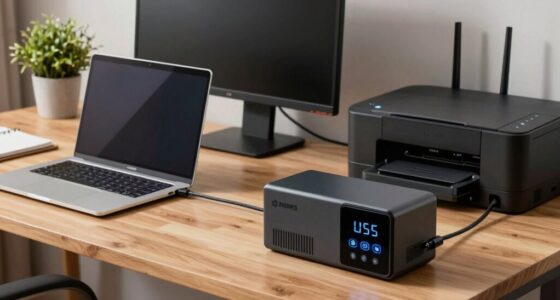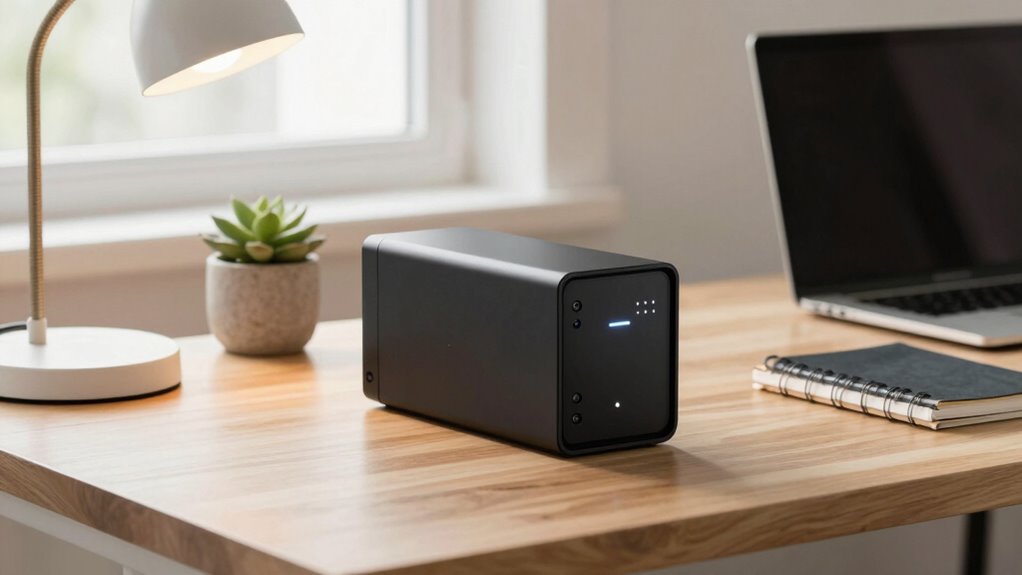
Choosing a quiet UPS battery backup for a home office means balancing reliable power protection with minimal noise disruption. The CyberPower CP1500AVRLCD3 stands out as the best overall, offering robust backup capacity with silent operation. The APC BE600M1 provides excellent value for smaller setups, while the CyberPower CP1500PFCLCD is ideal for users needing cleaner power and quieter operation. Many options in this category trade off noise levels against capacity or affordability. Keep reading to see how these products compare and find the right fit for your workspace.

Get books, candles and calm essentials delivered free — and shop member deals
- Fast, free delivery on millions of items
- Access to Prime Big Deal Days deals on October 6–7
- Prime Video, Amazon Music and more included
Key Takeaways
- Top picks balance power capacity with silent operation, avoiding noisy fans or alarms.
- Smaller units like the APC BE600M1 are budget-friendly but limited in backup time.
- High-capacity models like the CyberPower CP1500AVRLCD3 excel in larger setups but can be bulkier.
- Pure sine wave models tend to operate more quietly and provide cleaner power, beneficial for sensitive electronics.
- Choosing a UPS with built-in noise-reducing features often results in a more comfortable home office environment.
| CyberPower CP1500AVRLCD3 Intelligent LCD UPS Battery Backup |  | Best Overall for Home Office Users Needing Reliability and Features | Voltage: 120 volts | Maximum Power: 900 watts | Form Factor: Mini-Tower | VIEW ON AMAZON | See Our Full Breakdown |
| CyberPower EC850LCD Ecologic UPS Battery Backup and Surge Protector |  | Best for Eco-Conscious Users Who Want Power Saving Features | Capacity: 850VA/510W | Surge Protection Rating: 526 Joules | Form Factor: Compact | VIEW ON AMAZON | See Our Full Breakdown |
| APC BE600M1 UPS Battery Backup & Surge Protector for Computer, Router, NAS |  | Best Compact Choice for Basic Home Office Needs | Capacity: 600VA/330W | Outlets: 7 (5 backup + surge, 2 surge-only) | Runtime at 100W: 23 minutes | VIEW ON AMAZON | See Our Full Breakdown |
| APC Battery Backup 650VA/390W Uninterruptible Power Supply for PC, BE650G1 |  | Best Budget-Friendly Backup for Small Home Offices | Capacity: 650VA/390W | Outlets: 8 (4 backup + surge, 4 surge-only) | Runtime at 100W: 22 minutes | VIEW ON AMAZON | See Our Full Breakdown |
| APC BX1500M UPS Battery Backup & Surge Protector for Computers and Electronics |  | Best for Long Runtime and High Power Capacity | VA Capacity: 1500VA | Wattage: 900W | Backup Runtime: up to 68 minutes at 100W | VIEW ON AMAZON | See Our Full Breakdown |
| APC 1000VA/600W Pro UPS Battery Backup for Office Electronics, AVR, BX1000M |  | Best Overall for Reliable, Continuous Power with Monitoring | Capacity: 1000VA / 600W | Backup Runtime: Over 42 minutes at 100W load | Outlets: 8 total (4 backup + 4 surge-only) | VIEW ON AMAZON | See Our Full Breakdown |
| CyberPower CP1500PFCLCD PFC Sinewave UPS Battery Backup and Surge Protector |  | Best for Power Stability with Sine Wave Output | Capacity: 1500VA / 1000W | Outlets: 12 (6 battery backup & surge, 6 surge only) | Input Plug: NEMA 5-15P right angle | VIEW ON AMAZON | See Our Full Breakdown |
| APC BE425M UPS Battery Backup and Surge Protector for Small Electronics |  | Best Compact Backup for Low-Power Devices | VA: 425VA | Wattage: 255W | Outlets: 6 (4 backup + surge, 2 surge-only) | VIEW ON AMAZON | See Our Full Breakdown |
| CyberPower ST425 Standby UPS Battery Backup and Surge Protector |  | Best for Budget-Friendly Home Office Backup | Capacity: 425VA / 260W | Outlets: 8 (4 backup + surge, 4 surge-only) | Input: NEMA 5-15P | VIEW ON AMAZON | See Our Full Breakdown |
| GOLDENMATE 1500VA/1000W Lithium UPS Battery Backup & Surge Protector, White |  | Best for Long-Lasting, Low-Maintenance Power Support | Battery Type: LiFePO4 | Capacity: 1500VA / 1000W | Charge Cycles: 3000+ | VIEW ON AMAZON | See Our Full Breakdown |
| quiet ups battery backup for home office | Outlets | Capacity | Warranty | Display |
|---|---|---|---|---|
| CyberPower CP1500AVRLCD3 Intel | — | — | — | Color LCD |
| CyberPower EC850LCD Ecologic U | — | 850VA/510W | 3 years | Multifunction LCD |
| APC BE600M1 UPS Battery Backup | 7 (5 backup + surge, 2 surge-only) | 600VA/330W | — | — |
| APC Battery Backup 650VA/390W | 8 (4 backup + surge, 4 surge-only) | 650VA/390W | 3 years | — |
| APC BX1500M UPS Battery Backup | 5 backup + 5 surge-only | — | — | LCD |
| APC 1000VA/600W Pro UPS Batter | 8 total (4 backup + 4 surge-only) | 1000VA / 600W | 3 years | — |
| CyberPower CP1500PFCLCD PFC Si | 12 (6 battery backup & surge, 6 surge only) | 1500VA / 1000W | 3 years | Color LCD, tilts up to 22° |
| APC BE425M UPS Battery Backup | 6 (4 backup + surge, 2 surge-only) | — | 3 years | — |
| CyberPower ST425 Standby UPS B | 8 (4 backup + surge, 4 surge-only) | 425VA / 260W | 3 years | — |
| GOLDENMATE 1500VA/1000W Lithiu | 8 NEMA 5-15P | 1500VA / 1000W | — | Smart LCD |
More Details on Our Top Picks
CyberPower CP1500AVRLCD3 Intelligent LCD UPS Battery Backup
This model stands out for offering a robust 1500VA/900W capacity, making it suitable for protecting multiple devices simultaneously, especially compared to the smaller APC BE600M1. Its automatic voltage regulation helps stabilize power, extending battery life and reducing wear, which is vital for sensitive electronics. The color LCD display provides clear, real-time information, making it easier to monitor system status than many simpler models. USB charging ports add convenience, especially when power is out, but the 8-hour charge time can be inconvenient if you need quick turnaround after a power cycle. Its size and weight might be a concern for tighter spaces, but overall, this UPS balances power, features, and reliability well.
Pros:- High capacity suitable for multiple devices
- Automatic voltage regulation to protect electronics
- Clear LCD display for real-time status updates
- USB charging ports for mobile devices
Cons:- Bulky design may not fit small spaces
- Long 8-hour charge time after power outages
Best for: Home office professionals with multiple devices and a need for dependable backup and detailed monitoring.
Not ideal for: Small setups with limited space or users seeking ultra-compact solutions; the bulky design may be problematic.
- Voltage:120 volts
- Maximum Power:900 watts
- Form Factor:Mini-Tower
- Battery Charge Time:8 hours
- Surge Protection Rating:1500 Joules
- Display:Color LCD
Our verdict“This UPS suits users who prioritize capacity, detailed info, and reliable power for multiple devices, accepting its larger size and longer recharge time.”
CyberPower EC850LCD Ecologic UPS Battery Backup and Surge Protector
Compared with the larger CyberPower CP1500AVRLCD3, the EC850LCD offers a more compact design and lower power capacity of 850VA/510W, making it suitable for smaller home office setups. Its eco mode reduces power draw when on standby, helping cut electricity costs over time. The multifunction LCD provides detailed status, though it can be hard to read in bright environments, unlike the clear LCD of the higher-capacity model. Runtime of about 2 minutes at full load is limited, but for short outages or surge protection, it performs reliably. The plastic enclosure keeps it lightweight and easy to place, but this might compromise durability in heavy-use environments.
Pros:- Eco mode reduces energy consumption
- Detailed LCD for system status
- Compact and lightweight design
- Three-year warranty including batteries
Cons:- Limited runtime at full load
- LCD readability issues in bright settings
Best for: Eco-conscious users with small to medium setups who want basic backup with energy-saving features.
Not ideal for: Users with multiple high-power devices or long backup needs, since runtime is limited and capacity is lower.
- Capacity:850VA/510W
- Surge Protection Rating:526 Joules
- Form Factor:Compact
- Runtime:2 minutes
- Warranty:3 years
- Display:Multifunction LCD
Our verdict“Ideal for small setups seeking to reduce power consumption without sacrificing basic surge and backup protection.”
APC BE600M1 UPS Battery Backup & Surge Protector for Computer, Router, NAS
This 600VA/330W UPS is perfect for small setups like a single computer or router, offering quick protection during outages compared to the larger CyberPower options. It’s highly space-efficient, but the limited 23-minute runtime at 100W means it’s best for short power interruptions rather than extended outages. The user-replaceable battery extends device lifespan, yet the process involves purchasing a separate battery, adding ongoing costs. It’s simple and reliable, but the modest capacity and runtime make it unsuitable for those with multiple or high-power devices needing longer backup.
Pros:- Compact and space-efficient
- User-replaceable battery for extended use
- Multiple outlets for essential devices
- Reliable surge protection
Cons:- Limited runtime for higher loads
- Battery replacement involves additional purchase
Best for: Single-user home offices or users with minimal equipment who want reliable, straightforward power backup.
Not ideal for: Power users with multiple devices or longer outage protection, as runtime and capacity are limited.
- Capacity:600VA/330W
- Outlets:7 (5 backup + surge, 2 surge-only)
- Runtime at 100W:23 minutes
- Battery:Sealed lead-acid, user-replaceable
- Surge Protection:490 Joules
- Dimensions:Not specified
Our verdict“This UPS fits small, single-device setups that need reliable backup without extra space or complexity.”
APC Battery Backup 650VA/390W Uninterruptible Power Supply for PC, BE650G1
Compared with the APC BE600M1, the BE650G1 offers slightly more capacity and runtime, up to 22 minutes at 100W, making it a solid choice for small offices. Its 8 outlets, with half providing battery backup, offer flexible device connection, but only four outlets will keep devices powered during an outage, limiting coverage for larger setups. The user-replaceable battery simplifies maintenance, though the runtime limits may be insufficient for longer outages. It’s a straightforward, affordable option that balances capacity and cost, though it falls short for users needing extended backup time or more outlets with battery power.
Pros:- Affordable price point
- Good runtime for small setups
- Multiple outlets for flexibility
- User-replaceable battery
Cons:- Limited runtime for higher loads
- Only 4 outlets provide battery backup
Best for: Budget-conscious home office users with a few essential devices needing reliable short-term backup.
Not ideal for: Users with larger setups or longer power outages, as runtime and outlet capacity are limited.
- Capacity:650VA/390W
- Outlets:8 (4 backup + surge, 4 surge-only)
- Runtime at 100W:22 minutes
- Warranty:3 years
- Protection:$75,000 Equipment Protection
- Battery Type:Sealed lead-acid, user-replaceable
Our verdict“This UPS offers a practical and economical solution for small setups that need dependable short-term backup power.”
APC BX1500M UPS Battery Backup & Surge Protector for Computers and Electronics
Compared with smaller models like the APC BE650G1, the BX1500M offers a significantly higher capacity of 1500VA/900W, supporting longer outages—up to 68 minutes at 100W—making it perfect for home offices with critical devices. Its five battery backup outlets and five surge-only outlets provide comprehensive coverage, with an intuitive LCD display for monitoring. The large capacity, however, means it’s bulkier and may not fit in tight spaces, and the cost of replacing the battery separately adds ongoing expense. Still, for users who need extended uptime and robust power protection, this model makes a compelling choice.
Pros:- Long runtime up to 68 minutes at 100W
- High capacity supports multiple devices
- Multiple outlets with surge and backup options
- User-replaceable battery
Cons:- Bulky size limits placement options
- Battery replacement requires separate purchase
Best for: Power users with multiple devices or those requiring long backup durations during outages.
Not ideal for: Small setups or users with limited space, due to the larger size and higher cost.
- VA Capacity:1500VA
- Wattage:900W
- Backup Runtime:up to 68 minutes at 100W
- Outlets:5 backup + 5 surge-only
- Display:LCD
- Battery Type:Replaceable (APCRBC124)
Our verdict“This UPS fits users seeking extended backup time and high power support at the expense of size and initial cost.”
APC 1000VA/600W Pro UPS Battery Backup for Office Electronics, AVR, BX1000M
The APC BX1000M stands out for its dependable backup runtime of over 42 minutes at 100W, making it suitable for maintaining critical office functions during outages. Compared to the GOLDENMATE 1500VA, it offers a more affordable option with user-replaceable batteries, though it’s bulkier and limited to 600W capacity, which may restrict high-power device use. Its automatic voltage regulation stabilizes fluctuating power, a feature that even the CyberPower CP1500PFCLCD lacks in its sine wave output. The LCD display provides real-time updates, aiding quick decision-making. However, replacing the battery requires a separate purchase, and its size may demand dedicated space. This model is perfect for users needing reliable, monitored backup without extensive high-capacity demands.
Pros:- Over 42 minutes runtime at 100W load for critical devices
- Automatic voltage regulation stabilizes power fluctuations
- User-replaceable battery extends lifespan and lowers long-term costs
- LCD display offers clear, real-time status updates
Cons:- Battery replacement involves purchasing a separate model
- Bulkier size may require dedicated space
- Limited to 600W capacity, unsuitable for high-demand devices
Best for: Home office users who prioritize consistent power, real-time monitoring, and easy battery replacement.
Not ideal for: Users with high-power equipment or limited space, as its 600W capacity and bulk may be restrictive.
- Capacity:1000VA / 600W
- Backup Runtime:Over 42 minutes at 100W load
- Outlets:8 total (4 backup + 4 surge-only)
- Surge Protection:Yes, coaxial and Ethernet
- Automatic Voltage Regulation:Yes
- Battery:Replaceable (APCRBC158, sold separately)
- Efficiency:92%+ (ENERGY STAR certified)
- Warranty:3 years
Our verdict“Best suited for home office setups that need dependable, monitored backup power with easy maintenance.”
CyberPower CP1500PFCLCD PFC Sinewave UPS Battery Backup and Surge Protector
The CyberPower CP1500PFCLCD excels at providing clean, sine wave power for sensitive electronics, making it ideal for high-end computers and network gear. Its 1500VA/1000W capacity surpasses many competitors, like the APC BE425M, in supporting multiple devices simultaneously. The color LCD display offers detailed real-time info, and automatic voltage regulation maintains stable power during fluctuations. While it lacks specific backup runtime details, its 3-year warranty and surge protection make it a solid choice for power-sensitive setups. Unlike cheaper options, it’s better suited for active PFC power supplies, but its larger size and higher cost may deter casual users. This pick makes the most sense for those needing consistent, stable power for high-performance home office equipment.
Pros:- Provides sine wave output compatible with sensitive equipment
- Supports multiple devices with 12 outlets, including USB ports
- Color LCD display for detailed real-time information
- Automatic voltage regulation stabilizes power
Cons:- Backup runtime duration is not clearly specified
- Heavier and larger, requiring more space
- Higher price compared to basic UPS models
Best for: Professionals with sensitive or high-demand electronics who need sine wave output and detailed monitoring.
Not ideal for: Casual users or those with low-power needs, as its higher price and size may be overkill.
- Capacity:1500VA / 1000W
- Outlets:12 (6 battery backup & surge, 6 surge only)
- Input Plug:NEMA 5-15P right angle
- Display:Color LCD, tilts up to 22°
- Warranty:3 years
- Connected Equipment Guarantee:$500,000
Our verdict“Ideal for users requiring clean, stable power for sensitive and high-performance electronics in a home office.”
APC BE425M UPS Battery Backup and Surge Protector for Small Electronics
The APC BE425M offers a compact, space-saving solution for essential low-power electronics, like routers, modems, and small gadgets. Its 425VA/255W capacity, while modest, is enough for brief outages—around 15 minutes at 100W—making it suitable for keeping critical connectivity devices alive during short power interruptions. Its six outlets, including surge-only options, and safety indicators provide simple, reliable protection. Compared to larger units like the GOLDENMATE 1500VA, it’s less suitable for high-demand devices but excels in small spaces. The limited runtime and low capacity mean it’s best for those who only need brief backup for minimal loads. This makes it ideal for users prioritizing space and basic protection over extended runtime or high power support.
Pros:- Compact, wall-mountable design saves space
- Reliable backup for essential low-power devices
- Includes surge protection and safety indicators
- 3-year warranty with equipment protection policy
Cons:- Limited runtime of approximately 15 minutes at 100W
- Not suitable for high-demand or high-power devices
- Limited capacity restricts use for more than basic needs
Best for: Home users with small electronics who need quick, reliable backup during short outages and limited space.
Not ideal for: Those with high-power devices or longer backup needs, as its runtime and capacity are limited.
- VA:425VA
- Wattage:255W
- Outlets:6 (4 backup + surge, 2 surge-only)
- Surge Energy Rating:180 joules
- Warranty:3 years
- Protection Policy:$75,000 Equipment Protection
Our verdict“Best for space-conscious users needing quick backup for essential low-power electronics during brief outages.”
CyberPower ST425 Standby UPS Battery Backup and Surge Protector
The CyberPower ST425 provides a straightforward, reliable backup for basic home office needs, with 425VA/260W capacity supporting a few essential devices like routers and small computers. Its simulated sine wave output is acceptable for most standard electronics, though not ideal for sensitive or high-demand equipment. The eight outlets, split evenly between backup and surge-only, and simple LED indicators make setup and monitoring easy. Compared to the larger APC BE425M, it offers similar capacity but at a potentially lower cost, making it attractive for budget-conscious users. However, its limited capacity and simulated sine wave output restrict its use to less sensitive gear. It’s best for users who want a no-frills backup solution for modest loads without high upfront costs.
Pros:- Reliable backup and surge protection for basic devices
- UL listed and includes a 3-year warranty
- LED indicators for easy status checks
- Transformer-spaced outlets for large adapters
Cons:- Limited to 425VA capacity, supporting only small loads
- Simulated sine wave may not suit sensitive electronics
- No specified backup runtime duration
Best for: Budget-conscious users who need reliable backup for basic devices like routers and small computers.
Not ideal for: Users with sensitive or high-power equipment that requires pure sine wave power or longer runtime.
- Capacity:425VA / 260W
- Outlets:8 (4 backup + surge, 4 surge-only)
- Input:NEMA 5-15P
- Warranty:3 years
- Certifications:UL listed
Our verdict“Ideal for those seeking a cost-effective, simple backup for essential electronics in a small home office.”
GOLDENMATE 1500VA/1000W Lithium UPS Battery Backup & Surge Protector, White
The GOLDENMATE 1500VA distinguishes itself with a long-lasting LiFePO4 battery rated for over 10 years and 3000+ charge cycles, reducing replacement frequency significantly. Its pure sine wave output ensures smooth power delivery to sensitive electronics, outperforming many standby models like the CyberPower ST425. Multiple outlets, USB ports, and an intelligent LCD make it versatile for varied home office needs. However, its reliance on standard AC power and possible noise from cooling fans may be drawbacks for some. Designed primarily for users seeking a maintenance-free, durable solution, it’s less suited for those who need compatibility with generators or for use in non-110V environments. This model is particularly appealing for long-term, high-reliability home office setups.
Pros:- LiFePO4 battery with over 10 years of reliable use
- Pure sine wave output for sensitive devices
- Supports over 3000 charge cycles, reducing replacement costs
- Smart LCD for real-time monitoring
Cons:- Requires standard 110V AC power, not suitable for other voltages
- Cooling fan may generate noise
- Needs verification for compatibility with non-utility power sources
Best for: Home office users seeking a durable, low-maintenance backup with long service life and clean power.
Not ideal for: Users with non-110V power supplies or those needing immediate compatibility with generators.
- Battery Type:LiFePO4
- Capacity:1500VA / 1000W
- Charge Cycles:3000+
- Outlets:8 NEMA 5-15P
- Cooling System:Advanced cooling with fan
- Display:Smart LCD
- USB Ports:2 (USB-C and USB-A, 10W)
- Noise Level:Below 50 dB
Our verdict“Best for users prioritizing long-term reliability, low maintenance, and clean power for sensitive electronics.”

How We Picked
These products were evaluated based on their noise levels during operation, power capacity, build quality, usability, and value for home office environments. We prioritized units that explicitly mention quiet operation or have features that minimize fan noise and alarms. The ranking also considers compatibility with typical home office electronics, ease of setup, and customer feedback on real-world noise performance. This approach ensures that each pick addresses different user needs while maintaining a focus on silent, reliable backup power.| quiet ups battery backup for home office | Display |
|---|---|
| CyberPower CP1500AVRLCD3 Intel | Color LCD |
| CyberPower EC850LCD Ecologic U | Multifunction LCD |
| APC BE600M1 UPS Battery Backup | — |
| APC Battery Backup 650VA/390W | — |
| APC BX1500M UPS Battery Backup | LCD |
| APC 1000VA/600W Pro UPS Batter | — |
| CyberPower CP1500PFCLCD PFC Si | Color LCD, tilts up to 22° |
| APC BE425M UPS Battery Backup | — |
| CyberPower ST425 Standby UPS B | — |
| GOLDENMATE 1500VA/1000W Lithiu | Smart LCD |
Factors to Consider When Choosing Quiet Ups Battery Backup For Home Office
When selecting a quiet UPS for your home office, it’s important to consider several factors beyond just capacity and price. Noise levels can significantly impact your workspace comfort, especially if your setup is in a shared or quiet environment. Additionally, features like sine wave output, build quality, and ease of maintenance influence long-term satisfaction. Being aware of common pitfalls, such as choosing too small a capacity or ignoring noise specifications, can help you make a smarter choice.Noise Levels and Acoustic Design
Quiet operation is essential for a home office, where background noise can be distracting. Look for UPS units explicitly designed for silent or near-silent performance; these often include fanless designs or noise-dampening features. Avoid models with loud cooling fans or alarms that activate during power fluctuations, as they can disrupt your workflow. Reading customer reviews on noise performance can provide practical insights beyond technical specs.
Power Capacity and Runtime
Matching the UPS capacity to your equipment ensures you have enough backup time during outages. Larger models like 1500VA or higher can support multiple devices for a longer period but tend to be bigger and more expensive. Smaller units may suffice for essential electronics like a router and a PC, but their limited runtime might not cover extended outages. Consider your needs carefully and avoid under-sizing, which can leave you unprotected when you need it most.
Waveform Type and Power Quality
Pure sine wave UPS units produce cleaner, more stable power, reducing noise and potential interference with sensitive electronics. They tend to operate more quietly and are better suited for high-end computers and audio equipment. Modified sine wave models are generally cheaper but may generate more noise and cause some devices to run less smoothly. Weigh your budget against the importance of power quality for your setup.
Size, Portability, and Installation
Home offices vary in space and setup complexity. Smaller, lightweight UPS units are easier to place and move but might offer less capacity. Larger, rack-mountable or tower models require more space and setup effort but provide higher capacity and quieter operation due to better cooling solutions. Think about your workspace layout and choose a model that fits comfortably without sacrificing performance.
Additional Features and Maintenance
Features like automatic voltage regulation (AVR), LCD displays, and network management can enhance usability and reliability. Quiet models with LCD screens help you monitor status without noise. Also, consider ease of maintenance—batteries should be replaceable and accessible. Investing in a model with these features can prolong the unit’s lifespan and improve your overall experience, but they often come at a higher price.
Frequently Asked Questions
Will a silent UPS still protect my equipment during power surges?
Yes, most quiet UPS units are equipped with surge protection features that shield your equipment from voltage spikes. The main difference is that quieter models often have enhanced filtering and noise reduction components, which do not compromise their ability to safeguard your devices. Check for units with surge protection ratings and features like EMI/RFI filtering to ensure comprehensive protection without noise.
How do I determine the right capacity for my home office setup?
Start by listing all the electronic devices you want to power during outages, including your PC, monitor, router, and any peripherals. Calculate their total wattage and add some margin for future expansion or peak loads. A UPS with a capacity slightly above this total ensures sufficient runtime without being oversized. Avoid choosing a unit just based on maximum wattage—consider actual runtime needs to prevent underperformance.
Are sine wave UPS units significantly more expensive, and are they worth it?
Pure sine wave UPS units typically cost more due to their advanced inverter technology, but they offer smoother, quieter operation and better power quality. For sensitive electronics like high-end workstations or audio equipment, the extra investment is often justified. If your setup includes basic electronics, a modified sine wave UPS may suffice, but if noise and power quality are priorities, spending more on a sine wave model can be worthwhile.
Can I replace the battery myself, and how often should I do it?
Many UPS units allow for easy battery replacement, which is a cost-effective way to extend their lifespan. Batteries typically last 3-5 years depending on usage and environmental conditions. Regularly checking the battery status via the LCD or management software helps identify when replacement is needed. Replacing batteries on time prevents unexpected failures and maintains silent operation, especially in models designed for easy access.
What common mistakes should I avoid when choosing a quiet UPS?
A common mistake is underestimating the power needs and selecting a unit with insufficient capacity, leading to short backup times or device shutdowns. Another pitfall is ignoring noise specifications, which can result in a noisy environment that defeats the purpose of a quiet UPS. Additionally, neglecting to verify the waveform type or noise-reduction features can cause compatibility issues or unwanted noise during operation. Carefully reviewing product details and customer feedback mitigates these risks.
Conclusion
For general home office use, the CyberPower CP1500AVRLCD3 offers the best combination of power, quiet operation, and reliability, making it ideal for most users. Budget-conscious buyers or those with smaller setups will find the APC BE600M1 to be a practical, quiet choice. If you need premium power quality and near-silent operation for sensitive equipment, investing in a sine wave model like the CyberPower CP1500PFCLCD pays off. Beginners should prioritize ease of setup and noise levels, while power users with extensive equipment should look for higher capacity, quieter models to match their needs.
As an affiliate, we earn on qualifying purchases.Halloween Picks
halloween