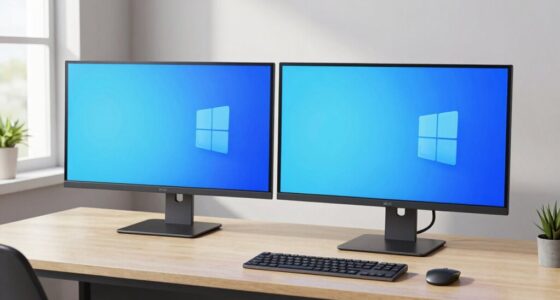
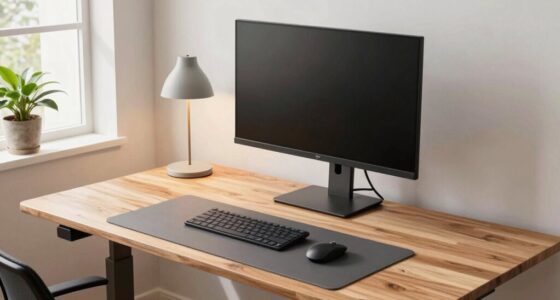
To maintain a good posture while working from home, adjust your chair so your feet are flat on the ground and your monitor is at eye level. Use ergonomic accessories like lumbar support and wrist rests, keep your keyboard and mouse aligned with your elbows, and make certain your workspace is well-lit and organized. Remember to take regular breaks to stretch and move. Keep these tips in mind, and you’ll discover more ways to stay comfortable and healthy throughout your workday.

Turn your quiet moments into listening time
- Thousands of audiobooks, podcasts and originals
- Listen on your phone, tablet or Echo — also offline
- Cancel anytime
Key Takeaways
- Ensure your monitor is eye level and about an arm’s length away to prevent neck strain.
- Adjust your chair so feet rest flat on the ground and elbows are at a 90-degree angle.
- Use natural or well-placed lighting to reduce eye strain and improve posture.
- Take regular breaks to stretch, move, and reset your posture throughout the day.
- Keep your workspace organized and clutter-free to promote better focus and ergonomic alignment.
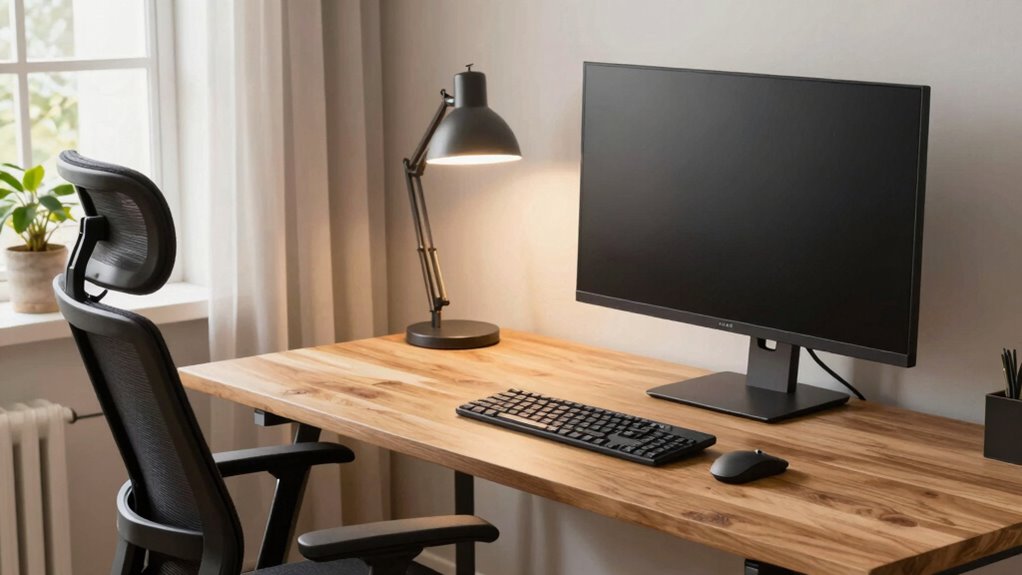
Working from home offers flexibility, but maintaining good posture is essential to prevent discomfort and long-term health issues. When you prioritize ergonomic accessories, you make a significant investment in your comfort and productivity. An adjustable chair with proper lumbar support helps keep your spine aligned, reducing strain on your neck and back. Pair this with a desk that allows your elbows to rest comfortably at a 90-degree angle, preventing shoulder tension. Using a sit-stand desk can further promote movement and prevent the stiffness that comes from prolonged sitting. When your workspace is ergonomically optimized, you’re less likely to experience fatigue, which can negatively impact your mental well-being over time.
Your monitor should be positioned at eye level, about an arm’s length away, to avoid neck strain. If needed, use a monitor riser or adjustable stand to achieve this. Keeping your screen at eye level helps you maintain proper head posture and reduces eye strain, which can be distracting and mentally draining. Incorporating ergonomic accessories like footrests or wrist supports can make your setup even more comfortable, encouraging you to sit correctly and stay focused. Proper placement of your keyboard and mouse is crucial, as it can influence your overall posture and reduce repetitive strain injuries. Your keyboard and mouse should be placed so that your wrists are straight and your hands are slightly below or at elbow level. This setup minimizes repetitive strain injuries and helps you work more comfortably for extended periods. Additionally, adjusting your chair height to keep your feet flat on the ground can improve circulation and stability.
Position your monitor at eye level and keep your keyboard and mouse aligned to prevent strain and boost comfort.
Lighting plays a pivotal role in your posture and mental well-being. Make sure your workspace is well-lit, preferably with natural light, to reduce eye strain and boost your mood. Position your workspace to avoid glare on your screen, which can cause you to adopt awkward postures to see better. Taking regular breaks to stretch and move around is essential for maintaining good posture and mental clarity. These pauses allow your muscles to relax and your circulation to improve, helping prevent stiffness and discomfort. Incorporating breaks and movement into your routine can also help reset your posture and reduce fatigue throughout the day. Additionally, maintaining proper workspace organization can enhance your focus and reduce unnecessary movements that contribute to poor posture. Creating a clutter-free environment can also help you stay organized and reduce stress, further supporting your overall health.
Finally, your mental well-being benefits greatly from an organized, clutter-free workspace. When everything has its place, you’re less likely to feel overwhelmed, which can impact your posture as you hunch or slump out of frustration. Creating a healthy work environment by decluttering regularly can also positively influence your overall posture and productivity. Paying attention to these details, including ergonomic principles, allows you to create an environment that supports both your physical health and mental resilience, making your work-from-home experience more enjoyable and sustainable.
ergonomic office chair with lumbar support
As an affiliate, we earn on qualifying purchases.
As an affiliate, we earn on qualifying purchases.
Frequently Asked Questions
How Often Should I Take Breaks During Work-From-Home Hours?
You should take breaks every 30 to 60 minutes during work-from-home hours. This break frequency helps prevent fatigue and encourages better posture. Use posture reminders or alarms to prompt you to stand, stretch, or walk around. Regular breaks not only improve your posture but also boost productivity and focus. Keep in mind, consistent movement and posture checks are key to maintaining comfort and reducing strain throughout your workday.
What Are Signs of Poor Posture While Working From Home?
Imagine slouching like a wilted flower—your shoulders rounded, neck strained, and back sore. Signs of poor posture include frequent neck pain, headaches, and discomfort in your shoulders or lower back. Without ergonomic accessories or posture awareness, you might also notice tired eyes and decreased focus. Address these signs early by adjusting your workspace, practicing good posture, and incorporating ergonomic accessories to stay comfortable and prevent long-term issues.
Can Specific Exercises Improve My Work-From-Home Posture?
Yes, specific exercises can improve your work-from-home posture. Stretching routines help loosen tight muscles, reducing strain, while core strengthening exercises build stability and support your spine. Incorporate daily stretches like chest openers and neck stretches, along with core workouts such as planks and bridges. Regularly practicing these exercises can alleviate discomfort, promote better alignment, and make your workspace more ergonomic, ultimately enhancing your overall posture.
How Do I Set up an Ergonomic Workstation at Home?
To create an ergonomic desk setup, start by choosing a desk at the right height so your elbows are at a 90-degree angle. Adjust your chair’s height using chair adjustment tips, ensuring your feet are flat on the floor and your knees are level. Position your monitor at eye level to avoid neck strain. Keep frequently used items within easy reach to maintain good posture and reduce unnecessary movement.
What Equipment Can Help Maintain Good Posture Remotely?
To maintain good posture remotely, invest in an ergonomic chair that supports your back and promotes proper alignment. Pair it with an adjustable desk so you can set the right height for your workspace, reducing strain on your neck and shoulders. Consider additional accessories like a footrest or monitor stand to further optimize your setup. These tools help you stay comfortable and prevent discomfort during long work hours.
As an affiliate, we earn on qualifying purchases.
Conclusion
By following this simple posture checklist, you can stay comfortable and avoid long-term health issues while working from home. Think it’s too much effort? Remember, small adjustments now prevent bigger problems later. Prioritizing your posture isn’t a hassle—it’s an investment in your well-being and productivity. So, take a few minutes each day to check in with your setup. Your body will thank you, and you’ll stay energized and focused for anything the day throws your way.
ergonomic keyboard and mouse set
As an affiliate, we earn on qualifying purchases.
As an affiliate, we earn on qualifying purchases.
As an affiliate, we earn on qualifying purchases.
Fall Picks
fall essentials
As an affiliate, we earn on qualifying purchases.