
TL;DR

Get books, candles and calm essentials delivered free — and shop member deals
- Fast, free delivery on millions of items
- Access to Prime Big Deal Days deals on October 6–7
- Prime Video, Amazon Music and more included
The best way to reduce noise from a high-power AI rig isn’t just acoustic foam—it’s moving it away or into a well-ventilated closet. Proper placement and ventilation are key to keeping your machine cool and quiet, especially when confined in small spaces.
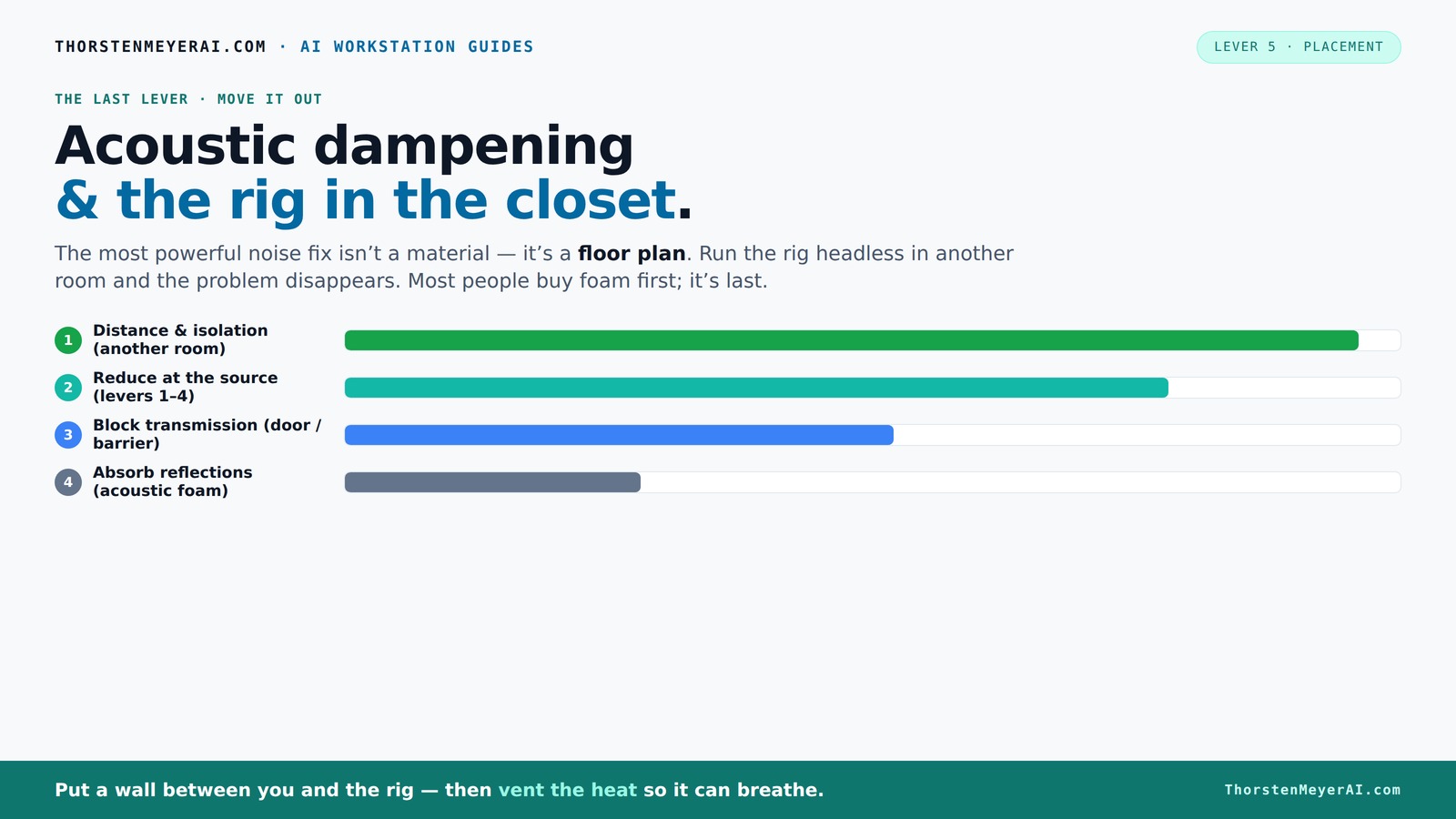
Acoustic dampening
& the rig in the closet.
The most powerful noise fix isn’t a material — it’s a floor plan. A rig you can’t hear because it’s in another room beats any amount of foam. Tap the approaches in Part 1 to see what actually works.
(another room)
(levers 1–4)
(door / barrier)
(acoustic foam)
Contain the noise, not the heat
Key Takeaways
- Moving your rig into another room or closet dramatically cuts noise and is often the simplest fix.
- Proper ventilation in a closet setup is critical to prevent overheating and throttling. You can learn more about ventilation and acoustic dampening strategies for small spaces.
- Acoustic foam helps with reflections but won't block sound transmission; barriers and sealing are necessary for soundproofing.
- Anti-vibration pads and rubber feet can significantly reduce structure-borne hums that foam cannot address.
- Position your hardware with airflow and sound in mind—avoid tight corners and ensure some space around the case.
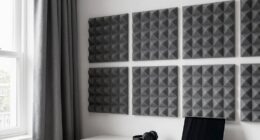
soundproof acoustic foam panels for home studio
As an affiliate, we earn on qualifying purchases.
As an affiliate, we earn on qualifying purchases.
Why Moving Your Rig Beats Soundproofing Foam Every Time
Acoustic foam might seem like the quick fix—cover your rig with spongy panels and call it a day. But in reality, the biggest reduction in noise comes from distance. Think of it like whispering across a room versus shouting into a canyon. The farther away your rig is, the quieter it sounds to you. Moving a noisy machine into another room or closet drops the sound level dramatically—sometimes by more than 20 dB, which is a lot.
For example, a GPU rig humming at 70 dB on your desk can become virtually silent from another room. That’s because sound diminishes over distance—roughly 6 dB each time you double the distance in an open space. Plus, you eliminate the need for expensive dampening materials if you just put it elsewhere.
quiet ventilation fan for computer closet
As an affiliate, we earn on qualifying purchases.
As an affiliate, we earn on qualifying purchases.
The 'Rig in the Closet' Setup: How to Do It Right
Placing your rig inside a closet can turn a noisy problem into a silent solution—if you do it right. The key is ventilation. Sealing a closet completely traps heat, turning what should be a quiet haven into a hotbox. GPU rigs generate hundreds of watts of heat continuously, and without proper airflow, temperatures can soar, causing thermal throttling and fan noise to spike.
To make a closet work, install passive vents or, better yet, a quiet exhaust fan that pulls hot air out and draws in cooler air. You might also consider a purpose-built soundproof cabinet that combines acoustic foam lining with temperature-controlled exhaust fans. This setup keeps your rig cool and silent, without risking overheating.
For example, a friend built a custom closet studio with insulated panels, a small inline fan, and ducting. It kept his AI rig cool even during long training sessions, while the room stayed whisper-quiet.
Understanding the nuances of ventilation is crucial—poor airflow can lead to overheating, which not only damages hardware but also causes noise spikes as fans run at maximum. Striking a balance between soundproofing and effective cooling is essential; otherwise, the quiet space becomes a thermal hazard.
As an affiliate, we earn on qualifying purchases.
Acoustic Dampening: What Works and What Doesn’t
Acoustic dampening materials like foam panels and bass traps help reduce echoes and reflections within a space, but they don't block sound from escaping or entering. For effective soundproofing, consider barriers and sealing techniques. Think of foam as softening the room’s echo—like adding plush cushions to a hard floor. It makes the room less reverberant but doesn’t stop sound from leaking out.
For soundproofing your closet or room, focus on barriers—dense materials like mass-loaded vinyl or drywall, sealing gaps around doors, and using door sweeps. These barriers serve as physical blocks that prevent sound waves from passing through walls and openings, which is critical when trying to contain noise within a small space. Combining this with anti-vibration pads under your rig reduces the transmission of vibrations through surfaces, which are often a significant source of low-frequency hums. For example, placing rubber feet under your GPU tower can eliminate a low-frequency hum that foam alone can’t touch. The key takeaway is that absorption and blocking serve different purposes; absorption reduces echo and reverberation, while blocking prevents sound from escaping. For maximum noise reduction, use both in tandem, understanding their distinct roles and the tradeoffs involved.
high airflow computer ventilation fan
As an affiliate, we earn on qualifying purchases.
As an affiliate, we earn on qualifying purchases.
Placement Tips to Maximize Noise Reduction and Cooling
Where you put your rig matters just as much as what you put around it. For best noise and heat control, avoid placing your machine directly against walls or in tight corners. Check out placement tips for noise reduction. Instead, give it some breathing room—at least a few inches on all sides—to allow airflow and reduce heat buildup.
Use these placement tips:
- Position your rig on a sturdy, vibration-absorbing surface.
- Avoid placing it near soft surfaces that might trap heat or reflect sound.
- Elevate the case slightly to improve airflow underneath.
- Keep clear of windows or thin walls where sound can leak.
This isn't just about noise—proper placement helps keep your hardware cool, prolonging its lifespan. An optimal setup minimizes airflow restrictions and reduces the risk of hotspots, which can cause fans to ramp up and generate additional noise. The tradeoff here is that tight spaces might seem convenient but often lead to thermal throttling and increased noise. Conversely, generous spacing facilitates better cooling and quieter operation, but requires more room—something to consider in confined environments.
Comparison: Noise Reduction Strategies — What's Most Effective?
| Method | Effectiveness | Cost | Ease of Implementation |
|---|---|---|---|
| Distance & Separation | High — reduces noise by physically moving rig away | Low — only needs space | Easy — just relocate |
| Acoustic Foam & Absorbers | Moderate — softens reflections but doesn't block sound | Moderate — panels cost money | Easy — install on walls |
| Sound Barriers & Sealing | High — blocks sound transmission effectively | Variable — depends on materials | Moderate — sealing gaps and installing barriers takes effort |
| Anti-vibration Mounts | Low to Moderate — reduces structure-borne noise | Low — inexpensive pads or grommets | Easy — place under equipment |
Final Tips: Keep Your Rig Cool and Quiet
Combining these strategies makes the biggest difference. Use distance as your first line of defense. Add proper ventilation for your closet setup. Seal gaps and add anti-vibration mounts where possible. Remember: heat is just as problematic as sound—manage both to keep your rig happy.
If you’re serious, consider a dedicated soundproof cabinet with ducted cooling, or even custom-built enclosures designed for airflow and noise suppression. It’s an investment, but it pays off in silence and reliability.
Frequently Asked Questions
Can I really just put my server in a closet and forget about soundproofing?
Not entirely. While moving it away helps a lot, you still need ventilation and sealing to prevent overheating and sound leaks. Proper setup turns a closet into a quiet, safe space for your rig.What’s the best way to vent a closet-mounted rig?
Use a quiet, ducted exhaust fan combined with passive vents or ducting. This setup pulls hot air out while bringing in cooler air, keeping temperatures stable without noise pollution. Proper vent placement ensures efficient airflow—placing intake and exhaust vents strategically minimizes thermal buildup and prevents hot spots that could damage components or cause noise spikes.Will sealing my closet trap heat and damage my hardware?
It can if you don’t provide adequate airflow. Use active ventilation or purpose-built soundproof cabinets with temperature controls to keep your rig cool and safe. The tradeoff is between noise isolation and thermal management; integrating both requires careful planning of venting and insulation to maintain a stable environment.How much difference does anti-vibration padding make?
A noticeable one. Rubber feet or grommets can cut low-frequency hums and vibrations transmitted through surfaces—something foam alone can’t handle. These mounts help isolate your hardware from external vibrations, reducing the overall noise profile and preventing structural transmission of sound waves.Is acoustic foam worth it for a small space?
It’s good for reducing echo and reflections but won’t block sound transmission. Combining foam with barriers like drywall or mass-loaded vinyl and sealing gaps provides a more comprehensive soundproofing solution, especially in confined spaces where sound leakage is a concern.Conclusion
A quiet, efficient AI rig starts with smart placement. Moving it into a closet with proper ventilation can make your workspace peaceful without sacrificing performance. Think of it like giving your hardware a comfortable, cool home while you focus on your work—quiet, cool, and out of sight.Halloween Picks
halloween
As an affiliate, we earn on qualifying purchases.