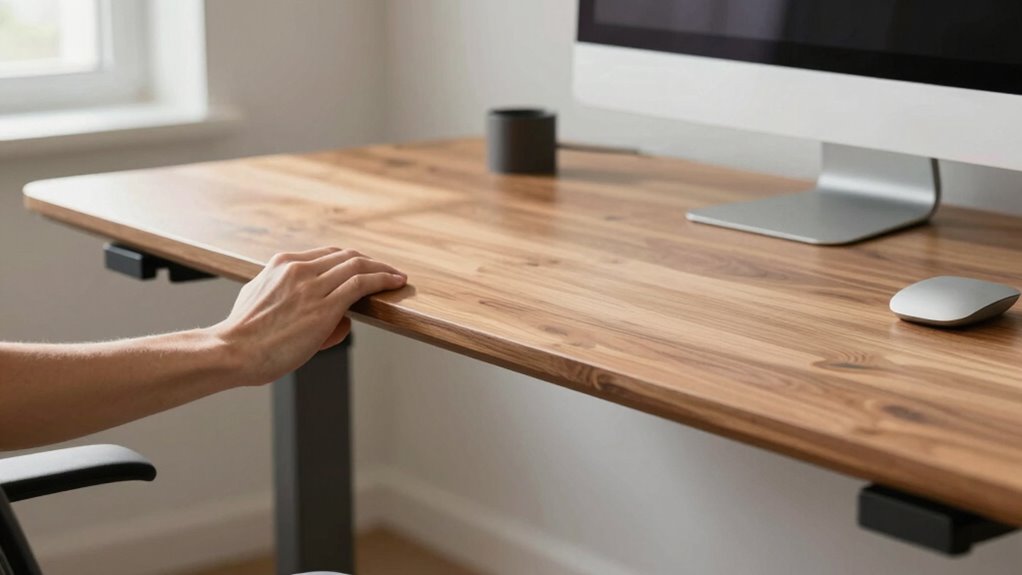

To test your standing desk’s stability, first set it at a natural height. Check if your elbows form about a 90-degree angle with your forearms parallel. Gently push down and from different angles to see if it wobbles or shifts. If it feels loose or wobbly, it needs tightening or replacement. Ensuring your desk remains firm during these tests is key to maintaining good posture and comfort. Keep going to discover even more tips for a safe setup.

Turn your quiet moments into listening time
- Thousands of audiobooks, podcasts and originals
- Listen on your phone, tablet or Echo — also offline
- Cancel anytime
Key Takeaways
- Set the desk to a natural height where elbows form about a 90° angle and forearms are parallel.
- Gently apply downward pressure and observe for any wobbling or shifting of the surface.
- Push from different angles to check for lateral movement or looseness.
- Confirm the desk remains firm and unmoving during pressure tests.
- Regularly tighten screws or replace components if instability or wobbling occurs.
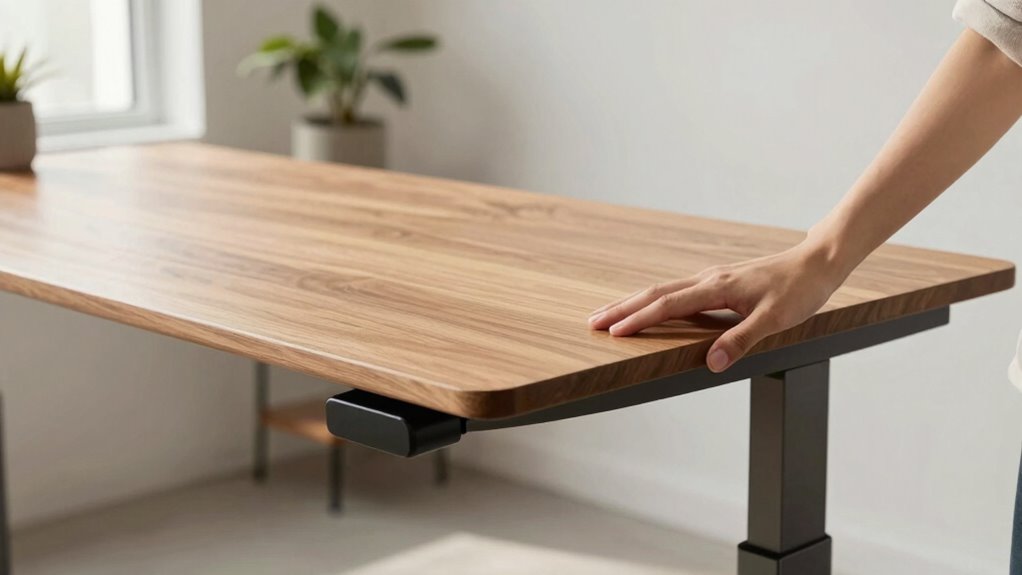
Have you considered how your workspace might be impacting your health and productivity? If you’re using a traditional sitting desk, it’s worth exploring the ergonomic benefits of switching to a standing desk. A well-designed workstation setup can make a significant difference in how you feel and perform throughout the day. But before making the switch, you should perform a stability test to confirm your standing desk is right for you. Stability is essential because a wobbly or poorly constructed desk can cause discomfort, distraction, or even injury.
To start, set up your standing desk at the height that feels most natural for your body. Your elbows should be bent at roughly 90 degrees, with your forearms parallel to the ground. Once you’re in this position, gently apply pressure downward on the desk’s surface. If it wobbles or shifts noticeably, it’s a sign that the workstation setup isn’t stable enough. A stable desk provides a solid foundation, letting you focus on your work without constantly adjusting or worrying about tipping over.
Next, test the desk’s resistance to lateral movement. Gently push from different angles to see if the surface shifts or feels loose. A sturdy standing desk should remain firm and unmoving. If it feels unstable, you may need to tighten screws, replace the base, or consider a different model altogether. Stability isn’t just about comfort; it’s about guaranteeing your posture remains correct and safe over long periods. An unstable desk can lead to awkward postures or strain as you compensate for its wobbliness. Incorporating proper workspace ergonomics can further enhance your setup and reduce discomfort. Additionally, choosing a desk with a durable construction can ensure long-term stability and support. Ensuring your workspace includes quality materials can also contribute to the overall stability and safety of your workstation.
You should also evaluate how well your standing desk supports various tasks. For example, when you’re typing or using a mouse, your wrists should remain straight, and your monitor should be at eye level. If your workstation setup causes you to reach or bend awkwardly, it’s time to readjust. Ensuring your workstation setup aligns with ergonomic principles can help prevent discomfort and repetitive strain injuries. Stability goes hand-in-hand with proper ergonomics—an unstable or improperly adjusted desk can hinder your ability to maintain healthy postures, leading to discomfort or repetitive strain injuries.
Finally, remember that stability isn’t only about the desk itself but also about your standing surface and footwear. A cushioned mat can help reduce fatigue, while supportive shoes improve balance. As you test your standing desk’s stability, keep these factors in mind. Once you confirm your workstation setup offers solid support and comfort, you’ll be ready to enjoy the ergonomic benefits of standing, boosting both your health and productivity throughout the workday. Additionally, ensuring your workspace has a stable and well-constructed desk can prevent future issues and promote long-term comfort.
Products Worth Considering

Ring Alarm 5-Piece Kit

Arlo Pro Wireless Security Camera, 2K HDR, 6th Generation, 4-Camera Kit

Samsung 75-Inch Class The Frame QLED 4K Art TV (LS03HE, 2026)
As an affiliate, we earn on qualifying purchases.
Frequently Asked Questions
How Do I Measure the Appropriate Height for My Standing Desk?
You measure the suitable height for your standing desk by aiming for an ergonomic posture, where your elbows are bent at about 90 degrees and your wrists are straight. Adjust the desk height so your monitor is at eye level, reducing neck strain. Use desk height adjustments to find a comfortable position. Stand naturally with your shoulders relaxed, and guarantee your feet are flat on the ground for maximum comfort.
What Materials Are Best for a Stable Standing Desk?
You should choose desk stability materials like sturdy steel or high-quality wood for a stable standing desk. These materials provide solid support and durability, preventing wobbling. Pair your desk with ergonomic accessories like anti-slip pads or adjustable feet to enhance stability. Avoid flimsy or lightweight materials that can jeopardize your setup’s safety. Prioritizing strong desk stability materials ensures your workspace remains steady, comfortable, and safe for prolonged use.
Can a Standing Desk Support Multiple Monitors Securely?
Yes, a sturdy standing desk can reliably support multiple monitors, especially if it offers good desk customization options. Look for models with weight capacities that exceed your monitors’ combined weight and adjustable features for ergonomic benefits. Properly balancing your monitors and using appropriate mounting solutions ensures stability. This not only enhances your workspace’s ergonomic benefits but also allows you to customize your setup for comfort and productivity.
How Often Should I Test the Stability During Use?
You should test your standing desk’s stability regularly, ideally at the start of each day and after adjusting it. This helps maintain ergonomic posture and guarantees the desk remains secure, especially if it has movable parts. Frequent checks prevent wobbling or shifting, reducing strain and risk of accidents. By staying vigilant about desk mobility, you ensure a safe, comfortable workspace and support your overall health and productivity.
Are There Specific Safety Tips for Adjusting Standing Desks?
When adjusting your standing desk, always lock the height securely to maintain stability and prevent accidental falls. For example, imagine a coworker adjusting their desk; if they don’t double-check the lock, it suddenly shifts, causing discomfort. To guarantee ergonomic posture and optimize workspace organization, adjust the desk slowly and test stability before fully working. Keep cords managed to avoid tripping hazards, and make small adjustments to stay comfortable and safe.
Conclusion
Don’t let concerns about stability hold you back from trying a standing desk. When you perform the simple stability test, you’ll gain confidence in its safety and durability. Remember, many desks are designed with sturdy materials and adjustable features to suit your needs. So, give it a shot—you might find that standing comfortably boosts your focus and energy. After all, a little effort to test stability can lead to a healthier, more productive workspace.