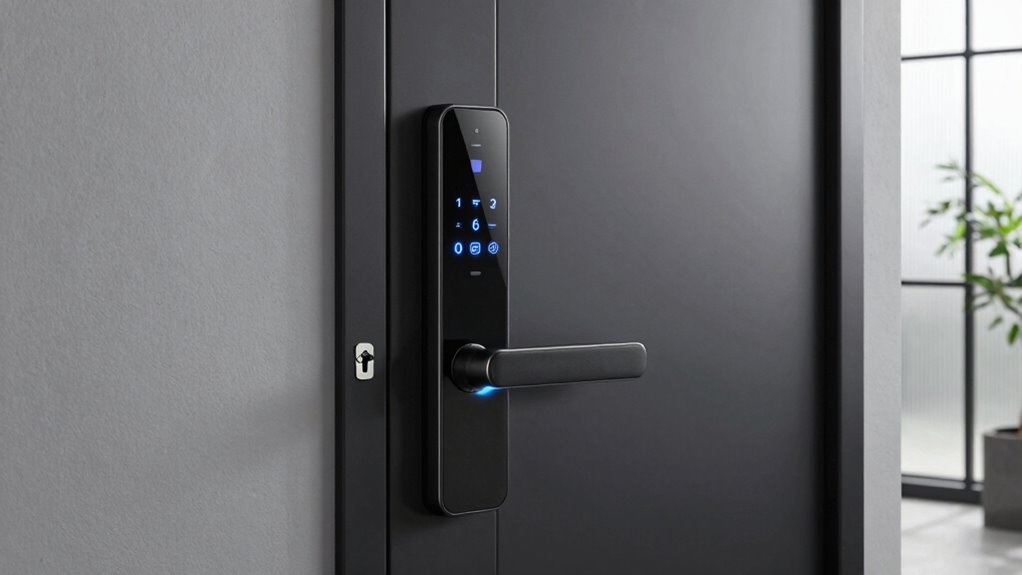
Smart locks make access easier with features like keyless entry, biometric scans, and remote control, but installation can be tricky, especially without professional help. They must withstand weather and frequent use, and poor setup can weaken security. Power outages and network vulnerabilities pose risks, so backup keys are essential. Ensuring compatibility with your smart home system is also important. Keep in mind that security issues may arise if you don’t choose and maintain your lock carefully—stick around to discover more.

Turn your quiet moments into listening time
- Thousands of audiobooks, podcasts and originals
- Listen on your phone, tablet or Echo — also offline
- Cancel anytime
Key Takeaways
- Proper installation, often requiring professional help, is crucial to ensure security and functionality.
- Compatibility with existing smart home systems can limit options and ease of integration.
- Power outages or battery failures can lock users out without backup access methods.
- Security vulnerabilities, such as hacking or biometric errors, pose risks despite advanced features.
- Weatherproof outdoor models are essential for durability but may increase installation complexity.
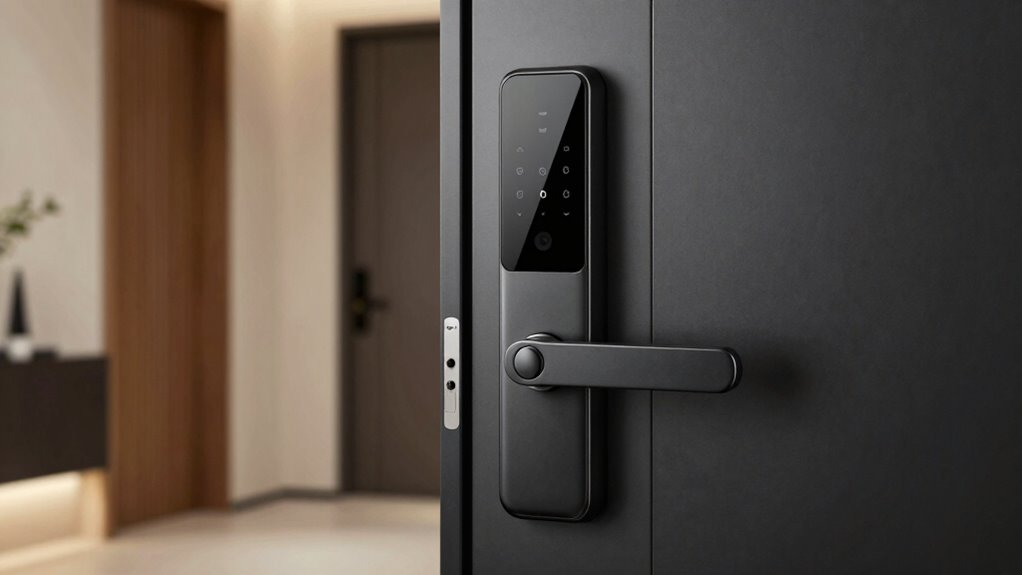
Have you ever wished you could open your door without fumbling for keys? Smart locks make that possible. They bring convenience to your daily routine, allowing you to release your door with just a tap or a swipe. With features like biometric integration, you can access your home using your fingerprint or even facial recognition, adding an extra layer of security. This means you don’t have to worry about losing keys or someone copying them. Instead, your unique biological data grants you access, making it faster and more secure. Many smart locks also support remote access, so you can unlock or lock your door from anywhere. Whether you’re at work, on vacation, or just forgot to lock up, you have full control. You can send temporary or permanent digital keys to family, friends, or service providers, providing flexible access without the need for physical keys. This feature is especially useful for letting in housekeepers, dog walkers, or guests without needing to be home.
However, it’s important to understand the limits of these systems. While remote access offers convenience, it also introduces potential security risks. Hackers can target weak points in your Wi-Fi or app security, so you need to guarantee your network is protected with strong passwords and updated software. Biometric integration, although highly secure, isn’t foolproof. There’s a small chance of false negatives or positives, especially if your biometric data is compromised or if sensors fail. Additionally, some smart locks may have compatibility issues with certain smart home ecosystems, limiting how seamlessly they integrate with your other devices. Power outages can also be a concern; many smart locks rely on batteries, which need regular monitoring and replacement. Without power, you might be locked out unless the lock has a backup key or an alternative access method. It’s also worth noting that system compatibility can vary significantly depending on the brand and model. Furthermore, choosing the right smart lock requires careful consideration of your existing home security setup to ensure optimal integration. A lack of proper cybersecurity measures can also leave your smart lock vulnerable to hacking attempts.
Furthermore, installation isn’t always straightforward. Some models require professional setup, and improper installation can compromise security. You should also consider the durability of the device—exposure to weather can affect outdoor models. It’s helpful to research security standards to ensure the device meets industry benchmarks for safety. Despite these limitations, smart locks still offer significant advantages over traditional locks, especially when equipped with proper security measures. It’s essential to weigh the convenience of biometric integration and remote access against potential vulnerabilities. Developments in cybersecurity continue to improve the safety features of these devices, making them more resilient against hacking attempts. With careful selection, regular updates, and good cybersecurity habits, you can enjoy the benefits of smart locks while minimizing risks. Ultimately, they can make your home more secure and your life more convenient—just remember that no system is completely invulnerable.
As an affiliate, we earn on qualifying purchases.
Frequently Asked Questions
How Long Do Smart Lock Batteries Typically Last?
Smart lock batteries usually last between 6 months to a year, depending on their battery life and power consumption. If you use features like keypad entry or remote access frequently, expect the batteries to drain faster. To extend battery life, opt for models with low power consumption and set up alerts for low battery warnings. Regularly replacing or recharging batteries guarantees your smart lock remains reliable and secure.
Are Smart Locks Vulnerable to Hacking?
Think of your smart lock as a fortress, but no fortress is invincible. Yes, it can be vulnerable to hacking if cybersecurity risks aren’t properly managed. Hackers might exploit weak encryption protocols or security flaws, so always guarantee your device uses strong encryption and updates regularly. Staying vigilant and choosing reputable brands helps protect your smart lock from cyber threats, making it harder for intruders to breach your digital security.
Can Smart Locks Be Used Without Wi-Fi?
Yes, you can use smart locks without Wi-Fi, but it affects physical security and user convenience. Without Wi-Fi, you’ll rely on Bluetooth or keypad entry, which may limit remote access and monitoring. While this setup enhances security by reducing hacking risks, it might be less convenient if you need to grant access remotely. So, consider your security needs and convenience preferences before opting for a Wi-Fi-free smart lock.
What Is the Average Cost of a Smart Lock?
The average cost of a smart lock ranges from $100 to $300, depending on features, security, and brand. You’ll find options with advanced security features, easy installation, and compatibility with your smart home system. Keep in mind, installation challenges can add to costs if professional help is needed. Balancing security features and installation ease helps you choose a smart lock that fits your budget and needs effectively.
Do Smart Locks Work During Power Outages?
Yes, smart locks can work during power outages if they have a battery backup. This backup keeps the electronic components running, ensuring you can still access your door remotely or via app. However, many models also include a mechanical key option for emergencies. So, even if the battery dies or there’s a power outage, you have a reliable backup to get inside.
As an affiliate, we earn on qualifying purchases.
Conclusion
Imagine your smart lock as the gatekeeper of your digital castle—reliable when well-maintained, but vulnerable if neglected. Just like a sturdy lock keeps your treasure safe, a smart lock offers convenience and security—if you understand its limits. Remember, no technology is foolproof, but with proper setup and awareness, you can enjoy the benefits without risking your peace of mind. Think of it as a trusted guard—you get what you invest in its care.
biometric smart lock for front door
As an affiliate, we earn on qualifying purchases.
As an affiliate, we earn on qualifying purchases.
smart lock compatible with Alexa
As an affiliate, we earn on qualifying purchases.
As an affiliate, we earn on qualifying purchases.
Halloween Picks
halloween
As an affiliate, we earn on qualifying purchases.