Before setting up PoE cameras, you need to check your power source, ensuring your switch or injector can handle multiple cameras and future expansions. Confirm your network’s capacity with sufficient Ethernet ports, high-quality cables, and support for VLAN and QoS features. Consider if your cameras are wireless and if your Wi-Fi network can handle the load. Also, prioritize security and plan for ongoing management and upgrades. Keep exploring these essentials to build a reliable, scalable surveillance network.

Turn your quiet moments into listening time
- Thousands of audiobooks, podcasts and originals
- Listen on your phone, tablet or Echo — also offline
- Cancel anytime
Key Takeaways
- Confirm PoE switch or injector can supply sufficient power for current and future cameras.
- Ensure network infrastructure supports high data throughput with quality cables and capable hardware.
- Verify Wi-Fi network strength and compatibility if using wireless cameras.
- Implement security measures and network management tools to maintain performance and prevent unauthorized access.
- Plan for scalable network capacity to accommodate camera expansion and higher bandwidth needs.
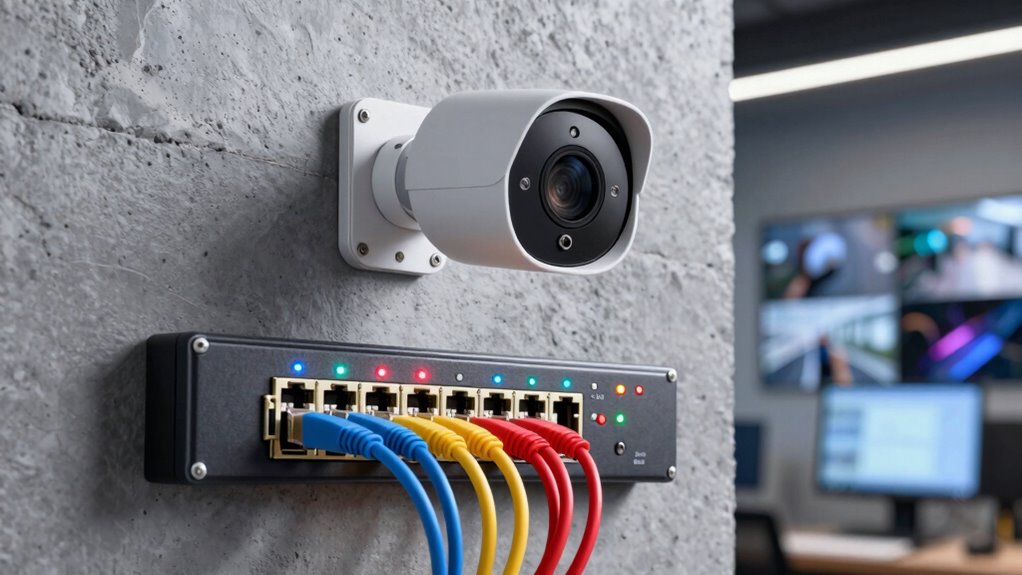
Before installing PoE cameras, it’s essential to confirm your network is ready to support them. PoE, or Power over Ethernet, simplifies installation by combining data and power delivery through a single cable. However, to guarantee a smooth setup, you need to evaluate your existing network’s capacity and compatibility. Start by checking if your network switch or PoE injector can supply enough power—this is known as power sourcing. Not all switches provide the same wattage, so verify whether yours can support multiple cameras simultaneously without overloading. If not, you might need to upgrade or add a dedicated PoE switch.
Ensure your network switch or PoE injector provides sufficient power to support multiple cameras without overload.
Wireless integration is another key consideration. While PoE cameras typically rely on wired Ethernet connections, some models offer wireless options that can connect via Wi-Fi. If you plan to use wireless integration, confirm your Wi-Fi network is robust enough to handle multiple high-resolution video streams without lag or interruption. This involves evaluating your router’s capacity, signal strength, and bandwidth. A strong, stable connection ensures your cameras transmit footage reliably, avoiding gaps or delays in surveillance. Keep in mind that wireless PoE cameras still require power sourcing, so they need an electrical outlet or a nearby PoE source if they’re not truly wireless.
Beyond power and wireless capabilities, you should review your network’s physical infrastructure. Ensure you have enough Ethernet ports available for your cameras and that your cabling can support the required speeds—preferably Gigabit Ethernet. The quality of your cables impacts data transmission, so using Cat5e or higher-rated cables is recommended. Also, consider whether your network hardware supports VLANs or Quality of Service (QoS) settings to prioritize video traffic, which helps maintain smooth footage even during network congestion. Additionally, understanding network capacity and how it influences video quality is crucial for optimal performance. Properly assessing your network security measures is equally important to prevent unauthorized access to your surveillance footage. Properly assessing your network’s power sourcing capabilities ensures your setup can handle multiple cameras without issues. Furthermore, reviewing your network’s scalability allows you to plan for future expansion and avoid costly upgrades later.
Finally, plan for future expansion. As your surveillance needs grow, your network should be scalable. Confirm that your switches and routers can handle additional cameras or higher bandwidth demands. It’s also beneficial to regularly review your network’s performance metrics to identify potential bottlenecks early. It’s also wise to document your current setup, including power sources and network topology, so you can troubleshoot or upgrade efficiently down the line. By thoroughly reviewing power sourcing, wireless integration, and network capacity, you set a solid foundation for your PoE camera system. This preparation helps prevent technical hiccups, guarantees reliable footage, and makes your security setup more effective and easier to manage.
managed PoE+ gigabit switch 16 port VLAN QoS
As an affiliate, we earn on qualifying purchases.
As an affiliate, we earn on qualifying purchases.
Frequently Asked Questions
Can Poe Cameras Operate Without an Internet Connection?
Yes, PoE cameras can operate offline, without an internet connection. They’re designed for offline operation, allowing you to monitor and record footage locally. You can use local storage options like SD cards or network-attached storage (NAS) to save your footage. This setup guarantees your cameras keep working even if your internet goes down, giving you reliable surveillance and access to recordings through your local network.
What Is the Maximum Cable Length for Poe Camera Installation?
The maximum cable length for PoE camera installation is typically 100 meters (328 feet) using Cat5e or Cat6 Ethernet cables. To extend beyond this, consider fiber optic connections, which can support longer distances with minimal signal loss. Alternatively, if cable runs are impractical, wireless connectivity options can be used, but verify they provide stable and secure connections to maintain camera performance over larger areas.
Are Poe Cameras Compatible With Existing Network Infrastructure?
Yes, PoE cameras are compatible with your existing network infrastructure, provided it supports Power over Ethernet (PoE). Most modern switches and routers are designed for network compatibility with PoE devices. You should verify that your network equipment can supply the required power and bandwidth. This guarantees seamless integration, enabling your PoE cameras to operate efficiently without needing additional power sources or extensive rewiring.
How Secure Are Poe Cameras Against Hacking Attempts?
PoE cameras are generally secure, but they can be vulnerable to hacking if cybersecurity vulnerabilities aren’t addressed. You should make sure they use strong encryption protocols like WPA2 or WPA3, which protect data transmitted over your network. Regularly updating firmware and changing default passwords also helps prevent unauthorized access. While no system is entirely foolproof, taking these precautions greatly enhances your PoE camera’s security against hacking attempts.
What Is the Typical Power Consumption of Poe Cameras?
Think of PoE cameras as steady guardians, quietly consuming power to keep watch. Typically, they use between 5 to 15 watts, depending on features like night vision or pan-tilt-zoom. Their energy efficiency guarantees you don’t waste power, making them cost-effective and eco-friendly. By choosing cameras with lower power consumption, you’re investing in reliable security that respects your energy budget, like a vigilant but mindful protector.
PoE switch power budget for IP security cameras
As an affiliate, we earn on qualifying purchases.
As an affiliate, we earn on qualifying purchases.
Conclusion
Before diving into PoE cameras, remember that a solid network foundation is your best ally. Skipping the checklist can be like building a house on quicksand—fragile and prone to failure. Think of your network as the backbone of your security system; without it, even the best cameras are powerless. So, don’t overlook this crucial step. When your network is strong, your surveillance is unstoppable—turning potential vulnerabilities into a fortress of security.
Cat6 Ethernet cable outdoor rated for PoE cameras
As an affiliate, we earn on qualifying purchases.
As an affiliate, we earn on qualifying purchases.
Wi-Fi 6 router for multiple security cameras
As an affiliate, we earn on qualifying purchases.
As an affiliate, we earn on qualifying purchases.
Fall Picks
fall essentials
As an affiliate, we earn on qualifying purchases.