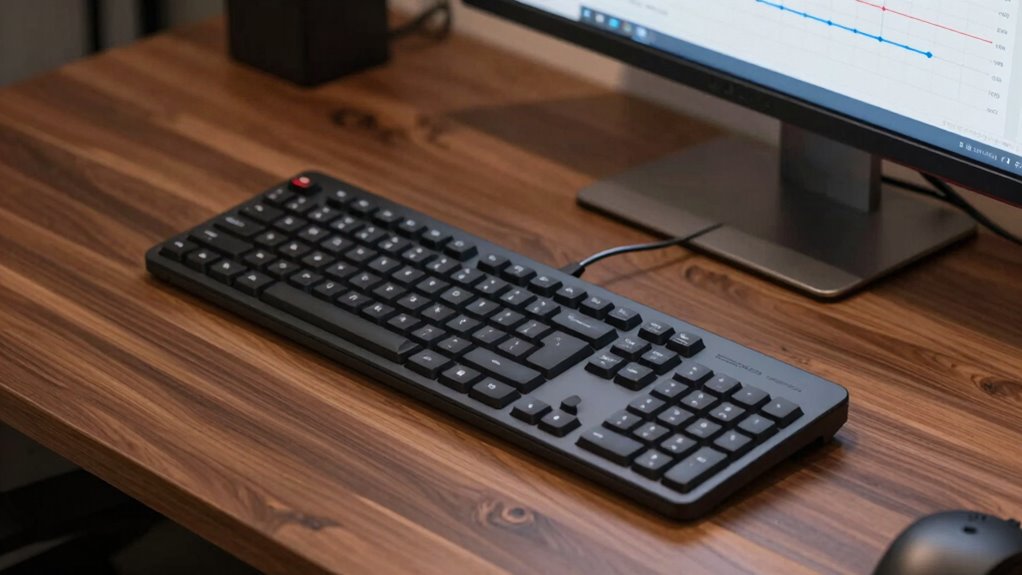

When you start using a split keyboard, expect an adjustment period where your typing feels different and muscles may feel sore. It takes time for your body to relearn proper muscle memory and align your posture naturally. Gradually increase the separation and experiment with angles for comfort. As your muscles adapt, you’ll notice less fatigue and better wrist and shoulder positions. Keep practicing consistently, and you’ll build confidence with improved ergonomics—there’s much more to discover if you keep exploring.

Give the gift of listening to someone you love
- Choose a 1-, 3-, 6- or 12-month membership
- They pick the audiobooks they love
- Easy to send by email
Key Takeaways
- Initial adjustment may cause discomfort, muscle soreness, and awkward typing posture as muscles adapt to new positioning.
- Gradually increasing keyboard separation and experimenting with angles promotes better ergonomic alignment over time.
- Consistent practice and small adjustments help build muscle memory and confidence in maintaining proper posture.
- Ergonomic benefits, including reduced wrist strain and improved posture, become noticeable after continued adaptation.
- Long-term use requires ongoing adjustments and habits to sustain comfort and prevent repetitive strain injuries.

Split keyboards are designed to improve your typing comfort by dividing the keyboard into two separate halves, allowing you to position each section independently. When you first start using a split keyboard, you might notice that your usual typing posture feels different. The initial adjustment can be a bit awkward, but it’s a vital step toward better ergonomics. One of the main ergonomic benefits of split keyboards is that they encourage a more natural hand, wrist, and arm alignment. By spreading out the keys and allowing your hands to rest at shoulder-width, you reduce strain on your wrists and forearms. Over time, this helps prevent common repetitive strain injuries like carpal tunnel syndrome or tendinitis.
In the early days of adjusting to a split keyboard, you’ll likely experiment with different angles and distances to find what feels most comfortable. You might start with the halves close together and gradually increase the separation as your muscles adapt. During this phase, you may experience some muscle soreness or fatigue, but that’s normal. Your body is learning new muscle memory and adjusting to a healthier typing posture. As you get used to the new setup, you’ll notice that your shoulders relax, your wrists stay straighter, and your overall comfort improves. This positive change is a direct result of promoting proper ergonomic benefits through better positioning. Additionally, understanding the science behind ergonomic design can help you make more informed adjustments for optimal comfort. Recognizing how ergonomic principles influence your setup can accelerate your adaptation process.
As you progress in your adjustment timeline, you’ll become more confident in maintaining this new posture for longer periods. The key is consistency—making small adjustments until you find the ideal configuration that minimizes tension. Many users find that setting the split at a slight angle, with the keyboard halves rotated outward, helps maintain a natural wrist position. Over weeks, your muscles will adapt, and your typing stamina will increase. You’ll also find that your focus sharpens because you’re less distracted by discomfort or pain during extended typing sessions. Embracing proper ergonomic setup is essential for long-term comfort and productivity. Consistently practicing good posture habits reinforces muscle memory and further enhances your ergonomic benefits.
Products Worth Considering

Coway Mighty Air Purifier AP-1512HH(W), White

Dyson V8 Cyclone Cordless Vacuum

Bose SoundLink Plus Portable Bluetooth Speaker, Black
As an affiliate, we earn on qualifying purchases.
Frequently Asked Questions
How Do I Choose the Right Split Keyboard for My Needs?
To choose the right split keyboard, consider your ergonomic benefits and typing comfort. Look for a model that allows you to adjust the split distance and tenting to suit your natural hand position. Prioritize a keyboard with customizable features and a comfortable key feel. Test different options if possible, ensuring it reduces strain and fits your workspace. The ideal split keyboard enhances your comfort and promotes healthier typing habits.
Are Split Keyboards Suitable for Gaming?
Split keyboards can be suitable for gaming if you prioritize ergonomic benefits and typing comfort. They help reduce strain and improve posture, which can enhance your gaming endurance and precision. However, some gamers might find the layout unfamiliar or less responsive compared to traditional keyboards. Ultimately, if you value comfort and long-term health, a split keyboard can be a smart choice, but it may require some adaptation for fast-paced gameplay.
What Are Common Challenges When Adjusting to a Split Keyboard?
When adjusting to a split keyboard, you might face challenges like finding the right ergonomic benefits without compromising your typing posture. You could feel unfamiliar with the separation, causing initial discomfort or wrist strain. It takes time to develop muscle memory for proper hand positioning. You may also struggle to maintain a natural, relaxed posture, but with patience, these issues lessen, and your ergonomic benefits improve, enhancing overall comfort and reducing repetitive strain.
How Long Does It Typically Take to Adapt to a Split Keyboard?
Like Odysseus steering treacherous waters, you’ll typically need 2 to 4 weeks to adapt to a split keyboard. During this time, your body adjusts to improved ergonomic benefits and a better typing posture. Expect initial discomfort, but persistence leads to increased comfort and efficiency. As your muscles relearn their new alignment, you’ll find typing becomes more natural, making the adjustment well worth the effort.
Can I Customize the Layout of My Split Keyboard?
Yes, you can customize the layout of your split keyboard. Doing so allows you to optimize ergonomic benefits and improve your typing posture. Many split keyboards come with customizable keys or software that lets you remap functions, ensuring your setup suits your comfort needs. Adjusting the layout may take some time initially, but it helps reduce strain and promotes healthier typing habits over the long run.
Conclusion
So, you’ve made it through the wild ride of split keyboards’ adjustment timeline. Congratulations! Now, you’re officially part of the elite club of folks who’ve endured awkward typing angles, accidental key presses, and countless rearrangements. Soon, your wrists will thank you, your productivity will soar, and you’ll wonder how you ever managed without this ergonomic marvel. Just remember, patience is key—unless you enjoy typing like a confused octopus. Happy typing!