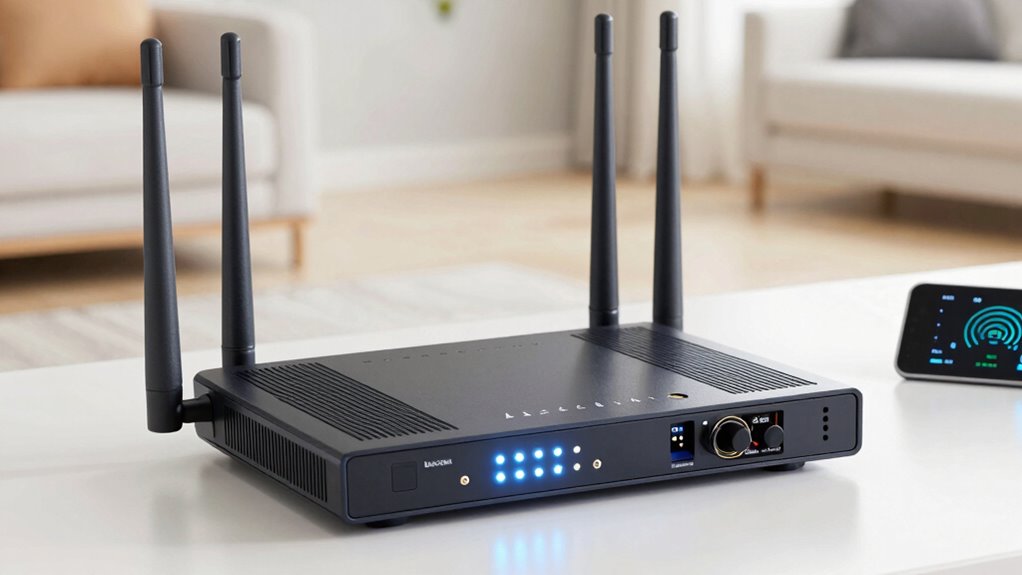

To fix dead zones without guessing, start by analyzing your home environment with Wi-Fi scanner apps to identify interference sources and weak spots. Keep your router away from electronic devices like microwaves or cordless phones, and adjust its placement to a central location for better coverage. Consider changing Wi-Fi channels and upgrading firmware or hardware if needed. Using extenders or mesh systems can also help. For effective, proven solutions, continue exploring ways to optimize your network setup.
Open a free Amazon Business account
Business pricing, bulk buying and tax-exempt orders.
As an affiliate, we earn on qualifying purchases.
Key Takeaways
- Use Wi-Fi analysis tools or apps to identify dead zones and interference sources precisely.
- Position your router centrally and elevate it to improve coverage without trial and error.
- Upgrade to a mesh Wi-Fi system for targeted, scalable coverage across your home.
- Change Wi-Fi channels based on interference analysis to optimize signal strength in specific areas.
- Regularly update router firmware and hardware to maintain optimal performance and coverage.
Dead zones in your Wi-Fi coverage can be frustrating, especially when they seem to appear out of nowhere. You might notice that certain rooms or corners of your home have weak or no signal, making it difficult to stream, work, or browse without interruptions. Instead of guessing where the problem lies or randomly moving your router around, you can take targeted steps to fix these dead zones effectively. The first thing to contemplate is Wi-Fi interference, which can come from other electronic devices, neighboring networks, or even thick walls. Interference disrupts the signal, reducing coverage and creating dead spots. To minimize this, you should identify sources of interference and keep your router away from devices like cordless phones, microwave ovens, or Bluetooth gadgets that operate on similar frequencies. Changing your Wi-Fi channel can also help; most routers allow you to switch channels to find a less congested one, improving overall signal strength. Additionally, understanding Wi-Fi standards can help you select devices that support faster and more reliable connections. It’s also helpful to regularly check your network’s performance metrics to identify and address potential issues early on. Keeping your router’s firmware up to date is another step that can enhance stability and performance, helping to prevent dead zones caused by software bugs. It’s also worth checking your Wi-Fi setup for outdated firmware or hardware limitations. Updating your router’s firmware can improve performance and fix bugs that might contribute to dead zones. If your router is old or doesn’t support the latest standards, upgrading to a newer model can provide better coverage and faster speeds. For larger homes or spaces with stubborn dead zones, adding Wi-Fi extenders or mesh systems can make a big difference. These devices help distribute the Wi-Fi signal more evenly and eliminate dead spots without relying on guesswork. Regularly assessing your home network environment can also help in identifying sources of interference and optimizing your setup. These targeted solutions ensure your Wi-Fi reaches every corner of your home efficiently and reliably, rather than relying on trial and error.

TP-Link Deco X55 AX3000 WiFi 6 Mesh System – Covers up to 6500 Sq.Ft, Replaces Wireless Router and Extender, 3 Gigabit Ports per Unit, Supports Ethernet Backhaul, Deco X55(3-Pack)
- Wi-Fi 6 Mesh System: AX3000 speeds for whole home coverage
- Wide Coverage: Up to 6500 sq ft with seamless Wi-Fi
- Connect Multiple Devices: Supports up to 150 devices
As an affiliate, we earn on qualifying purchases.
As an affiliate, we earn on qualifying purchases.
Frequently Asked Questions
Can Dead Zones Affect All Types of Cellular Devices Equally?
Dead zones don’t affect all cellular devices equally because device compatibility plays a role. Some devices have better antennas and signal processing, which help them handle signal interference more effectively. Others may struggle more in weak signal areas, making dead zones more noticeable. To improve your experience, consider upgrading devices with better compatibility or minimizing signal interference sources around you, ensuring a more consistent connection regardless of your device type.
How Long Does It Typically Take to Identify Dead Zones Accurately?
It typically takes a few hours to accurately identify dead zones, especially when you consider factors like signal interference and device compatibility. For example, in a citywide survey, technicians used specialized tools over a day to map dead zones precisely, avoiding false positives. This process involves testing different devices and analyzing signal strength, ensuring you get reliable results without guesswork. Patience and proper tools are key to quick, accurate identification.
Are There Any Health Risks Associated With Fixing Dead Zones?
Fixing dead zones generally poses minimal health risks, but you should consider health implications and radiation concerns. If you’re installing new wiring or devices, guarantee proper shielding and adherence to safety standards to avoid exposure to electromagnetic radiation. Use certified equipment and follow manufacturer instructions. While the process is safe when done correctly, always prioritize safety precautions to prevent any potential health issues related to electromagnetic fields or improper handling of electrical components.
What Tools Are Essential for Diagnosing Dead Zones Effectively?
To diagnose dead zones effectively, you need essential tools like a signal strength meter or a Wi-Fi analyzer app. These tools help you identify weak spots by measuring signal strength across different areas. Use troubleshooting techniques such as moving your router or adjusting antennas while monitoring signal fluctuations. This proactive approach allows you to pinpoint dead zones accurately, ensuring you can improve coverage without guesswork, leading to a more reliable wireless connection.
Can Weather Conditions Influence Dead Zone Locations or Severity?
Weather conditions definitely influence dead zone locations and severity. For example, heavy rainfall can wash nutrients into water bodies, fueling algae blooms that deplete oxygen and create dead zones. Atmospheric effects like temperature and wind also play roles, stirring water and spreading pollutants. So, monitoring weather patterns helps predict changes in dead zones, enabling proactive management. You should pay close attention to these factors to better understand and address dead zone impacts.

TP-Link AC1200 WiFi Extender – 1.2Gbps Home Signal Booster, Dual Band 5GHz/2.4GHz, Up to 1600 Sq.ft and 32 Devices, EasyMesh Compatible, One Ethernet Port (RE315)
- Enhanced Wi-Fi Coverage: Eliminates dead zones with strong signals
- Fast Dual-Band Speeds: Supports 867 Mbps on 5GHz and 300 Mbps on 2.4GHz
- Wide Coverage Area: Covers up to 1500 sq.ft and 32 devices
As an affiliate, we earn on qualifying purchases.
As an affiliate, we earn on qualifying purchases.
Conclusion
To fix dead zones effectively, rely on data and precise adjustments rather than guesswork. Use tools like calibration and signal analysis to pinpoint issues and make informed changes. Remember, “measure twice, cut once”—it’s better to be accurate than to keep guessing. By following these steps, you’ll enjoy a seamless experience and avoid frustration. Trust in a methodical approach, and your dead zones will become a thing of the past.

TP-Link Tri-Band BE9700 WiFi 7 Router (Archer BE600) – 10G Port, 2.5G Port, 3× 2.5G LAN, 320MHz Channel, Covers up to 2,600 sq. ft., 120 Devices, VPN, HomeShield Security
- Next-Gen WiFi 7: Optimized for latest WiFi 7 devices
- Tri-Band WiFi Speeds: Up to 5,765 Mbps on 6 GHz band
- Wide Coverage Area: Covers up to 2,600 sq ft
As an affiliate, we earn on qualifying purchases.
As an affiliate, we earn on qualifying purchases.
Wi-Fi Analyzer
- Snapshot of Nearby Wi-Fi Signals: Displays real-time Wi-Fi signal overview
- Five Signal View Modes: Offers five different signal analysis modes
- Customizable Settings: Allows extensive user customization
As an affiliate, we earn on qualifying purchases.
As an affiliate, we earn on qualifying purchases.
Summer Picks
summer essentials
As an affiliate, we earn on qualifying purchases.