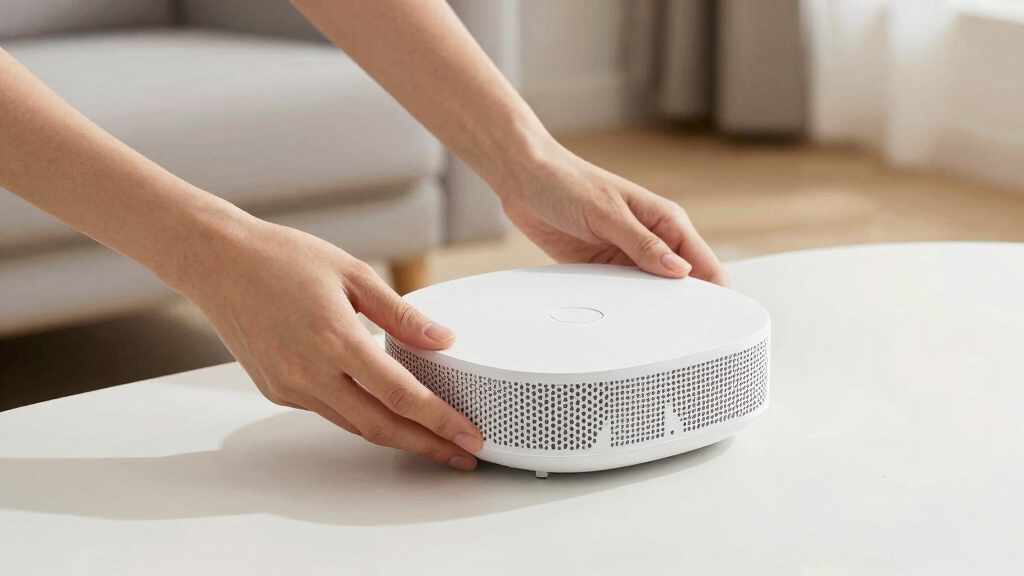

Finding the best mesh WiFi system for a large house can be challenging due to coverage, speed, and device capacity needs. The TP-Link Deco 7 BE25 stands out as the best overall, thanks to its WiFi 7 support and extensive coverage. The eero 7 is a strong contender for those prioritizing user-friendly setup and sleek design, while the TP-Link Deco S4 offers solid performance at a more affordable price. In this guide, I’ll help you understand the key tradeoffs—like speed versus coverage and cost versus future-proofing—so you can find the best fit. Continue reading for a detailed breakdown of each option and what to consider before making your decision.

Get books, candles and calm essentials delivered free — and shop member deals
- Fast, free delivery on millions of items
- Access to Prime Big Deal Days deals on October 6–7
- Prime Video, Amazon Music and more included
Key Takeaways
- Coverage size and scalability are critical; larger homes require more nodes or higher-capacity systems.
- WiFi 6E and WiFi 7 systems offer future-proof speeds but come at a higher cost, often with tradeoffs in compatibility.
- Device support varies—look for systems supporting 100+ devices if you have many smart gadgets.
- Wired backhaul can significantly improve stability in large homes but may add complexity or cost to setup.
- Design and ease of setup differ; user-friendly options like eero prioritize simplicity, while others focus on advanced features.
| TP-Link Deco 7 BE25 Dual-Band WiFi 7 Mesh System (3-Pack) |  | Best Overall for Future-Ready High Performance | WiFi Standard: WiFi 7 | Speed: Up to 4.324 Gbps | Coverage: Up to 6,600 sq. ft | VIEW LATEST PRICE | See Our Full Breakdown |
| eero 7 Dual-Band Mesh Wi-Fi 7 Router (3-Pack) |  | Best for Reliable, Mid-Range WiFi 7 Coverage | Model: eero 7 | Connectivity: Dual-band Wi-Fi 7 | Coverage: 6,000 sq. ft. | VIEW LATEST PRICE | See Our Full Breakdown |
| TP-Link Deco S4 Mesh WiFi System (3-Pack) |  | Best for Easy, Cost-Effective Whole-Home Coverage | Coverage: up to 5,500 sq.ft. | WiFi Speed: AC1900 | Number of Units: 3 | VIEW LATEST PRICE | See Our Full Breakdown |
| TP-Link Deco S4 2-Pack Whole Home Mesh WiFi System, AC1900 |  | Best Budget Compact Coverage for Smaller Large Homes | Coverage: up to 3,800 sq.ft. | WiFi Speed: AC1900 | Number of Units: 2 | VIEW LATEST PRICE | See Our Full Breakdown |
| eero Pro 7 Tri-Band Mesh Wi-Fi 7 Router (3-Pack) |  | Best Overall for Large Homes with Future-Proof Tech | Wi-Fi Standard: Wi-Fi 7 (IEEE 802.11a/b/g/n/ac/ax/be) | Number of Radios: 3 (tri-band) | Supported Channels: 2.4 GHz, 5 GHz, 6 GHz | VIEW LATEST PRICE | See Our Full Breakdown |
| TP-Link Deco M5 Mesh WiFi System – 3 Pack, Whole Home Coverage up to 5,500 sq. ft., Supports 100+ Devices, WiFi Router/Extender Replacement | 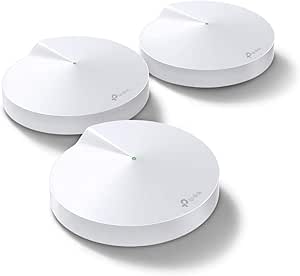 | Best Value for Large Homes on a Budget | Coverage: up to 5,500 sq. ft. | Number of Units: 3 | Ethernet Ports per Unit: 2 | VIEW LATEST PRICE | See Our Full Breakdown |
| eero 6+ Mesh WiFi System (3-Pack) |  | Best for Smart Homes with Wi-Fi 6 and Simplicity | Coverage: 4,500 sq. ft. | Supported Speeds: Up to 1 Gbps | Number of Units: 3 | VIEW LATEST PRICE | See Our Full Breakdown |
| eero 6 Mesh WiFi System (3-Pack) |  | Best for Standard Large Homes on a Budget | Coverage: up to 4,500 sq. ft. | Supported internet speed: up to 500 Mbps | Number of units: 3 | VIEW LATEST PRICE | See Our Full Breakdown |
| NETGEAR Orbi 370 Series Dual-Band WiFi 7 Mesh Network System (RBE373) – Router + 2 Extenders |  | Best for Maximum Speed and Coverage in Very Large Homes | WiFi Standard: WiFi 7 | Speed: up to 5 Gbps | Coverage: 6,000 sq. ft. | VIEW LATEST PRICE | See Our Full Breakdown |
| TP-Link Deco XE75 Pro AXE5400 Tri-Band WiFi 6E Mesh System – 3-Pack | 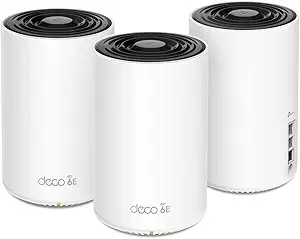 | Best Overall for Large Homes with Advanced Security | Coverage: 7200 sq.ft | Number of Units: 3 | WiFi Bands: Tri-Band (6 GHz, 5 GHz, 2.4 GHz) | VIEW LATEST PRICE | See Our Full Breakdown |
| TP-Link Deco XE75 AXE5400 Tri-Band WiFi 6E Mesh System |  | Best for Cutting-Edge WiFi with Easy Management | WiFi Standard: WiFi 6E | Bands: Tri-Band (2.4 GHz, 5 GHz, 6 GHz) | Max Speed: 5,400 Mbps | VIEW LATEST PRICE | See Our Full Breakdown |
| TP-Link Deco WiFi 6 Mesh System (Deco X20) – 3-Pack |  | Best for Large Homes on a Budget with Wired Backhaul | Coverage: 5800 sq.ft | Number of Units: 3 | Ethernet Ports: 6 | VIEW LATEST PRICE | See Our Full Breakdown |
| TP-Link Deco X55 AX3000 WiFi 6 Mesh System – 2-Pack |  | Best for Mid-Sized Large Homes with Ethernet Support | Wi-Fi Standard: Wi-Fi 6 (AX3000) | Coverage: 4500 sq.ft | Number of Units: 2 | VIEW LATEST PRICE | See Our Full Breakdown |
| TP-Link Deco X55 AX3000 WiFi 6 Mesh System – 3 Pack |  | Best for Large Homes with Wired Backhaul and High Device Support | Wi-Fi Standard: Wi-Fi 6 (AX3000) | Coverage: 6500 sq.ft | Number of Units: 3 | VIEW LATEST PRICE | See Our Full Breakdown |
More Details on Our Top Picks
TP-Link Deco 7 BE25 Dual-Band WiFi 7 Mesh System (3-Pack)
This system stands out for its support of WiFi 7, offering speeds up to 4.324 Gbps and extensive coverage of 6,600 sq. ft., making it ideal for large, tech-savvy households that want the latest connectivity standards. Compared with the eero 7, it provides faster speeds and more advanced security features like VPN support, but at a higher price and with a more complex setup process. Its wired backhaul options ensure better stability across large spaces. This makes it perfect for users who prioritize top-tier performance and future-proofing, even if they are comfortable with a more involved installation process.
Pros:- Supports WiFi 7, delivering faster speeds and lower latency
- Massive coverage up to 6,600 sq. ft. with mesh technology
- Advanced security features including HomeShield and VPN support
- Wired backhaul ports for enhanced stability
Cons:- Requires compatible WiFi 7 devices to utilize full speed potential
- Higher price point for a 3-pack system
- Setup can be complex for non-technical users
Best for: Large households with multiple high-demand devices and a need for the latest WiFi technology.
Not ideal for: Less technical users or those on a tighter budget who may find WiFi 7 features overwhelming or unnecessary.
- WiFi Standard:WiFi 7
- Speed:Up to 4.324 Gbps
- Coverage:Up to 6,600 sq. ft
- Number of Units:3
- Number of Streams:4
- Wired Ports:2 x 2.5 Gbps WAN/LAN
- Antennas:4 high-gain antennas
- Security:HomeShield, VPN support
Bottom line: This pick is ideal for tech enthusiasts seeking the latest in WiFi 7 with robust coverage and security, willing to handle a more involved setup.
eero 7 Dual-Band Mesh Wi-Fi 7 Router (3-Pack)
The eero 7 provides solid WiFi 7 performance, covering up to 6,000 sq. ft. with three units and supporting internet plans up to 2.5 Gbps. It integrates seamlessly with existing eero networks, making it a strong choice for households that want reliable coverage without the highest speeds of WiFi 7. Unlike the TP-Link Deco 7 BE25, it offers slightly lower maximum speeds but excels in ease of use and consistent coverage. Its backward compatibility ensures a smooth upgrade path for existing eero users. This model is better suited for users who prioritize dependable coverage and simple setup over cutting-edge speed.
Pros:- Supports internet plans up to 2.5 Gbps with stable coverage
- Supports over 120 devices simultaneously
- Seamless mesh setup with eero app
- Backward compatibility with previous eero models
Cons:- Requires subscription for full security features
- Higher cost for a 3-pack compared to single units
- Limited maximum speed compared to WiFi 7-capable devices
Best for: Families needing reliable WiFi 7 coverage with straightforward setup and good device support.
Not ideal for: Users seeking the absolute fastest WiFi speeds or advanced security features, or those on a strict budget.
- Model:eero 7
- Connectivity:Dual-band Wi-Fi 7
- Coverage:6,000 sq. ft.
- Number of Units:3
- Supported Internet Speed:up to 2.5 Gbps
- Wireless Speed:up to 1.8 Gbps
- Ports:2 auto-sensing 2.5 GbE
- Compatibility:Backward with previous eero models
Bottom line: This system offers dependable WiFi 7 coverage for households that value ease and stability over maximum speed, suitable for most large homes without demanding gaming or streaming needs.
TP-Link Deco S4 Mesh WiFi System (3-Pack)
The TP-Link Deco S4 offers a reliable, affordable solution for large homes with coverage up to 5,500 sq. ft. and speeds of AC1900. It supports multiple devices with seamless roaming and is simple to set up via the Deco app. Compared to the Deco 7 BE25, it provides slightly less coverage and fewer advanced features but remains a solid choice for users prioritizing ease and value. Its compatibility with all major ISPs and parental controls make it suitable for families seeking straightforward WiFi expansion without breaking the bank. However, it relies on an existing modem, which may add complexity for some users.
Pros:- Provides coverage up to 5,500 sq. ft.
- Seamless roaming with a single network name
- Easy setup via Deco app
- Supports multiple devices with stable speeds
Cons:- Requires a separate modem for most ISPs
- No wired backhaul support
- Speed drops possible with many connected devices
Best for: Homeowners seeking an easy, budget-friendly mesh system for large houses that already have a modem.
Not ideal for: Power users requiring WiFi 7 speeds or advanced security, or those without a modem setup.
- Coverage:up to 5,500 sq.ft.
- WiFi Speed:AC1900
- Number of Units:3
- Ethernet Ports per Unit:2
- Supports Wired Ethernet Backhaul:Yes
- Compatibility:All major ISPs
Bottom line: This model suits users who want a straightforward, affordable mesh solution for large homes with existing modem infrastructure, accepting some speed limitations.
TP-Link Deco S4 2-Pack Whole Home Mesh WiFi System, AC1900
The TP-Link Deco S4 2-Pack provides reliable WiFi coverage for up to 3,800 sq. ft., making it suitable for large homes that don’t need maximum range. It offers fast AC1900 speeds and easy setup via the Deco app, supporting up to 75 devices. Compared with the 3-unit Deco S4, it’s a more compact and affordable option, but with less overall coverage. Its strong parental controls and compatibility with Alexa add to its family-friendly appeal. However, the 2-unit setup limits coverage compared to larger systems, and it may be insufficient for very expansive homes.
Pros:- Easy setup with Deco app
- Supports up to 75 devices
- Reliable AC1900 speeds
- Parental controls and voice assistant compatibility
Cons:- Limited to 3,800 sq. ft. coverage
- Requires a modem for most ISPs
- Less scalable for very large properties
Best for: Large homes that require dependable WiFi but have moderate size or budget constraints.
Not ideal for: Very large or multi-story homes needing extensive coverage or those seeking WiFi 6E capabilities.
- Coverage:up to 3,800 sq.ft.
- WiFi Speed:AC1900
- Number of Units:2
- Ethernet Ports:4 (2 per unit)
- Supported Devices:up to 75
- Backhaul Support:Wired Ethernet
Bottom line: This system fits large homes on a budget that need reliable WiFi coverage over a somewhat smaller area and are okay with a 2-unit setup.
eero Pro 7 Tri-Band Mesh Wi-Fi 7 Router (3-Pack)
The eero Pro 7 stands out for its support of Wi-Fi 7, offering higher speeds and better performance in large households. Its coverage extends up to 6,000 sq. ft., surpassing the eero 6+, making it ideal for very large spaces that need robust connectivity. The tri-band setup and support for over 600 devices ensure smooth operation even in busy households with multiple smart devices and streaming needs. However, this advanced tech comes at a higher price and requires a compatible internet plan to reach maximum speeds. The system’s easy setup with the eero app simplifies installation, but its premium features may be overkill for smaller or less tech-savvy homes. This pick makes the most sense for users seeking a future-proof, high-capacity mesh system that can handle demanding environments.
Pros:- Supports Wi-Fi 7 for faster speeds and future compatibility
- Extensive coverage up to 6,000 sq. ft.
- Supports over 600 devices simultaneously
- Advanced security features and easy setup
Cons:- Higher price point compared to Wi-Fi 6 systems
- Requires a compatible high-speed internet plan for full performance
Best for: Homeowners with large, multi-story properties who want cutting-edge Wi-Fi technology and high device capacity
Not ideal for: Small households or those on a tight budget, as its higher price and advanced features may be unnecessary
- Wi-Fi Standard:Wi-Fi 7 (IEEE 802.11a/b/g/n/ac/ax/be)
- Number of Radios:3 (tri-band)
- Supported Channels:2.4 GHz, 5 GHz, 6 GHz
- Maximum Wireless Speed:Up to 3.9 Gbps
- Coverage:Up to 6,000 sq. ft.
- Device Support:Over 600 devices
- Ethernet Ports:Two auto-sensing 5 GbE ports
- Processor:1.5 GHz quad-core
- Warranty:3 years
Bottom line: This is best suited for large, tech-savvy households seeking top-tier, high-speed Wi-Fi with extensive coverage.
TP-Link Deco M5 Mesh WiFi System – 3 Pack, Whole Home Coverage up to 5,500 sq. ft., Supports 100+ Devices, WiFi Router/Extender Replacement
Compared with the eero Pro 7, the TP-Link Deco M5 offers solid coverage of up to 5,500 sq. ft. with a more affordable setup, supporting over 100 devices. Its easy setup via the Deco app and built-in security features, including free antivirus and parental controls, make it attractive for families wanting reliable Wi-Fi without extra costs. While it doesn’t support Wi-Fi 7 or gigabit internet plans, it works well with most standard plans, making it versatile for many households. The main tradeoff is that it requires a modem for most ISPs and can be somewhat pricier than single-router options. Its robust coverage and security make it a smart pick for those wanting dependable whole-home Wi-Fi at a reasonable price.
Pros:- Provides coverage up to 5,500 sq. ft.
- Supports over 100 devices simultaneously
- Easy setup and management via the Deco app
- Includes free antivirus and parental controls
Cons:- Requires a modem for most ISPs
- More expensive than traditional single routers
Best for: Large households seeking reliable coverage and security without premium tech features
Not ideal for: Users with gigabit internet plans or who need the latest Wi-Fi 7 speeds, as this system is limited to Wi-Fi 5/AC technology
- Coverage:up to 5,500 sq. ft.
- Number of Units:3
- Ethernet Ports per Unit:2
- Supports Wired Ethernet Backhaul:Yes
- Supports 100+ Devices:Yes
- Compatibility:Works with all major ISPs
Bottom line: This system suits large households looking for reliable, secure Wi-Fi coverage at a sensible price point.
eero 6+ Mesh WiFi System (3-Pack)
The eero 6+ offers a balanced mix of speed and coverage, providing gigabit speeds and coverage up to 4,500 sq. ft., which makes it suitable for large homes that do not require the newest Wi-Fi 7 tech. Its support for Wi-Fi 6 ensures efficient, fast connections for streaming and gaming, and its built-in Zigbee smart home hub simplifies smart device integration. Compared to the eero 6, the 6+ provides slightly better speeds and extended coverage, but still falls short of the speed and capacity of Wi-Fi 7 systems like the NETGEAR Orbi 370. Its main limitation is that to reach full gigabit performance, your internet plan must support high speeds, and it might struggle in homes with very dense device environments. It makes sense for users prioritizing simplicity and smart home compatibility.
Pros:- Supports gigabit speeds with Wi-Fi 6
- Coverage up to 4,500 sq. ft.
- Built-in Zigbee smart home hub
- Easy to set up via the eero app
Cons:- Limited to internet plans supporting gigabit speeds for full performance
- Supports fewer devices compared to Wi-Fi 7 systems
Best for: Large homes with smart home devices needing reliable Wi-Fi 6 speeds and easy setup
Not ideal for: Households with gigabit internet plans or requiring the latest Wi-Fi 7 speeds, as this is limited to Wi-Fi 6 technology
- Coverage:4,500 sq. ft.
- Supported Speeds:Up to 1 Gbps
- Number of Units:3
- Wi-Fi Standard:Wi-Fi 6 (802.11ax)
- Built-in Hub:Zigbee
- Compatibility:Supports Zigbee, Thread, Alexa
Bottom line: Best suited for smart homes and large households seeking reliable Wi-Fi 6 coverage with smart device integration.
eero 6 Mesh WiFi System (3-Pack)
The eero 6 provides solid coverage of 4,500 sq. ft. and supports 75+ devices, making it suitable for large houses that don’t need the latest tech. Its Wi-Fi 6 support ensures reliable performance for daily activities, streaming, and smart home devices. Unlike the eero 6+, it offers slightly less speed and fewer smart home features, but its affordability remains appealing. Setup is straightforward with the eero app, and its dual-band design helps reduce interference. The main limitation is the capped internet speed support at 500 Mbps, which might not suffice for users with higher-speed plans or demanding applications. It’s a sensible choice for those who want dependable Wi-Fi without extra bells and whistles.
Pros:- Coverage up to 4,500 sq. ft.
- Supports 75+ devices
- Easy setup with the eero app
- Reliable Wi-Fi 6 performance
Cons:- Limited to internet speeds of 500 Mbps
- Fewer advanced features compared to Wi-Fi 6E or Wi-Fi 7 systems
Best for: Large households with moderate internet plans seeking reliable Wi-Fi 6 coverage on a budget
Not ideal for: Users with gigabit or multi-gigabit internet plans requiring higher speeds, or those wanting the latest Wi-Fi 6E or Wi-Fi 7 features
- Coverage:up to 4,500 sq. ft.
- Supported internet speed:up to 500 Mbps
- Number of units:3
- Wi-Fi standard:Wi-Fi 6 (802.11ax)
- Device support:75+
- Compatibility:Supports Zigbee, Thread, Alexa
Bottom line: A practical, affordable choice for large homes that need consistent Wi-Fi 6 coverage at moderate internet speeds.
NETGEAR Orbi 370 Series Dual-Band WiFi 7 Mesh Network System (RBE373) – Router + 2 Extenders
The NETGEAR Orbi 370 Series offers WiFi 7 technology, delivering speeds up to 5 Gbps and covering up to 6,000 sq. ft., matching the coverage of the eero Pro 7 but with a focus on raw speed. Its dual-band setup with enhanced backhaul supports multiple devices seamlessly, making it well-suited for homes with intensive streaming, gaming, and video conferencing. While it’s more expensive and requires compatible devices to fully utilize WiFi 7, it provides a significant step up in speed and capacity compared to Wi-Fi 6 options. Its built-in security features add value for safety in large, connected households. The main tradeoff is the higher cost and the need for compatible hardware to realize the full benefits of Wi-Fi 7.
Pros:- Supports Wi-Fi 7 for maximum speed and future compatibility
- Large coverage area of 6,000 sq. ft.
- Supports up to 70 devices
- Built-in security features
Cons:- Higher cost compared to Wi-Fi 6 systems
- Requires compatible devices to leverage Wi-Fi 7 speeds
Best for: Tech-savvy users with large homes needing ultra-fast internet and support for many high-bandwidth devices
Not ideal for: Budget-conscious households or users with less demanding internet needs, since it commands a premium price
- WiFi Standard:WiFi 7
- Speed:up to 5 Gbps
- Coverage:6,000 sq. ft.
- Number of Devices:70
- Internet Port:2.5Gb
- Number of Extenders:2
- Technology:Dual-band with Enhanced Backhaul
Bottom line: Ideal for large, high-demand households seeking the fastest, most future-proof Wi-Fi experience with extensive coverage.
TP-Link Deco XE75 Pro AXE5400 Tri-Band WiFi 6E Mesh System – 3-Pack
The Deco XE75 Pro stands out for its expansive coverage of up to 7,200 sq.ft., making it ideal for very large homes where seamless connectivity is essential. Compared to the Deco XE75, it offers an additional 6 GHz band for interference-free performance, and its 2.5 Gbps port supports high-speed internet plans. While the setup remains straightforward with the Deco app, the system’s higher price reflects its premium features. Its AI-driven mesh technology manages large networks efficiently, but the need for a separate modem and the complexity of advanced security features might be off-putting for some users.
bestFor: Large households with gigabit internet who prioritize security and smart management.
notIdealFor: Buyers on a tight budget or those seeking a simple plug-and-play setup without extra features.
- Excellent coverage up to 7,200 sq.ft.
- Fast speeds suitable for gigabit plans
- Advanced security with TP-Link HomeShield
- Easy app-based setup
- Requires a modem for most ISPs
- Higher price for 3 units
- Advanced features may be complex for non-technical users
Verdict: This system is best suited for large homes where security and high-speed, interference-free WiFi are priorities.
- Coverage:7200 sq.ft
- Number of Units:3
- WiFi Bands:Tri-Band (6 GHz, 5 GHz, 2.4 GHz)
- Max Speed:5400 Mbps
- Ports:1 x 2.5 Gbps WAN/LAN, 2 x Gigabit LAN per unit
- Compatibility:Works with all major ISPs
TP-Link Deco XE75 AXE5400 Tri-Band WiFi 6E Mesh System
The Deco XE75 is designed for those who want the latest WiFi 6E technology, offering a tri-band system that covers up to 7,200 sq.ft. Like the Deco XE75 Pro, it features the new 6 GHz band, but without some of the Pro’s security extras. Its AI-driven mesh ensures a reliable connection across large homes, and setup via the Deco app is straightforward. However, the absence of some advanced security features and the need for a compatible modem can be limiting for users seeking plug-and-play simplicity. Compared to the XE75 Pro, it’s a more budget-conscious choice with most features intact, yet slightly less feature-rich.
bestFor: Tech-savvy homeowners eager for the latest WiFi 6E benefits without the highest price tag.
notIdealFor: Users who want integrated security or less technical setup, as some features may require subscriptions or additional configuration.
- Tri-band WiFi with 6 GHz for reduced interference
- Extensive coverage of up to 7,200 sq.ft.
- Easy management via Deco app
- Smart mesh for reliable large-home coverage
- Requires a modem for most ISPs
- Security features may involve extra costs
- Maximum speed varies by environment
Verdict: Perfect for owners who want the latest WiFi technology and broad coverage, with a slightly lower security focus.
- WiFi Standard:WiFi 6E
- Bands:Tri-Band (2.4 GHz, 5 GHz, 6 GHz)
- Max Speed:5,400 Mbps
- Coverage:Up to 7,200 sq.ft
- Number of Units:3
- Security:TP-Link HomeShield
TP-Link Deco WiFi 6 Mesh System (Deco X20) – 3-Pack
The Deco X20 offers a solid Wi-Fi 6 mesh solution for large houses, covering up to 5800 sq.ft. with three units. Its support for wired backhaul provides more consistent speeds across a sprawling layout, especially compared to wireless-only systems like the Deco X55. While it supports up to 150 devices, its slightly lower max speed and coverage make it less ideal for extremely large or high-demand households. Setup is straightforward with the Deco app, and its wired backhaul support is a bonus for those with existing Ethernet wiring. Nonetheless, its coverage falls short of systems designed for very large properties, and its reliance on a modem still applies.
bestFor: Large homes with existing Ethernet wiring or those seeking a cost-effective WiFi 6 mesh for broad coverage.
notIdealFor: Very large properties exceeding 5800 sq.ft. or households with high bandwidth needs demanding maximum speeds.
- Supports wired backhaul for stable connections
- Easy setup and management via Deco app
- Provides extensive coverage of 5800 sq.ft.
- Supports up to 150 devices
- Coverage may be insufficient for very large homes
- Max speed is lower than tri-band systems
- Requires a modem for most ISPs
Verdict: Best suited for large homes where wired backhaul can be utilized and budget-conscious choice for WiFi 6 coverage.
- Coverage:5800 sq.ft
- Number of Units:3
- Ethernet Ports:6
- Wi-Fi Standard:Wi-Fi 6 (AX1800)
- Supports Wired Backhaul:Yes
- Maximum Devices:150
TP-Link Deco X55 AX3000 WiFi 6 Mesh System – 2-Pack
The Deco X55 provides a reliable Wi-Fi 6 mesh network for homes up to 4,500 sq.ft., with a focus on flexible setup and device support. Its two-unit design is a good fit for homes that don’t need the maximum coverage of 6,500+ sq.ft., but still want robust performance. With three Gigabit ports per unit, wired backhaul is supported, boosting speeds for demanding applications. While setup remains simple via the Deco app, some users report occasional connectivity hiccups, and its coverage may fall short for sprawling properties. Compared to the 3-pack X55, it’s more budget-friendly but less capable of covering very large homes.
bestFor: Medium-large homes that need strong WiFi coverage without the expense of larger systems.
notIdealFor: Very large or multi-story homes exceeding 4,500 sq.ft. where maximum coverage is necessary.
- Supports wired backhaul for stable speeds
- Easy setup via Deco app
- Supports up to 150 devices
- Reliable WiFi coverage up to 4,500 sq.ft.
- Coverage is limited compared to larger systems
- Occasional connectivity issues reported
- Requires a modem for most ISPs
Verdict: An excellent choice for medium to large homes needing dependable WiFi 6 coverage without the highest price.
- Wi-Fi Standard:Wi-Fi 6 (AX3000)
- Coverage:4500 sq.ft
- Number of Units:2
- Gigabit Ethernet Ports per Unit:3
- Supports Ethernet Backhaul:Yes
- Maximum Devices:150
TP-Link Deco X55 AX3000 WiFi 6 Mesh System – 3 Pack
The Deco X55 3-Pack extends WiFi 6 coverage up to 6,500 sq.ft., making it ideal for expansive properties. Its three units, each with three Gigabit Ethernet ports, facilitate wired backhaul for consistent speeds, especially useful in large homes with Ethernet wiring. While the system supports up to 150 devices and is straightforward to set up via the Deco app, the higher price and need for a compatible modem could be barriers for some. Compared to the 2-pack version, the 3-pack offers more coverage and better wired backhaul support, but at a higher cost.
bestFor: Large households with Ethernet wiring and high device demands seeking reliable, extensive WiFi coverage.
notIdealFor: Smaller homes or those with limited budgets who don’t need 6,500 sq.ft. coverage.
- Supports wired backhaul for stable, fast connections
- Coverage up to 6,500 sq.ft.
- Supports up to 150 devices
- Easy setup via Deco app
- Relatively high price for 3 units
- Requires a modem for most ISPs
- Coverage may be excessive for smaller homes
Verdict: Best suited for large homes with Ethernet wiring that need extensive WiFi coverage and reliable device support.
- Wi-Fi Standard:Wi-Fi 6 (AX3000)
- Coverage:6500 sq.ft
- Number of Units:3
- Gigabit Ethernet Ports per Unit:3
- Supports Ethernet Backhaul:Yes
- Device Capacity:Up to 150
How We Picked
These products were evaluated based on coverage area, speed, device support, ease of installation, and build quality. We prioritized systems that deliver consistent performance across large spaces, with an emphasis on scalability—either through multi-node setups or future-proof technology. Cost was a factor, but only when it directly impacted value or feature set, such as WiFi 6E support. Devices that support wired backhaul or advanced security options were favored, as these features enhance stability and safety in large homes. The ranking balances performance, usability, and long-term value to help different types of buyers find suitable options.
Factors to Consider When Choosing Best Mesh Wifi System For Large House
Choosing the best mesh WiFi system for a large house involves considering several factors that go beyond basic coverage. While coverage size is obvious, understanding how speed, device support, and future-proofing fit into your needs can help you avoid common pitfalls. The right system should balance performance with ease of use, especially if you’re not tech-savvy. Cost is also a factor—sometimes paying more upfront saves headaches later. Let’s explore the key considerations to help you make a confident decision.Coverage and Scalability
For large houses, coverage is paramount. Look for systems rated to cover over 3,500 square feet per unit, or consider multi-pack options. Scalability through additional nodes allows you to expand coverage as needed. Be cautious of systems that advertise high coverage but lack the performance to support many devices simultaneously across vast distances. Wired backhaul options can improve stability, but they may require additional setup work. Ultimately, your choice should match your home’s size and construction material, which can affect signal strength.
WiFi Standard and Future-Proofing
WiFi 6 and WiFi 6E systems offer higher speeds and better device capacity, making them ideal for large homes with many smart gadgets. WiFi 7 is the latest standard, promising even faster speeds and lower latency, but it’s still emerging and often comes at a premium. Consider your current device compatibility and your plans for future upgrades. Investing in a system supporting newer standards can extend its relevance, though it might cost more initially. Balance your current needs against future-proofing to avoid early obsolescence.
Device Support and Network Capacity
If your home hosts a multitude of smart devices, streaming services, and work-from-home setups, prioritize systems that support 100+ devices without slowdown. Some systems handle high device counts better, preventing network congestion. Check for features like QoS (Quality of Service) that prioritize bandwidth for critical devices. An overly limited system can become sluggish as more devices connect, especially in a large household. Ensure the system’s capacity aligns with your household’s device ecosystem.
Ease of Setup and Management
While performance is key, ease of installation can save you time and frustration. Systems like eero excel here with intuitive apps and straightforward setup processes. For larger homes, management features such as app-based controls, guest networks, and parental controls are valuable. Consider whether you prefer a system that allows centralized control or one that adapts seamlessly as your network grows. Wired backhaul systems may also require more technical setup, so evaluate your comfort level and technical skills before choosing.
Cost and Long-Term Value
Higher initial investment often correlates with better performance, future-proofing, and added features, but it’s vital to assess whether the extra cost aligns with your needs. Budget options may suffice for smaller or less demanding environments but can fall short in large homes with many devices. Conversely, premium systems with WiFi 7 or extensive coverage provide more headroom but come at a premium. Consider your budget and weigh it against long-term value—sometimes paying more upfront prevents costly upgrades later.
Frequently Asked Questions
Can a mesh WiFi system really cover my entire large house?
Yes, a well-chosen mesh WiFi system designed for large spaces can effectively blanket your entire house. The key is selecting a system with sufficient coverage per node, ideally over 3,500 square feet, and adding extra units if needed. Factors like home construction and interference can impact signal strength, so sometimes wired backhaul or additional nodes are necessary for optimal coverage. Proper placement of nodes also plays a critical role in achieving seamless coverage across your entire property.
Is WiFi 6E worth the extra cost for a large home?
WiFi 6E offers higher speeds and less congestion due to its additional 6 GHz band, which can be a significant advantage in large homes with many connected devices. However, to benefit fully, your devices also need to support WiFi 6E. If most of your devices are older or WiFi 6 compatible, the added expense might not be justified yet. For future-proofing and a high-performance experience, WiFi 6E can be worthwhile, but for now, WiFi 6 systems often provide excellent coverage and speed at a lower cost.
Should I prioritize wired backhaul for my large house?
Wired backhaul can dramatically improve network stability and speed in large homes, especially where wireless signals may weaken over distance or through walls. It ensures that nodes communicate through Ethernet cables, reducing interference and latency. However, setting up wired backhaul might involve additional installation effort and cost, which can be a drawback if your home isn’t already wired. If stability and speed are critical, and you’re comfortable with a more involved setup, wired backhaul is a smart choice.
How many nodes do I need for a 5,000 sq. ft. house?
For a house around 5,000 square feet, a three-node system is usually a good starting point, but the actual number depends on your home’s layout and construction materials. Open floor plans may require fewer nodes, while homes with many walls or floors might need additional units or wired backhaul to maintain strong signals everywhere. Pay attention to each node’s coverage rating and consider adding an extra node or two for seamless coverage. Placement is just as important as quantity; position nodes centrally and away from interference sources for best results.
Conclusion
For most users, the TP-Link Deco 7 BE25 offers an excellent balance of coverage, speed, and future-proofing, making it the best overall choice. Those seeking simplicity and a sleek design should consider the eero 7, especially if ease of setup is a priority. If you’re on a tighter budget but still need reliable performance, the TP-Link Deco S4 provides solid value. For large households with many devices, systems supporting WiFi 6E or wired backhaul—like the TP-Link Deco XE75 Pro or NETGEAR Orbi 370—are worth the investment. Ultimately, your ideal choice depends on your specific needs for coverage, speed, ease, and budget.
Fall Picks
fall essentials
As an affiliate, we earn on qualifying purchases.