
Smart home latency affects how quickly your devices respond, influenced by your internet speed, network setup, and device compatibility. Slow connections, interference, outdated firmware, or poor integration can cause delays. Improving router placement, prioritizing device traffic, and updating software help reduce response times. For a smoother experience, understanding these factors is key. Keep exploring to discover ways to optimize your system and achieve better responsiveness.
Key Takeaways
- Device limitations, outdated firmware, and poor integration can increase smart home response delays.
- Network interference, congestion, and weak Wi-Fi signals contribute significantly to latency issues.
- Proper router placement, bandwidth management, and QoS settings improve responsiveness.
- Upgrading to technologies like Wi-Fi 6E and 5G reduces latency and enhances real-time device communication.
- Regular system updates, device troubleshooting, and network optimization maintain reliable and swift smart home operations.
Understanding What Causes Smart Home Delays
Smart home delays often happen because multiple factors interfere with the quick exchange of data between devices. One common cause is device processing limitations, where older or less powerful gadgets struggle to handle commands swiftly. Interference from other electronics can also disrupt signals, especially if devices rely on wireless connections like Wi-Fi or Zigbee. Additionally, network congestion occurs when too many devices compete for bandwidth, slowing down response times. Firmware bugs or outdated software can further delay actions, as devices may need multiple attempts to execute commands. Environmental factors, such as thick walls or metal objects, can weaken signals, increasing latency. Recognizing these causes helps you troubleshoot and optimize your smart home setup for faster, more reliable responses. Understanding device limitations is essential for diagnosing and resolving smart home responsiveness issues. An awareness of wireless communication protocols can also help improve overall device performance and reduce delays. Being mindful of signal interference can further enhance responsiveness by minimizing disruptions that slow down device communication. Additionally, network management strategies can help prioritize traffic and reduce congestion, leading to more consistent device responses. Employing adaptive routing techniques can also help devices find optimal communication paths, reducing latency and improving responsiveness.
The Role of Network Infrastructure in Responsiveness
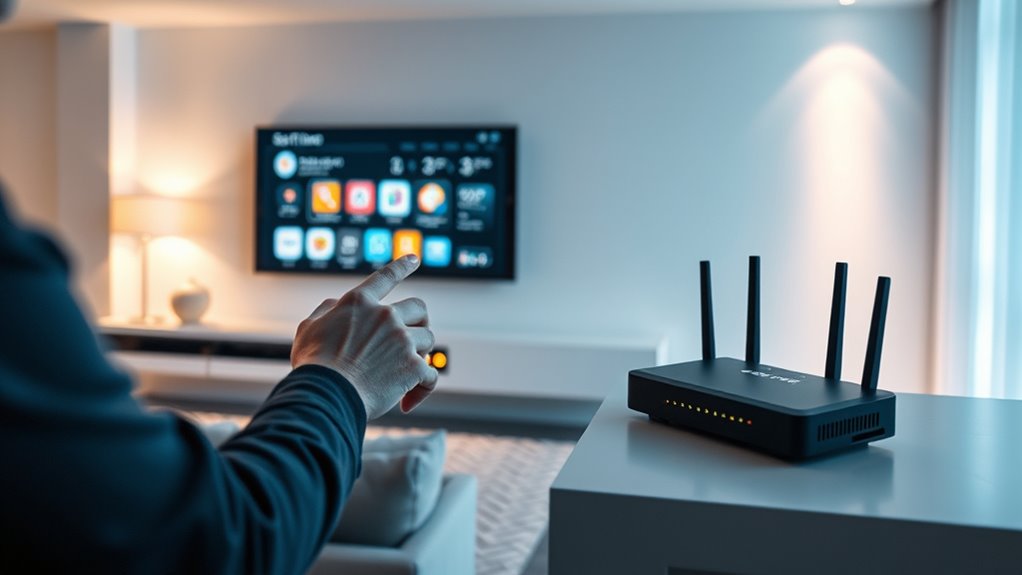
Your network infrastructure directly impacts your smart home’s responsiveness. Factors like available bandwidth, router placement, and network congestion can cause delays or improve performance. Understanding how these elements interact helps you optimize your setup for quicker device responses. Additionally, implementing a robust wireless network can further enhance connectivity and reduce latency issues. Ensuring that your network supports high-quality bandwidth allocation is essential for maintaining seamless device operation. Proper network configuration can also minimize interference and improve overall responsiveness. Regularly updating your network equipment can also prevent outdated hardware from contributing to latency problems.
Bandwidth and Data Flow
The effectiveness of a smart home’s responsiveness heavily depends on the network infrastructure, particularly its bandwidth and data flow. Adequate bandwidth guarantees your devices can send and receive data quickly, reducing delays. When your network has limited capacity, multiple devices struggle to communicate simultaneously, causing lag or slow reactions. Consistent data flow prevents bottlenecks that hinder real-time responses, especially during peak usage. Upgrading your internet plan or optimizing your network can improve responsiveness, making commands execute smoothly and devices react promptly. Monitoring your bandwidth usage helps identify congestion points. A well-managed data flow ensures your smart home functions seamlessly, with minimal latency, so your commands are executed instantly, and devices stay synchronized without hiccups. Network capacity plays a crucial role in maintaining high responsiveness and preventing delays. Ensuring your network infrastructure is robust and scalable is essential for optimal smart home performance. Additionally, implementing prioritized data traffic can help critical devices respond more swiftly during busy periods, and regularly reviewing your network’s data management can further enhance overall responsiveness. Maintaining sufficient bandwidth capacity is vital for avoiding data congestion and ensuring all devices operate efficiently.
Router Placement Strategies
Proper router placement is crucial for guaranteeing your smart home devices communicate efficiently and respond quickly. Position your router in a central location, ideally off the floor and away from thick walls, metal objects, or appliances that can cause interference. Elevate it on a shelf or mount it high on a wall to improve signal coverage. Avoid placing it near large metal furniture or mirrors, which can disrupt wireless signals. Keep the router away from other electronics like cordless phones or microwaves that operate on similar frequencies. By choosing an ideal spot, you reduce dead zones and ensure a stronger, more reliable connection across your smart home. Thoughtful placement minimizes latency and enhances overall responsiveness of your devices.
Network Congestion Effects
Network congestion can substantially impact the responsiveness of your smart home devices, especially during peak usage times. When many devices connect simultaneously, your network becomes crowded, leading to delays in command execution and data transmission. Streaming videos, online gaming, and multiple smart gadgets competing for bandwidth can cause latency spikes, making devices slower or unresponsive. To mitigate this, avoid heavy network usage during critical moments and prioritize essential devices through Quality of Service (QoS) settings. Upgrading your internet plan to higher speeds or adding a mesh Wi-Fi system can distribute traffic more efficiently. Regularly monitor your network traffic to identify bottlenecks and ensure your infrastructure supports your smart home’s demands, maintaining a smooth, responsive experience. Additionally, understanding the network infrastructure involved can help you better troubleshoot and optimize your setup for minimal latency. Ensuring your network hardware is current and capable can further improve overall responsiveness and reduce potential delays. Paying attention to bandwidth management techniques can help maintain a steady connection even during peak times. Incorporating network monitoring tools can provide real-time insights into traffic patterns and help prevent congestion before it impacts device performance. Moreover, optimizing your wireless channels can reduce interference and improve responsiveness across your devices.
Impact of Device Compatibility and Integration
When device compatibility and seamless integration are lacking, smart home systems often experience increased latency, disrupting smooth operation. If your devices don’t communicate effectively, commands take longer to process, causing delays in responses. Incompatible hardware or outdated firmware can create bottlenecks, forcing your system to work harder to coordinate devices. When integration is poor, automation routines may fail or run unpredictably, leading to frustration. You might notice your smart lights flickering or your thermostat responding slowly. Ensuring all devices are compatible and updated minimizes these issues. Using standardized protocols and choosing devices from the same ecosystem helps streamline communication. When your system integrates well, it responds faster, making your smart home more efficient and reliable. Proper device compatibility directly impacts the responsiveness you expect from your devices. Additionally, system interoperability plays a crucial role in maintaining optimal performance and minimizing delays. Furthermore, maintaining up-to-date firmware enhances system efficiency and helps prevent latency problems. A focus on network stability can also significantly reduce response times and improve overall device communication. Regularly monitoring your network’s bandwidth capacity ensures that your devices have sufficient resources for quick responses.
How Internet Speed Affects Smart Home Performance

Your smart home’s performance heavily depends on your internet speed; if your connection is slow or unstable, devices can lag or fail to respond promptly. Slow speeds increase latency, causing delays between your commands and device actions. For instance, turning on lights or adjusting the thermostat may take longer, frustrating your experience. Bandwidth limitations also impact multiple devices operating simultaneously, leading to congestion and sluggish responses. High-speed internet ensures quick data transmission, minimizing lag and maintaining smooth operation. Consistent, reliable internet reduces dropped connections and ensures real-time responsiveness. Upgrading your plan or optimizing your network can notably improve your smart home’s overall performance, making automation seamless and more enjoyable. Remember, a fast, stable connection is the backbone of a responsive, efficient smart home.
The Significance of Firmware and Software Updates
Regularly updating your smart home devices’ firmware and software is essential for maintaining peak performance and security. Updates fix bugs, improve stability, and often add new features that enhance responsiveness. Outdated firmware can cause devices to lag, disconnect, or respond slowly, increasing latency. Cybersecurity vulnerabilities are also addressed through updates, protecting your network from potential threats. Many devices automatically notify you when updates are available, so it’s important to install them promptly. Neglecting updates may result in incompatibilities with other smart home components, leading to delays in device responses. Consistently applying firmware and software updates guarantees your system runs smoothly, responds quickly, and remains secure against evolving threats, keeping your smart home efficient and responsive at all times.
Managing Traffic and Bandwidth for Optimal Functionality

To keep your smart home running smoothly, you need to manage traffic and bandwidth effectively. Prioritizing devices ensures essential functions aren’t delayed, while optimizing bandwidth allocation prevents congestion. Taking these steps helps maintain quick, reliable responses across your smart system.
Prioritize Traffic for Devices
Managing traffic and bandwidth effectively is essential to guarantee that your smart home devices function smoothly. To do this, prioritize traffic for critical devices like security cameras, smart locks, or voice assistants. Many routers allow you to set Quality of Service (QoS) rules, ensuring these devices get bandwidth priority during peak usage. This prevents delays in alerts, video streaming, or voice commands. Also, identify devices that require real-time responses and assign them higher priority. Avoid giving all devices equal bandwidth, especially when multiple users stream videos or download files. By managing traffic this way, you reduce lag and improve overall responsiveness. Remember, consistent prioritization helps your smart home operate seamlessly, even during busy network times.
Optimize Bandwidth Allocation
Effective bandwidth allocation guarantees your smart home devices operate smoothly without interruptions. To optimize bandwidth, first identify which devices need priority during peak times, and adjust settings accordingly. Use Quality of Service (QoS) features on your router to prioritize critical devices like security cameras or smart thermostats. Limit background activities, such as automatic updates or downloads, during active hours. Consider upgrading to a higher bandwidth plan if multiple devices frequently compete for resources. Segment your network with separate SSIDs or VLANs for different device groups, reducing congestion. Regularly monitor your network’s usage to spot bottlenecks and adjust device priorities as needed. Efficient bandwidth management ensures all your smart devices respond promptly, creating a seamless and responsive smart home environment.
Strategies for Reducing Latency in Smart Devices

Reducing latency in smart devices is essential for ensuring quick and seamless interactions within your home. To achieve this, consider enhancing your network setup and device configurations. First, keep your firmware and software updated to ensure your devices operate efficiently. Second, place your router centrally to improve wireless coverage and reduce signal delays. Third, minimize interference by reducing the number of competing devices on your network. Fourth, prioritize smart device traffic through Quality of Service (QoS) settings on your router. Fifth, connect high-priority devices via Ethernet for more reliable and faster communication. Implementing these strategies helps cut down delays, making your smart home more responsive and enjoyable. Consistently monitoring and adjusting your network setup ensures peak performance over time.
Troubleshooting Common Connectivity Issues
When your smart devices aren’t connecting properly, start by checking your network signal strength to guarantee a stable connection. Next, verify that your devices are compatible with your smart home system to avoid communication issues. Addressing these basics can often resolve common connectivity problems quickly.
Network Signal Strength
Weak network signal strength is a common culprit behind smart home latency issues. When your devices struggle to connect or experience poor responsiveness, the root cause often lies in weak Wi-Fi signals. To improve your network signal, consider the following:
- Move your router to a central location, away from obstructions
- Reduce interference from other electronics like microwaves or cordless phones
- Use Wi-Fi extenders or mesh systems to boost coverage
- Ensure your devices are within a good range of the router
- Update your router’s firmware for maximum performance
These steps help strengthen your network signal, ensuring your smart home devices communicate effectively and respond promptly. Improving signal strength often reduces latency, making your smart home more reliable and responsive.
Device Compatibility Checks
Device compatibility is a crucial factor often overlooked when troubleshooting connectivity issues in your smart home. If a device isn’t compatible with your system or firmware, it may fail to connect or respond slowly. First, check the device’s specifications and verify it supports your hub or app version. Update firmware and software on both the device and your controller to improve compatibility. Review manufacturer guidelines for known issues or restrictions. Sometimes, older devices become incompatible after system updates. If problems persist, try removing the device from your network and re-adding it. Confirm that the device uses the correct wireless protocol (Wi-Fi, Zigbee, Z-Wave) and frequency band. Ensuring compatibility prevents unnecessary troubleshooting and helps maintain a responsive, seamless smart home experience.
Best Practices for Maintaining a Reliable Smart Home System

Maintaining a reliable smart home system requires proactive measures to prevent latency issues and guarantee seamless operation. Regularly update your device firmware and system software to fix bugs and improve performance. Make sure your Wi-Fi network is strong, secure, and optimized for multiple devices. Use a dedicated network for smart devices to prevent interference from other traffic. Monitor device connections and remove unused or outdated gadgets. Ultimately, prioritize devices based on their importance to reduce network congestion.
- Keep firmware and software current
- Optimize your Wi-Fi network settings
- Use a dedicated network for smart devices
- Regularly check device connections and remove unused gadgets
- Prioritize critical devices for bandwidth allocation
Future Technologies Aiming to Minimize Response Times

Advancements in networking technology are paving the way for smarter, faster smart home systems. Future innovations like 5G, Wi-Fi 6E, and edge computing will significantly reduce response times, making your smart devices more responsive. 5G offers ultra-low latency connections, enabling instant communication between devices and control centers. Wi-Fi 6E provides higher bandwidth and better congestion management, ensuring smoother operation even in crowded environments. Edge computing processes data locally, minimizing reliance on remote servers and cutting delays. These technologies will allow your smart home to react almost instantaneously to commands and environmental changes. As these innovations become mainstream, expect your system’s latency to drop sharply, creating a more seamless, efficient, and responsive living experience.
Frequently Asked Questions
How Does Smart Home Latency Affect Daily Device Operation?
Latency can cause delays in your smart home devices’ responses, making everything feel less seamless. When you turn on a light or adjust the thermostat, you might notice a lag, which can be frustrating. This delay can lead to inconvenience, especially in urgent situations like security alerts or emergency controls. To improve daily operation, guarantee your Wi-Fi is strong, devices are updated, and consider wired connections or a mesh network for better responsiveness.
Can User Behavior Influence Smart Home Responsiveness?
Absolutely, your behavior can influence your smart home’s responsiveness. When you give clear commands, use consistent language, and guarantee your devices are up-to-date, you help the system process requests faster. Conversely, if you send ambiguous instructions or overload the network, responses slow down. Your proactive habits, like proper device management and thoughtful interactions, can make your smart home feel more intuitive and responsive, enhancing your overall experience.
What Role Do AI Algorithms Play in Reducing Delays?
AI algorithms help reduce delays by optimizing how your smart devices communicate and process data. They analyze patterns in your behavior, predict your needs, and prioritize commands to guarantee quick responses. When you activate a voice command or adjust settings, AI swiftly interprets your input, filters unnecessary data, and executes actions efficiently. This intelligent management minimizes lag, making your smart home more responsive and seamless in meeting your everyday needs.
How Do Environmental Factors Impact Wireless Signals?
They say, “A chain is only as strong as its weakest link,” and environmental factors can diminish your wireless signals. Walls, furniture, and even appliances cause interference, blocking or degrading signals. Weather conditions like rain or humidity also impact performance. To keep your smart home responsive, position devices centrally, avoid obstructions, and update your router’s firmware regularly. These steps help guarantee your signals stay strong, no matter what Mother Nature throws your way.
Are There Industry Standards for Acceptable Smart Home Response Times?
Yes, industry standards typically aim for response times under 1 second for smart home devices. You should expect your system to respond promptly to commands, ideally within this timeframe. Faster responses improve your experience and reliability. Keep in mind, factors like network quality and device processing can influence speeds, but manufacturers generally target sub-second latency to ensure smooth operation and user satisfaction.
Conclusion
To truly thrive in a seamless smart home, stay savvy by simplifying setups, securing strong signals, and staying updated. Consistent checks and careful compatibility keep delays at bay, while embracing emerging innovations promises faster, flawless functionality. Remember, minimizing latency isn’t just about technology—it’s about maintaining mindful maintenance and mastering your network. With these strategies, you’ll enjoy a responsive, reliable, and remarkably responsive smart home experience, all with minimal mishaps and maximum magic.