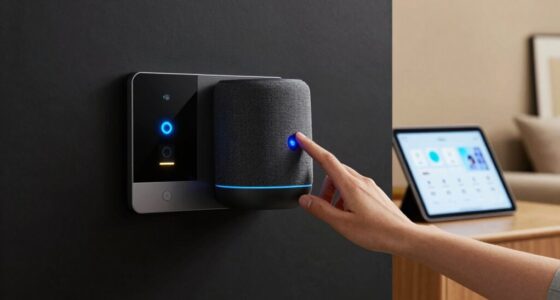
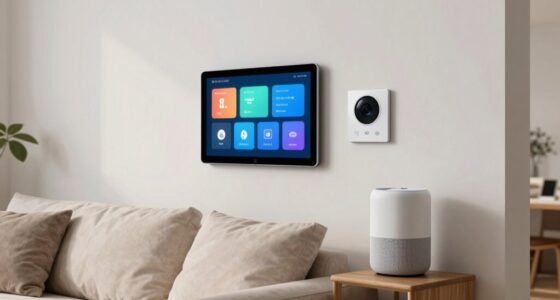
Offline smart home systems operate entirely within your home’s local network, controlling devices like lights, thermostats, and locks without needing internet access. They rely on dedicated hubs, sensors, and controllers to manage automation and manual controls, ensuring your privacy and system reliability even during internet outages. These systems limit remote access but provide immediate response and enhanced security. To understand how they work, their benefits, and potential challenges, keep exploring further.

Turn your quiet moments into listening time
- Thousands of audiobooks, podcasts and originals
- Listen on your phone, tablet or Echo — also offline
- Cancel anytime
Key Takeaways
- Offline smart home systems operate entirely within the local network without needing internet access.
- They use dedicated hubs, controllers, or appliances to manage devices securely and privately.
- Data and automation rules are stored locally, ensuring privacy and system reliability during internet outages.
- Manual controls like switches, touchscreens, and remotes provide immediate device management without online dependency.
- These systems enhance security, privacy, and quick response times, but may have limited remote access and easier troubleshooting.
Products Worth Considering

Bose TV Speaker Compact Soundbar with Bluetooth and HDMI-ARC, Black

Google Nest Cam Indoor (Wired, 3rd Gen) – Security Camera – Snow

Samsung 85 M80H Series Mini LED 4K Smart TV (2026)
As an affiliate, we earn on qualifying purchases.
What Are Offline Smart Home Systems?

Have you ever wondered how smart home devices work without relying on the internet? Offline smart home systems operate locally, meaning all automation and control happen within your home’s network. They don’t need a constant internet connection to function. Instead, they use dedicated hubs, controllers, or appliances that communicate directly with each other. This setup allows you to manage lights, thermostats, locks, and sensors without external servers or cloud services. Offline systems are designed for privacy and reliability, ensuring your devices keep working even if your internet goes down. This is especially important for local network security, as it minimizes exposure to external threats. Additionally, offline systems can be more resilient against internet outages, maintaining functionality during connectivity issues. You may also find that offline systems can be easier to set up and troubleshoot, making them accessible for users with varying technical skills. You get quick response times because commands don’t have to travel over the internet. Additionally, offline smart home systems are aligned with European cloud innovation, promoting secure and sustainable solutions within local networks. Overall, offline smart home systems deliver convenience and security without depending on an external network connection.
Key Components of Offline Smart Home Solutions

Offline smart home solutions rely on specific hardware components that enable seamless automation without internet access. These components work together to process inputs, control devices, and guarantee smooth operation. Central to this setup is the local hub or controller, which acts as the system’s brain. Sensors detect environmental changes, while actuators execute commands like adjusting lighting or thermostats. You’ll also find local storage for data and automation rules, ensuring your system functions offline. Additionally, automation rules are stored locally to maintain functionality even without an internet connection. To ensure reliability, these systems often incorporate redundant hardware that can take over if primary components fail.
How Offline Systems Operate Without Internet

Offline smart home systems rely on your local network to control devices directly, without needing internet access. They store data locally on hubs or controllers, ensuring your settings and schedules stay intact even when offline. You can also operate many functions manually, giving you full control without relying on cloud services. Additionally, these systems often feature local data storage to protect your privacy and enhance reliability. The horsepower of these systems can vary depending on their complexity and the devices they support. Understanding the processing capabilities helps in selecting a system suited to your specific automation needs, especially when considering system scalability and future expansion options. Moreover, offline systems often include backup power solutions to maintain operation during power outages, further increasing their dependability.
Local Network Control
Smart home systems that operate without an internet connection rely on a local network to function seamlessly. Your devices communicate directly within this network, usually via Wi-Fi or Ethernet, ensuring quick responses and reliable control. You can manage lights, thermostats, locks, and sensors without external delays. The system’s core components include a central hub or controller that acts as the command center, and individual devices connected to this hub. Additionally, the absence of reliance on cloud servers enhances system stability and minimizes potential points of failure, allowing for more secure and private operation within your home network. These local network setups also help protect your privacy by reducing data exposure to external servers. Moreover, offline systems often feature local troubleshooting options, making maintenance more straightforward without needing internet access. By keeping all data within your home network, you can further ensure your personal information remains confidential.
Offline Data Storage
When a smart home system operates without an internet connection, it relies on local data storage to keep your device settings, automation routines, and sensor histories intact. This storage is typically housed within the central hub or local controller, ensuring your data remains accessible even without online access. This setup enhances privacy, as your information isn’t transmitted elsewhere. This method also supports offline operation by maintaining core functionalities during connectivity issues, providing peace of mind and continuous smart home management. Additionally, **local data storage** ensures your system can operate reliably without reliance on cloud services, similar to how some best garage door openers incorporate local controls for added security. To further improve system resilience, many offline setups include backup batteries or fail-safe mechanisms that keep essential functions running during power outages.
Manual Operation Options
Even without an internet connection, your smart home system allows you to operate devices manually through physical controls or local interfaces. This guarantees you maintain control even during outages. You can use various methods to manage your system directly:
- Wall-mounted switches for lighting adjustments
- Touchscreens on local hubs or control panels
- Physical dials for temperature regulation
- Remote controls for connected appliances
These options provide immediate access without relying on cloud services. Manual controls are often integrated seamlessly, allowing you to turn devices on or off, change settings, or activate scenes. This setup enhances system reliability and convenience, giving you peace of mind knowing your home remains functional regardless of connectivity issues. With these options, your offline smart home stays responsive and user-friendly at all times. Additionally, navigation and mapping features in some offline systems enable precise control of robotic devices without internet access. Moreover, local control mechanisms ensure that your system can operate independently, maintaining full functionality during network outages. Incorporating dedicated hardware further improves system resilience by minimizing dependency on external networks.
Benefits of Choosing Offline Smart Home Technology

Choosing offline smart home technology offers significant benefits, especially if you prioritize privacy and security. Without relying on internet connections, your data stays local, reducing the risk of hacking or unauthorized access. This setup also minimizes latency, ensuring faster device responses and smoother automation. Additionally, offline systems are less vulnerable to outages or cyber threats that affect online networks. You gain better control over your devices, avoiding third-party interference. To illustrate, here’s a quick comparison:
| Benefit | Explanation |
|---|---|
| Enhanced Privacy | Data remains on-site, preventing external access. |
| Increased Security | Fewer cyber attack vectors due to limited connectivity. |
| Reliability | Operates independently of internet stability. |
| Speed & Responsiveness | Immediate device responses without lag. |
Common Devices Used in Offline Smart Homes

Offline smart homes rely on a variety of devices designed to operate independently from internet connections. These devices form the backbone of a reliable, secure system that keeps your home functional even without online access. Common devices include:
Offline smart homes use local devices to ensure security and automation without internet dependence.
- Smart thermostats that manage heating and cooling without cloud reliance
- Zigbee or Z-Wave hubs that connect and control multiple devices locally
- Smart locks allowing keyless entry without internet dependency
- Local security cameras with onboard storage to monitor and record activity
These devices work together to provide automation, security, and comfort. They communicate directly or through local networks, ensuring your home remains responsive and protected regardless of internet status. This setup offers peace of mind, reliability, and privacy.
Setting Up and Managing Offline Systems

Setting up your offline smart home system involves carefully installing hardware and configuring your network for ideal performance. You’ll want to follow clear steps to guarantee everything functions smoothly and securely. Regular maintenance keeps your system reliable, so stay attentive to updates and checkups.
Hardware Installation Steps
To successfully install your smart home hardware, you need to follow a clear set of steps that guarantee everything functions smoothly. First, choose a suitable location for each device, ensuring it’s protected from hazards. Next, mount or place the hardware securely, following manufacturer instructions. Then, connect power sources, such as outlets or batteries, making sure connections are stable. Finally, test each device to confirm proper operation. Keep these steps in mind:
- Verify compatibility with your offline system
- Securely mount sensors and controllers
- Connect power supplies, ensuring proper voltage
- Perform initial functionality checks before finalizing setup
Following these steps carefully helps you set up a reliable offline smart home, minimizing issues and ensuring long-term performance.
Network Configuration Tips
When configuring your smart home network, it’s vital to guarantee all devices communicate effectively without relying on an internet connection. Start by assigning static IP addresses to each device to prevent conflicts and ensure reliable communication. Use a dedicated local network, separate from guest or public networks, to improve security and stability. Choose a robust router that supports advanced features like VLANs or network segmentation to isolate devices if needed. Keep firmware updated to fix bugs and enhance performance. For wireless connections, position your router centrally and minimize interference from other electronics. Regularly back up your network configuration settings so you can restore them quickly if needed. Finally, document your setup, including IP addresses and device roles, to streamline troubleshooting and future adjustments.
Routine Maintenance Practices
Regular maintenance is essential to keep your offline smart home system running smoothly and reliably. Consistently checking and updating your hardware ensures peak performance and longevity. You should routinely inspect connections, firmware, and power sources to prevent issues before they escalate. Keep detailed logs of your maintenance activities for troubleshooting and future reference.
Consider these practices:
- Regularly clean hardware components to prevent dust buildup
- Update firmware and software manually to ensure security and functionality
- Test backups periodically to confirm data integrity
- Verify all physical connections and replace worn cables or connectors
Security and Privacy Advantages of Offline Systems

Offline smart home systems inherently offer enhanced security and privacy because they operate without relying on internet connections that can be vulnerable to hacking or data breaches. Since your data stays within your local network, there’s no risk of remote breaches or unauthorized access from cybercriminals. You control who has access to your system, reducing the chances of malicious attacks. Sensitive information, such as security footage or personal preferences, isn’t transmitted over the internet, minimizing exposure. This setup also prevents third-party companies from collecting or selling your data without your consent. As a result, your home remains more private, and your personal information is better protected from external threats. Overall, offline systems give you peace of mind knowing your home’s security and privacy are maintained without external interference.
Limitations and Challenges of Offline Smart Homes

While offline smart home systems enhance security, they also come with notable limitations. You might find that without internet connectivity, remote access becomes impossible, restricting control to local devices only. Additionally, offline systems often lack real-time updates, which can delay security alerts or system optimizations. You may also face challenges in integrating new devices or firmware updates, potentially leading to compatibility issues. Finally, troubleshooting can be more complex, as diagnosing problems without online access limits remote diagnostics and support. These constraints mean offline systems excel in security but may sacrifice convenience, flexibility, and seamless integration. You must weigh the benefits of privacy against these inherent limitations before opting for an offline smart home setup.
Future Trends in Offline Home Automation

As technology advances, offline home automation systems are poised to become more intelligent and user-friendly through innovative hardware and software solutions. Expect smarter sensors and controllers that can process data locally, reducing reliance on cloud services. This means faster response times and enhanced privacy, as your data stays within your home. Future systems will likely incorporate more adaptive AI, learning your routines to automate tasks seamlessly. Hardware improvements will make setups easier and more reliable, with modular components that grow with your needs. Additionally, offline systems will integrate better with renewable energy sources and energy management tools, promoting sustainability. Overall, offline home automation will become more intuitive, resilient, and secure, offering you increased control and peace of mind without sacrificing convenience.
Frequently Asked Questions
Can Offline Smart Home Systems Integrate With Online Devices Later?
Yes, offline smart home systems can often integrate with online devices later. You might need to update the system’s firmware or install new apps, but many offline systems are designed with compatibility in mind. Just verify your devices support the same protocols, like Wi-Fi or Zigbee, and check for updates that enable integration. With a bit of effort, you can expand your system’s functionality easily over time.
How Do Offline Systems Handle Software Updates and Maintenance?
Think of offline smart home systems as a sturdy tree standing tall in a storm. They handle updates and maintenance by storing essential software locally, so you don’t need an internet connection. You’ll often use a physical device, like a USB or SD card, to load updates, or connect directly to a computer. Regular check-ups and manual updates keep your system healthy, ensuring it continues to serve your needs reliably.
Are Offline Smart Homes Compatible With Voice Control Technologies?
Yes, offline smart home systems can be compatible with voice control technologies, but it depends on the specific setup. You might need a local voice assistant device, like a smart speaker, connected directly to your offline system. Keep in mind, without internet access, some advanced voice features might be limited. Still, basic commands and control are often possible, giving you voice interaction without relying on cloud services.
What Backup Options Exist if Offline System Components Fail?
If your offline smart home system components fail, you have several backup options. You can use manual controls like switches and remote controls to operate devices directly. Additionally, some systems include redundant hardware or local storage, allowing you to restore functionality quickly. Investing in uninterruptible power supplies (UPS) can keep critical components running during power outages. Regularly updating firmware and maintaining backups guarantees your system stays resilient against failures.
How Do Offline Systems Ensure Data Security Without Cloud Storage?
Imagine a fortress built with impenetrable stone walls—you’re protected without relying on external clouds. Offline smart home systems keep your data secure through local encryption and secure storage within the device itself. You have direct control, and your data stays within your home’s fortress, immune to online breaches. No need for cloud backups; your data remains safe and private, shielded by robust local security measures.
Conclusion
Choosing an offline smart home system means you take control, like a captain steering your own ship through calm and stormy seas. While it may have limitations, its privacy and security perks keep you safe and sound. Imagine a home where your data isn’t caught in the web—it’s your fortress. Embrace offline solutions and enjoy peace of mind, knowing that your sanctuary is truly yours, unburdened by the digital noise of the outside world.