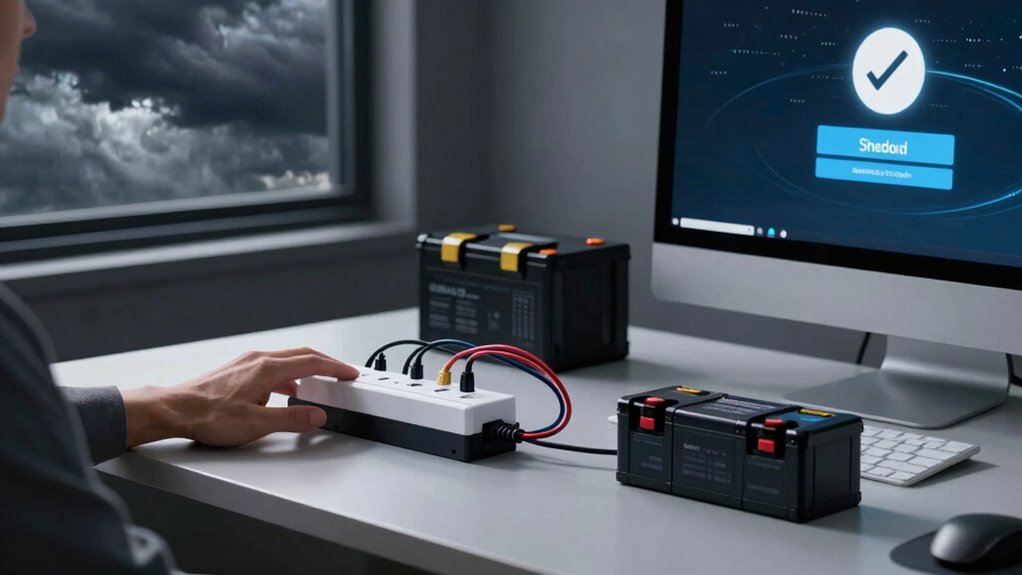

During an outage, always turn off your devices in the right order to prevent damage and save your work. Start by shutting down your computer and disconnecting peripherals, then turn off your surge protectors and unplug devices. If you have a UPS, switch to backup power first, then save your work and shut down properly. Following this safe shutdown order protects your electronics and keeps your data secure—keep going to learn how to do it best.

Turn your quiet moments into listening time
- Thousands of audiobooks, podcasts and originals
- Listen on your phone, tablet or Echo — also offline
- Cancel anytime
Key Takeaways
- Use your UPS to maintain power and allow safe shutdowns during outages.
- Save all work immediately when an outage occurs to prevent data loss.
- Follow proper shutdown procedures to avoid hardware damage and data corruption.
- Switch to backup power before unplugging devices, ensuring a seamless transition.
- Combine surge protectors with backup power for comprehensive protection of electronics.

Power outages can strike unexpectedly, leaving your electronics vulnerable to damage and data loss. During these moments, having a reliable backup power source becomes essential. A backup power system, like an uninterruptible power supply (UPS), ensures your devices stay powered long enough for you to save your work and shut down properly. Not only does this prevent sudden shutdowns that could corrupt files, but it also gives you the time to close applications correctly, avoiding potential hardware issues. Investing in a UPS with surge protection adds another layer of safety. Surge protectors guard your electronics against voltage spikes that often accompany power outages, especially when electricity is restored. These surges can fry delicate components inside your devices, leading to costly repairs or replacements. Making sure your electronics are connected to surge protection devices can save you money and prolong their lifespan.
When a power outage occurs, resist the urge to panic or rush to unplug everything. Instead, if you have backup power, switch to it immediately. This shift should be seamless if your UPS is properly configured, allowing you to save your work and shut down devices safely. If you don’t have backup power, it’s essential to turn off your electronics promptly once the outage is confirmed to prevent damage caused by sudden power fluctuations when electricity returns. Always remember to save your work frequently, especially during stormy weather or in areas prone to outages, so you’re prepared when interruptions happen. Proper shutdown procedures are crucial to protect your devices from damage during unexpected outages.
Using surge protection is an easy, effective way to keep your electronics safe during unexpected power events. Install surge protectors on all your critical devices—computers, routers, modems, and external drives. Some surge protectors come with indicator lights that show whether they’re functioning correctly, giving you peace of mind. Also, consider plugging high-value or sensitive equipment into surge-protected outlets rather than regular power strips, which often lack adequate protection. Combining surge protection with a backup power source provides complete coverage, ensuring your devices are shielded from both immediate voltage spikes and complete power failures.
uninterruptible power supply UPS with surge protection
As an affiliate, we earn on qualifying purchases.
As an affiliate, we earn on qualifying purchases.
Frequently Asked Questions
How Often Should I Test My Electronics’ Backup Power Systems?
You should test your electronics’ backup power systems at least once every three to six months. Regular testing helps you check battery life and make certain your backup scheduling works smoothly. During testing, verify that batteries hold a charge and that systems activate correctly. This proactive approach prevents surprises during outages, keeping your electronics protected and ready to run when needed. Consistent testing is key to reliable backup power.
What Are Signs That My Electronics Are Vulnerable During Outages?
You’ll notice signs like unexpected power surges or your devices shutting down suddenly, which indicate vulnerability during outages. Hardware failures may also occur if your electronics aren’t properly protected, especially during unstable power conditions. If you experience frequent glitches or disruptions, it’s a sign your systems need better surge protection or backup power. Address these issues promptly to prevent damage and make sure your electronics stay safe during outages.
Can Regular Maintenance Prevent Damage During Power Failures?
Think of your electronics as a well-maintained fire safety plan—regular maintenance is your preventative measure. It helps you identify vulnerabilities before a power failure strikes. By ensuring proper equipment labeling and safety checks, you reduce the risk of damage during outages. Regular upkeep keeps your devices resilient, just like a fire safety plan keeps your building safe, ensuring your electronics last longer and perform reliably during unexpected outages.
Are There Specific Surge Protectors Recommended for Critical Devices?
Yes, you should choose surge protectors with high surge protector ratings for critical device safeguards. Look for models that specify protection levels suitable for sensitive electronics, like computers or medical equipment. These surge protectors offer better voltage suppression, reducing the risk of damage during power surges or outages. Investing in reliable surge protectors guarantees your critical devices remain safe, maintaining their functionality and extending their lifespan during unexpected electrical fluctuations.
How Does Temperature Affect Electronics During Outages?
Ironically, your electronics might be more vulnerable during outages than when everything’s running smoothly. Temperature swings can cause thermal management issues, leading to overheating or freezing. Humidity control becomes essential, as excess moisture can damage circuits or cause corrosion. To safeguard your devices, maintain a stable environment, keep them cool, and guarantee proper thermal management. This way, you prevent unexpected failures caused by temperature fluctuations during power outages.
surge protector power strip with indicator lights
As an affiliate, we earn on qualifying purchases.
As an affiliate, we earn on qualifying purchases.
Conclusion
Think of your electronics as delicate dancers on a stormy stage. When the power flickers and the lights threaten to dim, your shutdown order is the conductor’s baton, guiding them safely through the chaos. By taking action before the storm hits, you safeguard their performance and guarantee they’re ready to shine again. Remember, a quick, deliberate pause now prevents your valuable tools from being swept away by the unpredictable tempest. Stay prepared, stay protected.
backup power system for computers
As an affiliate, we earn on qualifying purchases.
As an affiliate, we earn on qualifying purchases.
electronic device surge protection
As an affiliate, we earn on qualifying purchases.
As an affiliate, we earn on qualifying purchases.
Halloween Picks
halloween
As an affiliate, we earn on qualifying purchases.