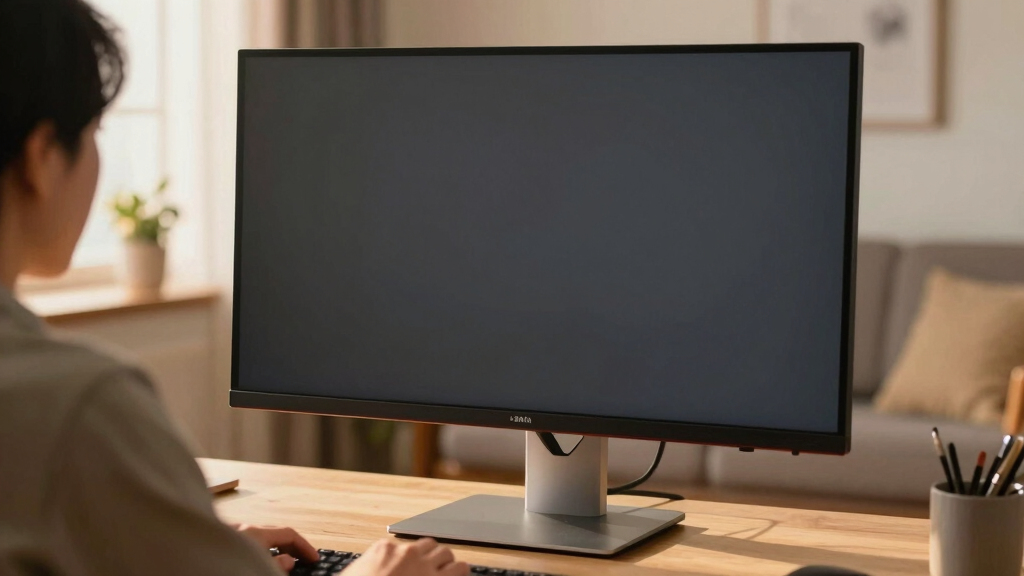

If you’re searching for the best ultrawide monitor 34 inch in 2026, you’re likely looking for a large, immersive screen that balances performance and versatility. The LG 34U530A-W stands out as the overall best, offering a solid mix of features suitable for work and entertainment. For gamers, the Alienware AW3425DWM delivers high refresh rates and fast response times. Meanwhile, the Samsung ViewFinity S50GC Series provides excellent color accuracy for creative professionals. The main challenge in this category is balancing resolution, refresh rate, and price—more advanced features often come with a bigger cost. Keep reading to explore each option in detail and find the perfect fit for your needs.

Turn your quiet moments into listening time
- Thousands of audiobooks, podcasts and originals
- Listen on your phone, tablet or Echo — also offline
- Cancel anytime
Key Takeaways
- High-refresh-rate monitors (like 180Hz) primarily benefit gamers, but may be overkill for casual use.
- HDR support varies significantly; HDR400 is common but not true HDR, affecting color and contrast quality.
- Curved screens generally enhance immersion but can introduce distortion if not properly calibrated.
- USB-C and Thunderbolt ports are valuable for reducing cable clutter and connecting to modern laptops.
- Price differences often reflect build quality, panel type, and additional features like built-in speakers or adjustable stands.


More Details on Our Top Picks
LG 34U530A-W 34-inch UltraWide WFHD IPS Computer Monitor, 100Hz, HDR400, HDMI, DisplayPort, USB-C, Adjustable Stand
The LG 34U530A-W stands out for its balanced combination of features suited for multitasking, creative work, and entertainment. Its 21:9 IPS panel offers wide viewing angles and crisp images, making it a strong competitor against the Samsung ViewFinity S50GC which emphasizes vibrant color accuracy and HDR quality. While its resolution of 2560×1080 is less sharp than higher-res options, it benefits from a smooth 100Hz refresh rate that enhances general usability. The adjustable stand and multiple connectivity options—including USB-C—provide ergonomic comfort and convenience. However, the lower resolution might disappoint users seeking ultra-sharp visuals, and the built-in speakers are more serviceable than premium. This monitor makes the most sense for users who want a well-rounded, adaptable display without the premium price tag.Pros:- Wide 21:9 aspect ratio enhances multitasking
- IPS panel provides wide viewing angles
- Multiple connectivity options including USB-C
Cons:- Lower 2560×1080 resolution may feel less sharp
- Built-in speakers are not high quality
Best for: Multitaskers and creative professionals who need a versatile, affordable ultrawide monitor with good ergonomics.
Not ideal for: Photographers or video editors requiring high-resolution or color-critical work, due to its 1080p resolution.
- Display Size:34 inches
- Resolution:2560 x 1080 (WFHD)
- Aspect Ratio:21:9
- Refresh Rate:100Hz
- HDR:VESA DisplayHDR 400
- Connectivity:HDMI, DisplayPort, USB Type-C
Bottom line: This monitor suits users seeking a flexible, budget-friendly ultrawide display for everyday multitasking and media consumption.
Sceptre 34-Inch Curved Ultrawide WQHD Monitor, 3440 x 1440, 180Hz/165Hz, DisplayPort x2, 100% sRGB, 1ms, Built-in Speakers
The Sceptre 34-Inch Curved Ultrawide excels for gamers and those prioritizing immersive visuals thanks to its 3440×1440 resolution and ultra-fast 1ms response time. Its 180Hz (or 165Hz) refresh rate surpasses many competitors, including the Alienware AW3425DWM, making it ideal for high-speed gaming. The curved design enhances immersion, and the 100% sRGB coverage delivers vibrant, accurate colors. While the large size and high specs make it a premium choice, it also demands ample desk space, and the limited stand adjustability may be a drawback for ergonomic fine-tuning. Compared to the Samsung ViewFinity, which emphasizes color accuracy and HDR for professional use, this model targets high-performance gaming and fast-paced action. Its tradeoff is a higher price point and a focus on gaming rather than professional tasks.Pros:- High-resolution ultrawide display for immersive experience
- Fast 1ms response time ideal for gaming
- High refresh rate up to 180Hz for smooth gameplay
Cons:- Expensive compared to standard ultrawides
- Large size requires significant desk space
Best for: Gamers and immersive visual enthusiasts seeking ultra-responsive ultrawide gameplay.
Not ideal for: Professional creators or office users needing precise color grading or higher resolution for detailed work.
- Screen Size:34 inches
- Resolution:3440 x 1440 (WQHD)
- Refresh Rate:180Hz / 165Hz
- Response Time:1ms
- Color Coverage:100% sRGB
- Panel Type:Curved Ultrawide
Bottom line: This monitor is perfect for gamers who want fast, immersive visuals in a large ultrawide format.
Samsung 34″ ViewFinity S50GC Series Ultra-WQHD Monitor, 100Hz, HDR10, AMD FreeSync, Black
The Samsung ViewFinity S50GC offers a compelling balance of color accuracy, versatile features, and eye comfort. Its Ultra WQHD resolution and HDR10 support provide vibrant visuals suitable for detailed editing and professional multitasking—outperforming some budget options like the LG 34U530A-W in color fidelity. The inclusion of eye care features and a borderless design enhances long working sessions. However, its 100Hz refresh rate and lack of built-in speakers may limit its appeal for gaming or multimedia enthusiasts. Priced higher than more basic models, this monitor is best suited for professionals who prioritize color precision and flexible workflows over gaming performance. It is less ideal for those needing large screens or high refresh rates for fast gaming.Pros:- Vibrant Ultra WQHD display with HDR10 support
- Good for color-critical work and multitasking
- Eye care and flicker-free features
Cons:- Limited to 100Hz, less ideal for gaming
- No built-in speakers
Best for: Creative professionals and multitaskers who need vibrant, color-accurate displays with flexible input options.
Not ideal for: Gaming enthusiasts who want high refresh rates and gaming-specific features in a curved ultrawide.
- Screen Size:34 inches
- Resolution:Ultra WQHD (3440×1440)
- Refresh Rate:100Hz
- HDR:HDR10
- Color Support:Over 1 billion colors
- Inputs:2 x HDMI 2.2, 1 x DisplayPort 1.2
Bottom line: This monitor is tailored for creative users seeking color accuracy and multitasking versatility in a sleek design.
Alienware 34 Curved Gaming Monitor – AW3425DWM – 34-inch WQHD 180Hz 1ms Display, 1500R, AMD FreeSync Premium, VESA AdaptiveSync
The Alienware AW3425DWM combines a 1500R curved ultrawide display with a 180Hz refresh rate and 1ms response time, making it a standout for fast-paced gaming. Its wide DCI-P3 95% coverage and VESA DisplayHDR 400 ensure vibrant, immersive visuals that rival the Sceptre in performance, but with more refined build quality and brand prestige. The curved design enhances immersion further, while AMD FreeSync Premium reduces tearing during extended gaming sessions. Its premium price reflects its gaming focus, which might be overkill for general productivity or creative work. If gaming is your priority, this monitor’s combination of speed, color, and curve makes it ideal, but it’s less suitable for professional or office use due to cost and size.Pros:- High refresh rate and 1ms response for smooth gaming
- Vibrant DCI-P3 color coverage and HDR support
- Curved display enhances immersion
Cons:- Premium price may be prohibitive
- Size may not fit all setups
Best for: Dedicated gamers seeking a curved ultrawide with top-tier refresh rates and fast response times.
Not ideal for: Professionals or casual users who do not prioritize high-refresh gaming features or are budget-conscious.
- Size:34 inches
- Resolution:WQHD (3440×1440)
- Refresh Rate:180Hz
- Response Time:1ms
- Curve Radius:1500R
- Color Coverage:DCI-P3 95%
Bottom line: This monitor is best for serious gamers who want a fast, immersive curved display with excellent color and responsiveness.
Dell 34 Plus USB-C Curved Monitor – S3425DW
The Dell S3425DW stands out for its high contrast VA panel and vibrant color coverage, making it ideal for creative professionals and multimedia enthusiasts. Its 120Hz refresh rate and AMD FreeSync Premium deliver smooth visuals, while the USB-C port simplifies connectivity and reduces desk clutter. Compared to the LG 34WR55QK-B, it offers more vivid colors and better contrast, though it sacrifices some ergonomic flexibility. The monitor’s high contrast ratio and color accuracy make it a strong choice for those who prioritize visual quality, but its limited 65W power delivery could be a drawback for users with power-hungry peripherals. The curved design enhances immersion but might not suit all workspace arrangements.
Pros:- High contrast ratio (3000:1) for deep blacks and vivid images
- Vivid color coverage (99% sRGB, 95% DCI-P3) for accurate color reproduction
- Single USB-C connection with 65W power delivery simplifies desk setup
- Enhanced audio quality provides immersive sound
Cons:- Limited to 65W power delivery, which may be insufficient for some devices
- Curved design may not fit all workspace preferences
- Higher price point compared to similar models
Best for: Creative professionals and multimedia users who value vivid visuals and simple setup
Not ideal for: Gamers seeking ultra-high refresh rates or users with limited desk space who dislike curved screens
- Size:34 inches
- Resolution:3440 x 1440
- Refresh Rate:120Hz
- Panel Type:VA
- Contrast Ratio:3000:1
- Connectivity:USB-C (up to 65W)
- HDR:Yes
- Blue Light Reduction:Yes
Bottom line: This monitor is best suited for creative work and multimedia use, where color and contrast matter most.
SANSUI 34-Inch Curved Gaming Monitor UWQHD 3440 x 1440
The SANSUI 34-inch UWQHD excels in fast-paced gaming thanks to its 165Hz refresh rate and 1ms response time, making it a compelling alternative to the Alienware AW3425DWM. Its 1500R curvature and 178° viewing angles create an immersive experience, while the multiple input options and ergonomic stand add flexibility. Unlike the LG 34WR55QK-B, which offers a more subdued 100Hz refresh rate, this model prioritizes speed, though it lacks built-in speakers and relies on VESA mounting for ergonomic adjustments. The HDR support and wide color coverage enhance visual vibrancy, but limited to a 165Hz maximum refresh rate and no integrated audio make it less suitable for casual media consumption. It’s built for gamers who want speed and immersion without sacrificing display quality.
Pros:- High 165Hz refresh rate and 1ms response time for smooth gameplay
- 1500R curvature enhances immersion and viewing comfort
- Multiple input options (HDMI, DP) support versatile gaming setups
- Wide color coverage (DCI-P3 95%) enhances vibrancy
Cons:- No built-in speakers, requiring external audio equipment
- Limited to 165Hz maximum refresh rate which might not appeal to enthusiasts seeking higher Hz
- Requires VESA mount for ergonomic adjustments
Best for: Competitive gamers who need ultra-responsive visuals and immersive curved screens
Not ideal for: Users seeking built-in speakers or a more traditional stand with height adjustment
- Size:34 inches
- Resolution:3440 x 1440 UWQHD
- Refresh Rate:165Hz
- Response Time:1ms MPRT
- Curvature:1500R
- Color Coverage:DCI-P3 95%
Bottom line: This monitor is ideal for gamers who prioritize speed and curved immersion over built-in audio and adjustable stands.
SANSUI 34 Inch 240Hz Ultrawide Curved Gaming Monitor UWQHD
The SANSUI 240Hz UWQHD model pushes gaming performance further with a blazing 240Hz refresh rate and 1ms MPRT, making it a superb choice for competitive players demanding ultra-smooth visuals. Its 21:9 aspect ratio and HDR400 support provide vibrant, immersive gameplay, while features like AI Crosshair and Visual Enhance add tactical advantages. Compared to the 165Hz SANSUI model, this one is geared for the most demanding gamers, though it requires HDMI 2.1 connections for VRR support—limiting compatibility with some setups. The curved design and wide viewing angles enhance immersion, but it shares similar ergonomic limitations, needing a VESA mount for full adjustability. This monitor’s rapid response and high refresh rate make it a top pick for fast-paced eSports environments.
Pros:- Exceptional 240Hz refresh rate for ultra-smooth motion
- 1ms MPRT response time minimizes motion blur
- HDR400 and wide color coverage deliver vibrant visuals
- Additional gaming features like AI Crosshair enhance competitive play
Cons:- Requires HDMI 2.1 for VRR, limiting setup options
- No built-in speakers, necessitating external audio devices
- VESA mount needed for ergonomic adjustments
Best for: Serious competitive gamers who want the highest refresh rate and immersive display features
Not ideal for: Casual gamers or users with limited HDMI 2.1 compatibility, due to VRR requirements
- Size:34 inches
- Resolution:3440 x 1440 UWQHD
- Refresh Rate:240Hz
- Response Time:1ms MPRT
- HDR:HDR400
- Color Coverage:sRGB 130%, DCI-P3 97%
Bottom line: This monitor suits highly competitive gamers seeking the fastest refresh rate and immersive visuals, provided their system supports HDMI 2.1.
LG 34WR55QK-B 34-inch UltraWide WQHD Curved Monitor
The LG 34WR55QK-B offers a balanced combination of features suitable for both work and casual gaming. Its 100Hz refresh rate and HDR10 support provide decent visual clarity, while the 3440 x 1440 resolution and 99% sRGB coverage ensure accurate colors and broad workspace. The stand’s tilt and height adjustments make it comfortable for extended use, and the USB-C port with 65W power delivery simplifies connection to modern laptops. Compared to higher-refresh models like the SANSUI 240Hz, it trades off speed for versatility and affordability. Its curved display enhances immersion but may not appeal to those seeking high-end gaming performance. This monitor is well-suited for multitasking, content creation, and light gaming.
Pros:- Ergonomic stand with tilt and height adjustments for comfort
- USB-C with 65W power delivery reduces cable clutter
- High color accuracy with HDR10 and 99% sRGB coverage
- 3-sided virtually borderless design enhances aesthetics
Cons:- Limited to 100Hz refresh rate, less ideal for high-speed gaming
- No built-in speakers, requiring external audio
- Curved screen may not suit all preferences
Best for: Professionals and content creators who need a versatile, ergonomic ultrawide monitor
Not ideal for: Hardcore gamers seeking high refresh rates or ultra-fast response times
- Size:34 inches
- Resolution:3440 x 1440 (WQHD)
- Refresh Rate:100Hz
- Response Time:5ms
- HDR:HDR10
- Color Gamut:99% sRGB
Bottom line: This monitor is an excellent choice for users who need a flexible, color-accurate ultrawide for multitasking and content creation.
Samsung 34″ ViewFinity S50GC Series Ultra-WQHD Monitor
The Samsung ViewFinity S50GC delivers a compelling mix of productivity features and vibrant visuals, making it a strong contender for professionals who want more than just a gaming display. Its Ultra-WQHD resolution and HDR10 support provide rich, accurate colors, while the 100Hz refresh rate is sufficient for most tasks. Compared to the SANSUI models, the S50GC offers a more polished design and better color accuracy, though it lacks the ultra-high refresh rates preferred by competitive gamers. Its multiple input options and eye care features make it suitable for long work sessions, but the price point may be a barrier for budget-conscious buyers. This model balances multitasking, color fidelity, and comfort for everyday professional use.
Pros:- Ultra-WQHD resolution enhances workspace and detail clarity
- HDR10 and wide color support improve visual fidelity
- Eye care features reduce strain during extended periods
- Multiple input options support flexible connectivity
Cons:- Limited to 100Hz, not suitable for high-end gaming
- Higher price compared to more gaming-focused models
- No built-in speakers
Best for: Professionals and multitaskers who prioritize color accuracy and ergonomic comfort
Not ideal for: High-end gaming enthusiasts requiring extremely high refresh rates
- Size:34 inches
- Resolution:3440 x 1440
- Refresh Rate:100Hz
- HDR:HDR10
- Color Support:Over 1 billion colors
- Connectivity:Multiple inputs including PBP and PIP
Bottom line: This monitor offers a well-rounded package for professionals seeking color precision and comfort over gaming speed.
CRUA 34 Inch Curved Gaming Monitor, 21:9 WQHD 3440×1440, 165Hz/144Hz, FreeSync, PIP/PBP, 120% sRGB, HDMI 2.0 & DP 1.4, Wall Mountable, Tilt Adjustable
The CRUA 34-inch curved monitor offers a compelling balance of immersive visuals and flexible functionality, with a 1500R curvature that enhances gaming and multitasking alike. Its high 165Hz refresh rate ensures smooth gameplay, especially when compared with less responsive options like the Gawfolk. While it supports PIP and PBP modes for multitasking, it’s limited to 120Hz over HDMI, which could be a drawback for those seeking maximum performance across all connections. The lack of built-in speakers means you’ll need external audio, but the multiple connectivity options—including HDMI and DisplayPort—make it versatile for various devices. This monitor is ideal for gamers who want an immersive experience without sacrificing productivity, though wall mounting is necessary for space-saving setups.
Pros:- Immersive 1500R curved display enhances viewing experience
- High refresh rate (165Hz) for smooth gaming performance
- Supports PIP and PBP modes for multitasking
- Multiple connectivity options including HDMI and DisplayPort
Cons:- Limited to 120Hz when using HDMI cable
- No built-in speakers for audio convenience
- Requires wall mount for optimal space management
Best for: Gamers and multitaskers who want a curved display with high refresh rates and flexible connectivity
Not ideal for: Users seeking built-in speakers or a completely out-of-the-box setup without wall mounting
- Screen Size:34 inches
- Resolution:3440 x 1440 (WQHD)
- Aspect Ratio:21:9
- Refresh Rate:165Hz/144Hz
- Panel Type:VA
- Connectivity:2 HDMI 2.0, 2 DisplayPort 1.4, 3.5mm audio
Bottom line: This monitor is a well-rounded choice for gamers who also want productivity features with flexible connectivity.
Sceptre 34-Inch Curved Ultrawide WQHD Monitor (3440 × 1440), 180Hz, 1ms, Built-in Speakers, Machine Black
The Sceptre 34-inch curved monitor delivers a stunning 180Hz refresh rate and 1ms response time, making it an excellent choice for gamers demanding ultra-smooth action. Its 3440 x 1440 resolution provides detailed visuals comparable to the CRUA, but with a faster refresh rate that’s ideal for fast-paced titles. The built-in speakers and luminous backcover lighting add modern touches, though the exclusive use of DisplayPort limits flexibility for users with diverse connectivity needs. Compared to the CRUA, it offers slightly higher refresh rates but might be more costly, and the size could be challenging on smaller desks. It’s best suited for aggressive gamers who prioritize speed and visual quality, but less so for those who need multiple input options or integrated audio without external peripherals.
Pros:- High 180Hz refresh rate enhances fast-paced gameplay
- 1ms response time minimizes motion blur
- Ultra-wide 21:9 aspect ratio boosts productivity and immersion
- Vivid colors with 99% sRGB coverage
Cons:- Connectivity limited mainly to DisplayPort
- Potentially high price for premium features
- Size may require large desk space
Best for: Hardcore gamers and enthusiasts seeking ultra-smooth gameplay with vivid visuals
Not ideal for: Users in need of versatile connectivity options or built-in audio without additional equipment
- Size:34 inches
- Resolution:3440 x 1440 (WQHD)
- Refresh Rate:180Hz
- Response Time:1ms
- Color Coverage:99% sRGB
- Display Technology:Curved LCD
Bottom line: This monitor excels for gamers who prioritize speed and color vibrancy over connectivity flexibility.
Gawfolk 34-inch IPS Ultrawide Gaming Monitor, 120Hz, 2560x1080P, HDMI & DisplayPort, Wall-Mountable, Black
The Gawfolk 34-inch IPS monitor offers a more affordable entry into ultrawide displays, with a resolution of 2560x1080P that, while lower than the other two options, still provides an immersive 21:9 aspect ratio. Its IPS panel ensures wide viewing angles and accurate colors, making it a good pick for casual gaming and productivity. The 120Hz refresh rate is suitable for smooth visuals but doesn’t match the higher rates of the CRUA or Sceptre, which could be a concern for competitive gamers. Its wall-mount compatibility and slim profile make it easy to integrate into various setups, but the lower resolution means some detail might be lost compared to higher-res displays. This monitor is best for users who want a budget-friendly ultrawide with decent image quality and IPS clarity, but not for those demanding high refresh rates or resolutions.
Pros:- IPS panel provides wide viewing angles and accurate colors
- Affordable price point for ultrawide format
- Wall-mountable and slim design for flexible setups
- Good for casual gaming and productivity
Cons:- Lower resolution (2560x1080P) limits sharpness
- Refresh rate of 120Hz is lower than premium options
- No mention of built-in speakers or advanced features
Best for: Budget-conscious users seeking an IPS panel for casual gaming and general use
Not ideal for: Competitive gamers or users needing high resolution and ultra-fast refresh rates
- Size:34 inches
- Resolution:2560x1080P
- Refresh Rate:120Hz
- Panel Type:IPS
- Aspect Ratio:21:9
- Connectivity:HDMI & DisplayPort
Bottom line: This monitor offers decent IPS quality at a lower resolution, making it suitable for budget users and casual use.

How We Picked
This lineup was selected based on a combination of performance, display quality, usability, build quality, and value. I prioritized monitors with high-resolution screens capable of detailed visuals, especially in the 3440×1440 (WQHD) range, which is standard for 34-inch ultrawides. Refresh rates and response times were key for gaming-oriented models, while color accuracy and HDR support mattered for creative tasks. Build quality, ergonomics, and connectivity options also influenced rankings, ensuring each monitor fits different user needs. The goal was to present a balanced lineup that covers premium, mid-range, and budget options, highlighting the strengths and compromises of each.Factors to Consider When Choosing Best Ultrawide Monitor 34 Inch
Choosing the best ultrawide monitor 34 inch involves weighing several factors to match your specific use case. Beyond just resolution, consider how features like refresh rate, panel type, and connectivity impact your daily tasks. A clear understanding of these points can help prevent common pitfalls, such as overspending on unnecessary features or settling for a monitor that doesn’t support your workflow. Let’s explore the key factors to keep in mind when making your decision.Resolution and Panel Type
The resolution determines how sharp and detailed your visuals will be, with 3440×1440 (WQHD) being the standard for 34-inch ultrawides. Higher resolutions improve clarity but can demand more from your graphics card. Panel type impacts color accuracy and response times; IPS panels offer better color and viewing angles, ideal for creative work, while VA panels provide higher contrast for multimedia. Knowing your primary use—gaming, editing, or general use—helps prioritize these features.
Refresh Rate and Response Time
Gamers should focus on monitors with refresh rates of 144Hz or higher, with 165Hz or 180Hz providing smoother gameplay and less motion blur. Response time also matters for fast-paced gaming, with 1ms to 3ms being preferable. For work or casual use, these specs are less critical, and a standard 75Hz to 100Hz refresh rate can suffice. Balancing these specs with your GPU capabilities ensures a seamless experience.
Connectivity and Ergonomics
Modern ultrawide monitors often include USB-C, HDMI, and DisplayPort options. USB-C is especially useful for connecting laptops with minimal cable clutter and enabling charging. Ergonomics, such as height adjustment, tilt, and swivel, improve comfort during long sessions. A sturdy, adjustable stand can prevent fatigue and make your workspace more adaptable. Avoid monitors with limited port options if you plan to connect multiple devices.
HDR Support and Color Accuracy
HDR support varies widely; HDR400 is common but offers only modest improvements, whereas higher standards like HDR10 or HDR600 provide more vivid visuals. Color accuracy is critical for creative professionals—look for monitors covering at least 99% sRGB or AdobeRGB. Keep in mind that true HDR requires both high brightness and good local dimming, which not all monitors provide. Prioritize these features if color fidelity is a priority.
Build Quality and Price
Investing in a well-built monitor with quality materials and a reliable stand pays off in longevity and usability. Budget models may cut corners with lower-quality panels or limited adjustability, affecting your experience over time. Conversely, premium options tend to include better panels, more features, and robust construction. Determine your budget carefully and weigh the features that truly impact your workflow or gaming needs.
Frequently Asked Questions
Is a 34-inch ultrawide monitor good for multitasking?
Absolutely. The wide aspect ratio of 34-inch ultrawide monitors allows you to run multiple windows side-by-side without needing a second monitor. This setup is particularly beneficial for professionals who handle complex workflows, such as video editing, coding, or financial analysis. Keep in mind, however, that desktop space and your desk size should accommodate the monitor comfortably to avoid feeling cramped.
Do I need a high refresh rate for general use?
For everyday tasks like browsing, streaming, or office work, a refresh rate of 75Hz to 100Hz is sufficient. Higher refresh rates primarily benefit gamers or those doing fast-paced creative work. Investing in a 180Hz monitor for casual use may not provide noticeable improvements, so consider your primary activities before paying extra for high refresh rates.
Is curved or flat better for an ultrawide monitor?
Curved monitors tend to enhance immersion and reduce distortion at the edges, making them popular for gaming and multimedia consumption. Flat screens, on the other hand, provide a more consistent image for professional color work and reduce the risk of distortion for productivity tasks. Your choice should depend on your usage habits and personal preference.
How important is HDR support in a 34-inch ultrawide?
HDR support improves contrast and color vibrancy, especially when viewing HDR-enabled content or editing photos and videos. However, not all HDR implementations are equal; monitors with HDR400 may not provide a noticeable difference, while higher HDR standards can significantly enhance visual quality. Consider your content needs and whether the extra cost aligns with your usage.
What should I prioritize if I want a monitor mainly for gaming?
For gaming, prioritize high refresh rates (at least 144Hz), fast response times (1ms to 3ms), and adaptive sync technologies like FreeSync or G-Sync. A curved screen can improve immersion, but ensure the monitor has adequate resolution (3440×1440) for sharp visuals. Also, check for good build quality and minimal input lag to get the most responsive experience.
Conclusion
For general users seeking a balanced experience, the LG 34U530A-W offers excellent value with strong performance and versatile features. Gamers will find the Alienware AW3425DWM perfect for fast-paced play, thanks to its high refresh rate and quick response time. Creative professionals should consider monitors with better color accuracy like the Samsung ViewFinity S50GC Series. Budget-conscious buyers might opt for models like the CRUA 34 Inch Curved Gaming Monitor without sacrificing key features. Ultimately, your choice depends on your primary use—whether work, play, or a mix of both—so weigh these factors carefully. As an affiliate, we earn on qualifying purchases.Halloween Picks
halloween