
To improve your comfort and support, focus on adjusting your ergonomic chair properly. Make certain your lumbar support fills the gap in your lower back to promote good posture and reduce strain. Adjust the seat depth so there’s a 2-4 inch gap between your knees and the seat edge for better circulation. Regularly reevaluate these settings to stay comfortable and healthy. If you keep exploring, you’ll discover even more tips to optimize your chair adjustments.
Open a free Amazon Business account
Business pricing, bulk buying and tax-exempt orders.
As an affiliate, we earn on qualifying purchases.
Key Takeaways
- Proper lumbar support placement maintains natural lower back curvature and reduces spinal pressure.
- Adjust seat depth to ensure a 2-4 inch gap between knees and the chair edge for optimal circulation.
- Regularly reevaluate chair settings to accommodate posture changes and prevent discomfort.
- Ensure the chair height allows feet flat on the floor with knees at a 90-degree angle.
- Promote overall comfort by aligning armrests with desk height and supporting relaxed shoulders.
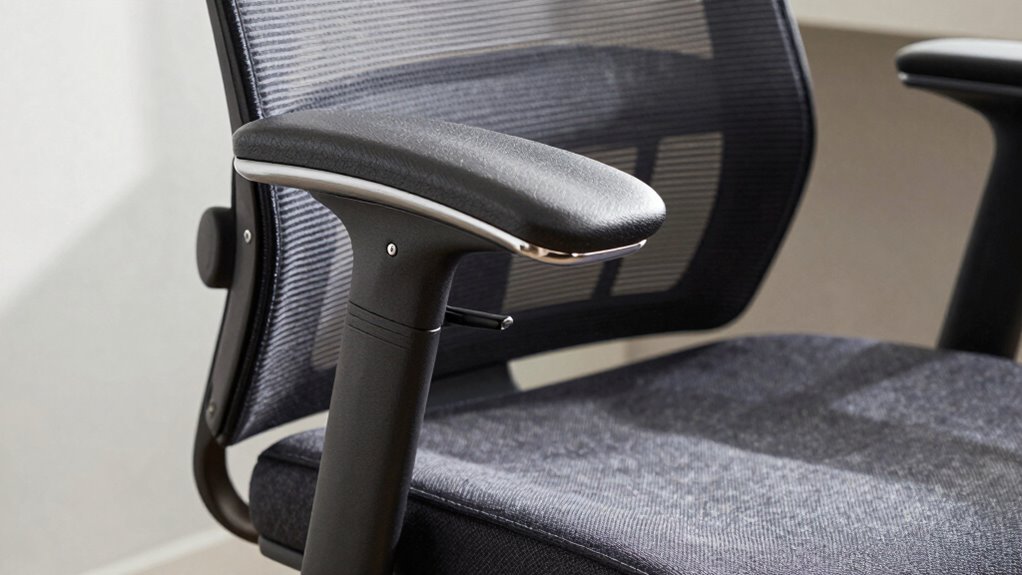
Adjusting your ergonomic chair correctly can substantially improve comfort and reduce the risk of strain during long periods of sitting. Two critical adjustments to focus on are lumbar support and seat depth. Proper lumbar support ensures your lower back maintains its natural curve, preventing slouching and reducing pressure on your spine. To achieve this, position the lumbar support so it snugly fits into the small of your back. It shouldn’t press too hard or feel uncomfortable, but it should fill the gap between your lower back and the chair’s backrest. If your chair allows for adjustable lumbar support, tweak it until you feel a gentle but firm support, encouraging good posture throughout the day. Ensuring the correct ergonomic adjustments are made can significantly enhance your overall comfort and health. Additionally, regularly reevaluating these adjustments can help accommodate changes in your sitting habits or body posture over time. Being mindful of ergonomic best practices can further prevent discomfort and promote long-term well-being.
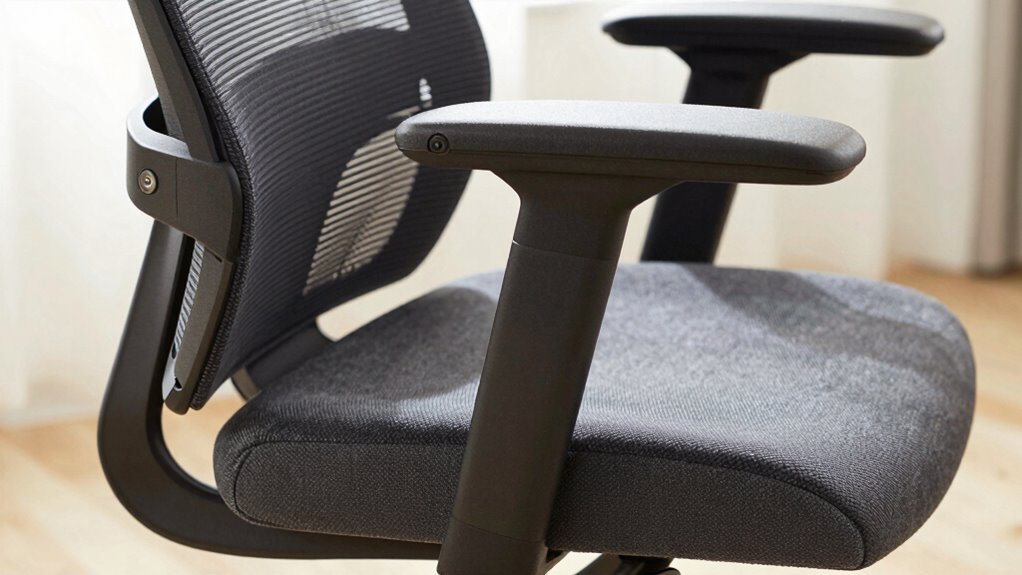
Seat depth is equally essential for comfort and spinal health. It refers to the distance from the backrest to the edge of the seat. If your seat depth is too short, your thighs won’t have enough support, which can cause discomfort and circulation issues. Conversely, if it’s too long, pressure may build behind your knees, leading to numbness or swelling. To set the correct seat depth, sit back in the chair and slide your hips against the backrest. There should be a small gap—about two to four inches—between the front edge of the seat and the back of your knees. This allows your thighs to rest comfortably without putting pressure on the back of your knees, promoting better blood flow. Proper seat adjustment is also crucial to prevent fatigue and circulation problems during extended sitting periods. Remember, the right setup can make a difference in how you feel after a long day at your desk.
ergonomic office chair with adjustable lumbar support
As an affiliate, we earn on qualifying purchases.
As an affiliate, we earn on qualifying purchases.
Frequently Asked Questions
How Often Should I Readjust My Ergonomic Chair During the Day?
You should readjust your ergonomic chair every 30 to 60 minutes to maintain proper posture correction and support office ergonomics. Frequent small adjustments help prevent strain and discomfort, ensuring your spine stays aligned and your muscles stay relaxed. Pay attention to how you’re sitting, and make quick tweaks to your chair height, lumbar support, or armrests. Regular adjustments promote better comfort, reduce fatigue, and keep you focused throughout your workday.
Can Ergonomic Chair Adjustments Prevent Long-Term Back Pain?
Like a steady compass guiding your path, proper ergonomic chair adjustments can prevent long-term back pain. When you set your lumbar support correctly and adjust your seat height so your feet rest flat, you reduce strain on your spine. These adjustments promote good posture and distribute pressure evenly, making discomfort less likely over time. Consistently maintaining these settings is key to protecting your back’s health in the long run.
Are There Specific Adjustments for Different Body Types?
Yes, there are specific adjustments for different body types. You should tailor your ergonomic chair settings based on your body type by adjusting the seat height, lumbar support, and armrests. For example, if you have a larger build, you might need a wider seat and more substantial lumbar support. Use adjustment tips like customizing the recline tension and seat depth to guarantee ideal comfort and support for your unique body shape.
How Do I Know if My Chair Is Properly Aligned?
Your chair should feel like a seamless extension of your body, supporting your posture correction effortlessly. To check if it’s properly aligned, sit back and verify your feet are flat on the floor, knees at a 90-degree angle, and your back fully supported. Adjust the chair’s height, armrests, and lumbar support if needed. Regular chair maintenance keeps everything functioning smoothly, preventing misalignments and guaranteeing comfort all day long.
What Tools Are Helpful for Fine-Tuning Chair Adjustments?
You can use simple tools like a mirror or a camera to fine-tune your chair adjustments. A mirror helps you see if your lumbar support aligns with your lower back, while a camera allows you to check if your armrest height supports your elbows comfortably. Additionally, a ruler or measuring tape can guarantee your seat height and armrest positions are set correctly, promoting better posture and reducing strain during long work hours.
ergonomic chair seat depth adjustment
As an affiliate, we earn on qualifying purchases.
As an affiliate, we earn on qualifying purchases.
Conclusion
By fine-tuning your ergonomic chair, you guarantee comfort and prevent future aches—think of it as your modern-day Excalibur in the domain of workstation wellness. Remember, just like a knight wouldn’t wield a sword improperly, don’t neglect these adjustments. Keep your posture in check, and you’ll find your productivity and well-being soar. So, take charge of your space, make those tweaks, and treat your body to the comfort it deserves—your future self will thank you.
ergonomic chair with adjustable armrests
As an affiliate, we earn on qualifying purchases.
As an affiliate, we earn on qualifying purchases.
ergonomic lumbar support cushion
As an affiliate, we earn on qualifying purchases.
As an affiliate, we earn on qualifying purchases.
Back to school Picks
back to school
As an affiliate, we earn on qualifying purchases.