
TL;DR
Listen free for 30 days with Audible
Thousands of audiobooks and originals — cancel anytime.
Start your free trialAs an affiliate, we earn on qualifying purchases.
Building an AI workstation used to be cheaper, but recent component shortages and price spikes mean prebuilt options can now match or beat DIY costs. The choice depends on your budget, skills, and priorities around support and customization.
Imagine this: you’re ready to dive into AI training, but the old rule still whispers in your ear — build your own machine to save money. Well, that’s no longer true. The landscape has changed. Prices for GPUs, RAM, and SSDs have surged with the AI boom, pushing DIY costs higher than before. Meanwhile, top-tier prebuilt vendors buy in bulk, offer tested, cooled, and supported systems, often at prices that match or beat your parts list. This shift transforms a simple choice into a complex one.
Today, it’s a question of cost, time, control, and support. Do you want to tinker and learn, or just get straight to training your models? I’ll walk you through the latest developments, real-world costs, and what makes sense for your needs — whether you’re a hobbyist, researcher, or startup.
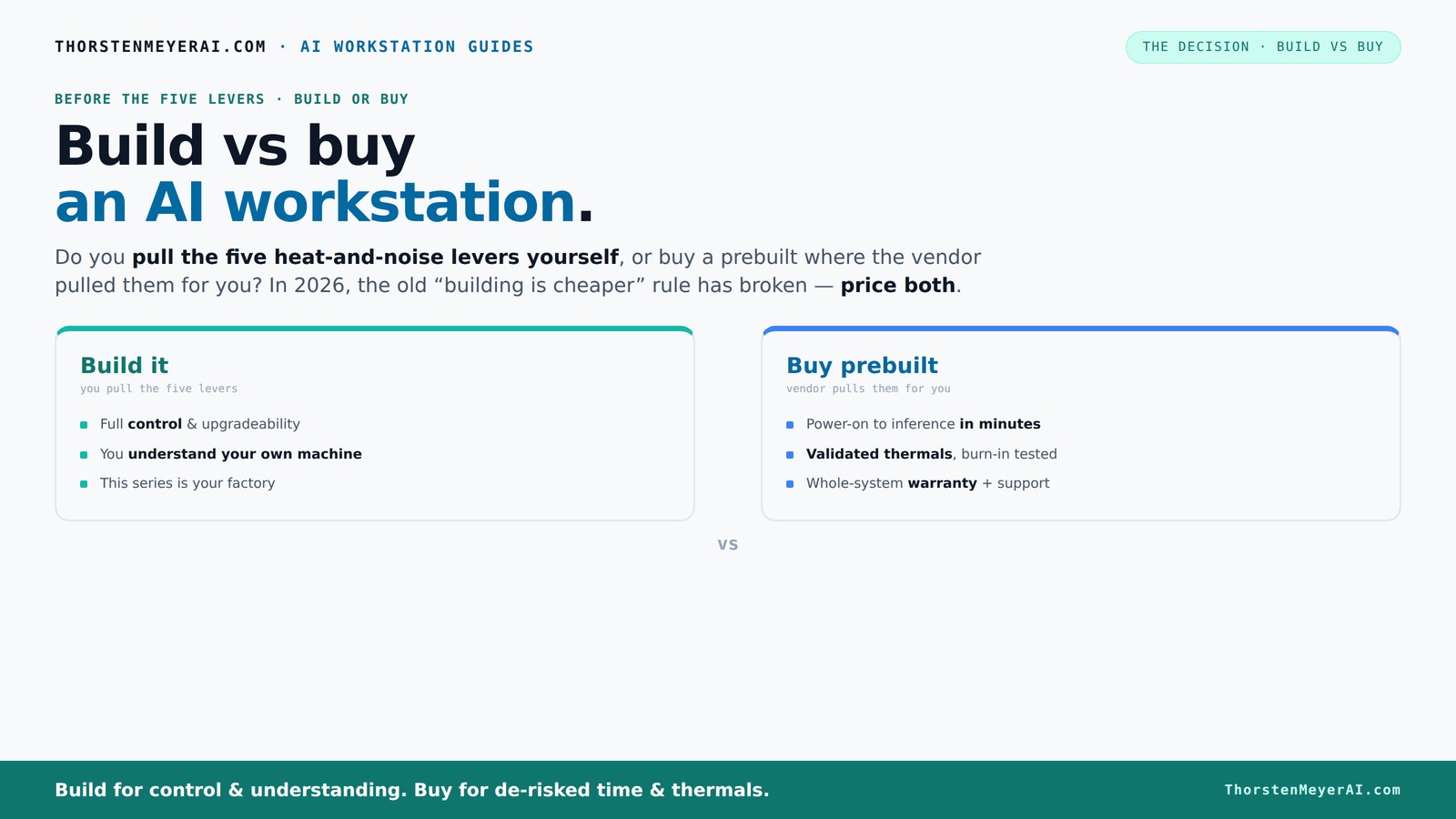
Build vs buy
an AI workstation.
The real question behind this whole series: do you pull the five heat-and-noise levers yourself, or buy a prebuilt where the vendor pulled them for you? And in 2026, the old “building is cheaper” rule has broken. Match your situation in Part 3.
Key Takeaways
- Component shortages and price spikes in 2026 mean building an AI workstation isn’t always cheaper — compare prices carefully.
- Prebuilt systems by vendors like Lambda validate thermals and offer support, reducing setup time and risk of failures.
- Deciding between build and buy hinges on your skills, patience, and how much control you want over cooling and upgrades.
- Thermal management is a key factor — prebuilt vendors tune systems for silence and stability, while DIYers tune themselves.
- Always price both options for your specific configuration before making a decision.
high performance AI workstation prebuilt
As an affiliate, we earn on qualifying purchases.
As an affiliate, we earn on qualifying purchases.
Why the old 'Build is Cheaper' Rule No Longer Holds Water
Building your own AI workstation used to be a straightforward way to save money, mainly because you could select affordable components and assemble exactly what you needed. But 2026 flips that idea on its head. The reason is twofold: supply chain disruptions have caused shortages and inflated prices, and bulk purchasing by prebuilt vendors has allowed them to secure better deals. This means that, in many cases, a prebuilt system can cost the same or even less than sourcing individual components. The implications are significant: if you’re considering cost as your primary factor, you must now do a detailed comparison of current prices rather than relying on past assumptions. The tradeoff is that DIY builds might still offer better customization or upgradeability, but only if the initial cost difference isn’t too great. Otherwise, the convenience and support of prebuilt systems often outweigh the savings, especially when factoring in time and effort spent troubleshooting or assembling.
Furthermore, the rise in component prices has made the decision more nuanced. High-end GPUs like the NVIDIA RTX 4090, which was once a luxury item, now often exceeds $2,000 due to scarcity. RAM and SSD prices have similarly surged, making total build costs climb steeply. This economic shift emphasizes that in 2026, the focus should be on current pricing and available deals. The takeaway: always price both options today to determine which truly offers better value for your specific needs.
As an affiliate, we earn on qualifying purchases.
The Five Levers of a High-Power AI Workstation — Who Pulls Them?
High-performance AI workstations are like tiny furnaces. Managing heat and noise involves five key levers: undervolting the GPU, matching the cooling system, optimizing airflow, tuning fans, and choosing the right placement. The big question: do you pull these levers yourself, or does the vendor?
Buy a prebuilt → the vendor pulls these levers. Companies like BIZON and Lambda validate thermals, run burn-in tests, and tune fan curves so your system runs cool and quiet out of the box. They often use advanced cooling solutions like custom water loops, which significantly reduce noise and thermal stress, allowing GPUs and CPUs to operate at peak performance without throttling. This is especially important for sustained workloads, where thermal stability directly impacts training speed and hardware longevity. The implication is that prebuilt vendors optimize these thermal parameters to deliver consistent performance, reducing your need for manual tuning and troubleshooting.
Build it yourself → you are in charge. You select a quiet GPU, undervolt it (like in this guide), pick a case with sound-dampening panels, and set up airflow to keep temps low. This approach gives you precise control over thermal performance, allowing you to tailor cooling solutions to your specific environment and workload. However, it demands a deeper understanding of thermodynamics and hardware tuning. The tradeoff is that DIYers can fine-tune fan curves and undervolt settings to achieve optimal silence and thermal efficiency, but the process can be time-consuming and requires ongoing maintenance. This control can result in a quieter, more efficient system if done correctly, but mistakes can lead to overheating or hardware instability.
In essence, the choice boils down to whether you want the factory to handle thermal engineering or enjoy the hands-on process with full control. The implications are clear: prebuilt vendors provide plug-and-play thermal solutions optimized for stability, while DIYers can customize for silence and efficiency at the cost of complexity.
As an affiliate, we earn on qualifying purchases.
Defining Your Needs and Setting Priorities
Before making your decision, it's crucial to assess your specific needs and priorities. Are you looking for maximum performance, ease of setup, or ongoing support? Do you have the skills and time to assemble and tune a system yourself? Or would you rather spend that effort elsewhere? Clarifying these questions helps you determine whether a DIY build or a prebuilt system aligns better with your goals.
For instance, if you’re a researcher or professional who values reliability and support, a prebuilt system from a reputable vendor might be the best choice. They often include warranties, pre-tested components, and dedicated customer service, reducing downtime and troubleshooting hassles. Conversely, if you enjoy tinkering, want customized cooling, or plan to upgrade frequently, building your own system can offer the flexibility you desire.
Understanding your workload is also key. Heavy, sustained training tasks benefit from systems optimized for thermal stability and cooling, which prebuilt vendors often fine-tune. On the other hand, experimental setups or hobbyist projects might prioritize cost or customization, making DIY appealing.
Ultimately, this step ensures your investment aligns with your technical comfort level, budget, and long-term goals, leading to a more satisfying and effective purchase decision.
As an affiliate, we earn on qualifying purchases.
Frequently Asked Questions
Is it actually cheaper to build my own AI workstation in 2026?
Not always. Due to component shortages and price hikes, prebuilt systems often match or beat DIY costs for high-end setups. Always compare prices for your specific configuration today.How difficult is it to assemble a high-performance AI workstation?
It depends on your experience. If you’re comfortable with PC building, it’s manageable but time-consuming. For beginners, prebuilt options save frustration and guarantee tested stability.Can I upgrade a prebuilt AI workstation later?
Yes, but it varies. Some prebuilt systems are more upgrade-friendly than others. Check the vendor’s upgrade policy before purchasing if future expansion matters.What should I look for in a prebuilt AI workstation vendor?
Prioritize vendors with validated thermals, reliable warranties, and positive support reviews. Brands like Lambda and Puget are known for quality, especially for multi-GPU setups.What are the most important components for AI workloads?
High-end GPUs (like RTX 4090 or A100), large RAM (64GB+), fast NVMe SSDs, and a capable cooling system are crucial for efficient AI training and inference.Conclusion
In the end, your choice comes down to how much you value time, control, and support. The days of building for the lowest cost are fading. Instead, focus on what suits your workflow and confidence level.
Remember, a well-chosen prebuilt can be a silent workhorse, ready to train your models the moment you power it up. Whether you build or buy, make sure it’s tuned for your workload — because in AI, heat, noise, and stability matter more than ever.
Flea & tick season Picks
flea and tick prevention
As an affiliate, we earn on qualifying purchases.