To improve your smart home’s reliability, guarantee you use a strong, secure Wi-Fi network with a high-quality router or mesh system, and keep firmware and software updated regularly. Organize devices into logical groups by function and location, use strong passwords, and enable security features like two-factor authentication. Backup your configurations offsite and monitor system performance frequently. Following these best practices helps keep your smart home running smoothly, and there’s more you can do to optimize it further.
Key Takeaways
- Use high-quality routers supporting Wi-Fi 6 and mesh systems for consistent, strong network coverage throughout the home.
- Organize devices by functionality and location, implementing clear naming conventions for easier management and troubleshooting.
- Regularly perform firmware and software updates on all devices to patch security vulnerabilities and ensure compatibility.
- Schedule automated offsite backups and verify their integrity to safeguard data against failures or physical damage.
- Monitor device and network performance regularly, troubleshooting connectivity issues promptly to maintain system reliability.
Regularly Update Firmware and Software
Regularly updating your smart home devices’ firmware and software is essential for maintaining security and ensuring superior performance. Manufacturers often release updates to patch vulnerabilities that hackers might exploit, so skipping updates leaves your devices exposed. These updates also improve device stability, fix bugs, and add new features, enhancing overall usability. Set your devices to update automatically when possible, so you don’t forget or delay. If automatic updates aren’t available, make it a habit to check for updates regularly. Always install updates promptly to benefit from the latest security patches and performance improvements. Ignoring updates can lead to compatibility issues, reduced device lifespan, and increased risk of security breaches. Staying current with firmware and software keeps your smart home running smoothly and securely. Proper maintenance of networking hardware is also key to avoiding connectivity problems and ensuring reliable operation. Being aware of security best practices can further strengthen your smart home’s defenses against cyber threats. Additionally, software update management can help prevent potential disruptions caused by outdated firmware or incompatible versions.
Use a Robust Network Infrastructure
A secure and reliable smart home depends on a strong network foundation. You need a high-quality router that offers strong coverage and supports the latest Wi-Fi standards, like Wi-Fi 6. Position your router centrally to ensure even signal distribution throughout your home. Avoid placing it near thick walls, metal objects, or electronic devices that can cause interference. Consider using mesh Wi-Fi systems if your home is large or has multiple floors, as they provide seamless coverage. Protect your network with a unique, strong password and disable default settings. Regularly monitor your network’s performance and update firmware to keep it protected. A robust network infrastructure minimizes connectivity issues, ensuring your smart devices respond quickly and reliably. This setup forms the backbone of an effective, trouble-free smart home system. Understanding network performance can help you identify and troubleshoot issues proactively. Additionally, implementing security best practices ensures your network remains safe from unauthorized access. Investing in energy-efficient networking equipment can reduce your overall power consumption and support sustainable home automation. Moreover, selecting equipment with latest security features enhances protection against cyber threats.
Implement Strong Passwords and Security Measures
Since smart home devices are connected to your network, implementing strong passwords and security measures is essential to protect your system from unauthorized access. Use unique, complex passwords for each device and your Wi-Fi network, avoiding common words or easily guessable information. Enable two-factor authentication whenever possible to add an extra layer of security. Regularly update your device firmware and software to patch vulnerabilities. Disable remote access features you don’t need, and turn off Universal Plug and Play (UPnP) to prevent external attacks. Consider using a password manager to securely store your passwords. Additionally, understanding your net worth and financial independence can help you make better decisions about investing in security upgrades. Being aware of water-related safety risks around your smart home, such as water leaks or flooding, can further enhance your protective measures. Incorporating cybersecurity best practices into your routine is crucial to safeguarding your connected devices and personal information. Implementing security protocols such as network segmentation can also help contain potential breaches, minimizing damage and maintaining overall safety. These steps help ensure your smart home remains safe from cyber threats and unauthorized intrusions, safeguarding your privacy and the integrity of your connected devices.
Segment Your Smart Home Devices

To improve your smart home’s reliability, you should segment your devices into logical groups. Organize them by functionality, such as security or entertainment, and by location, like upstairs or downstairs. Using clear groupings helps prevent issues from spreading and keeps your system manageable. Additionally, regularly updating firmware on your devices ensures they operate smoothly and securely. Proper segmentation also facilitates system troubleshooting when problems arise, making maintenance more efficient. Incorporating device compatibility considerations during setup can further enhance system stability and ease of integration, especially when considering security protocols and standards to protect your network. Ensuring comprehensive naming conventions across your devices can also improve your ability to identify and manage components quickly.
Organize by Functionality
Organizing your smart home devices by functionality streamlines management and enhances reliability. When you group devices based on their purpose—like lighting, security, or climate control—you make it easier to troubleshoot issues and update settings. This organization can also facilitate timeless outdoor wisdom by integrating sustainable and fail-safe practices into your system. It helps you identify which devices serve specific functions, reducing confusion during maintenance. It also allows you to prioritize updates and firmware checks for particular categories, minimizing the risk of compatibility problems. Clear categorization minimizes accidental disconnections or misconfigurations, ensuring devices perform as intended. Additionally, establishing standardized naming conventions can further improve clarity and maintenance efficiency. Implementing automatic device discovery can simplify the setup process and ensure all devices are correctly integrated into your system. Incorporating robust network segmentation further enhances reliability by isolating critical devices from potential network issues. Furthermore, adopting device monitoring tools can help you proactively identify and resolve problems before they affect system performance. By focusing on functionality, you can optimize automation routines, making them more effective and less prone to failure. Overall, this method simplifies your smart home management, keeps devices running smoothly, and improves the system’s overall reliability.
Group by Location
Have you considered segmenting your smart home devices by location to boost reliability? Grouping devices based on their physical placement helps you identify issues quickly and reduces the risk of widespread failures. For example, keep all bedroom devices in one group and kitchen devices in another. This approach also allows for optimized network management, ensuring each zone has appropriate bandwidth and security settings. Segmenting by location further enables you to tailor network settings and power management for each zone, improving overall performance. When devices are grouped by their physical location, you also minimize interference and congestion, leading to a more stable connection. Effective organization enhances your ability to maintain a reliable and efficient smart home environment.
Use Logical Groupings
Logical groupings help you manage your smart home devices more effectively by categorizing them based on function or purpose rather than just location. Instead of grouping everything by where it’s installed, focus on how you use each device. For example, keep all your security devices together—cameras, alarms, and sensors—so you can easily troubleshoot or update them. Similarly, group lighting controls separately from climate management systems. This organization makes automations smoother and simplifies maintenance. When devices are logically grouped, you reduce confusion and improve reliability, especially during troubleshooting. It also helps you identify potential issues faster, ensuring your smart home runs seamlessly. Using logical groupings streamlines management, making your smart home more efficient and resilient.
Backup and Restore Configurations
To keep your smart home running smoothly, you need to establish regular backup schedules for your configurations. Storing copies offsite adds extra protection against data loss, while testing restore procedures guarantees everything works when needed. Implementing these steps keeps your system resilient and ready for unexpected issues.
Regular Backup Scheduling
Regularly scheduling backups of your smart home configurations is essential to make certain you can quickly recover from system failures, updates gone wrong, or security breaches. By setting up automatic backups at consistent intervals, you ensure that your device settings, automations, and network configurations are preserved without manual effort. This proactive approach minimizes downtime and prevents data loss, saving you time and frustration during emergencies. Use reliable tools or built-in features to automate this process, and verify backups periodically to confirm their integrity. Establish a routine, such as weekly or monthly, depending on how often your configurations change. Consistent backup scheduling keeps your smart home resilient, allowing swift restoration and peace of mind in unpredictable situations.
Store Offsite Safeguards
Storing offsite safeguards for your smart home configurations is essential to protect against physical damage, theft, or catastrophic failures. By regularly backing up your settings to a secure remote location, you ensure that you can quickly recover your system if local data is compromised. Use cloud services or an external server to store copies of your configurations, ensuring they’re encrypted and protected with strong passwords. Automate the backup process so it occurs consistently without manual intervention. Keep multiple versions of your backups to safeguard against corruption or accidental overwrites. Remember, offsite storage minimizes the risk of losing critical data due to fire, flooding, or theft at your primary location. This practice provides peace of mind and a reliable foundation for restoring your smart home’s functionality when needed.
Test Restore Procedures
Have you ever tested your smart home backup and restore process? Regularly testing ensures your configurations, device settings, and automation routines can be recovered quickly if needed. Start by restoring your backup onto a test system or a secondary device. Verify that all devices reconnect properly and that automation rules function as intended. Check for missing data or misconfigurations and update your backup files if changes are made. Document the restore process, noting any issues encountered, so you can improve it over time. Performing these tests periodically minimizes downtime during actual emergencies. Remember, a backup is only useful if it works when you need it. Consistent testing builds confidence that your smart home remains reliable, even after unforeseen disruptions.
Monitor System Performance and Connectivity
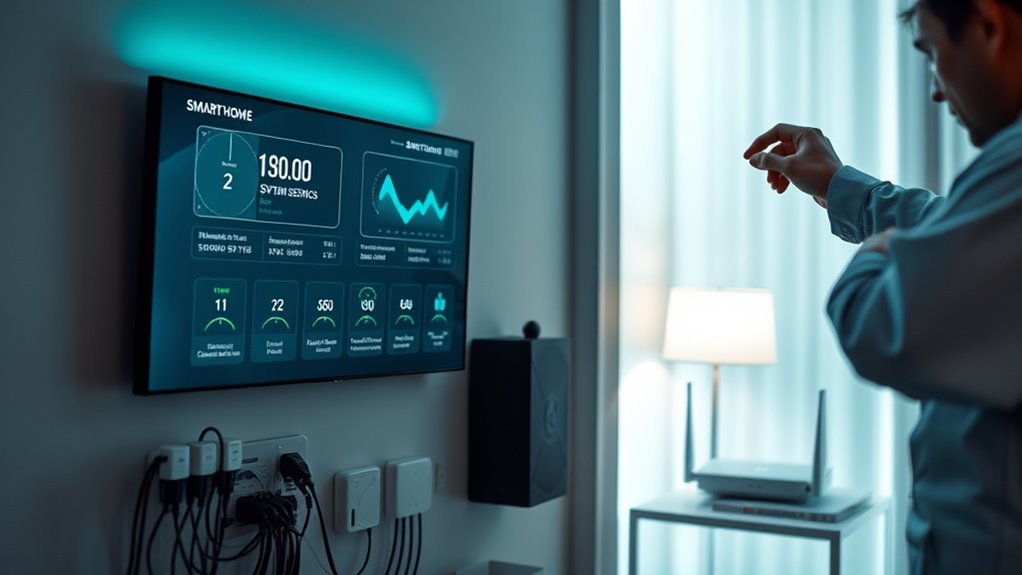
To guarantee your smart home runs smoothly, you need to actively monitor system performance and connectivity. Regularly check device statuses through your hub or app to identify any issues early. Keep an eye on network activity to ensure your Wi-Fi or mesh network is stable and provides strong coverage throughout your home. Use diagnostic tools to test device responsiveness and connection speeds. If you notice lag or dropped connections, troubleshoot by restarting devices or repositioning your router. Monitoring helps you catch problems before they escalate, minimizing downtime. Maintaining a healthy network and device performance ensures your smart home functions reliably, providing a seamless experience and avoiding disruptions when you need your devices most.
Choose Compatible and Reliable Devices

Choosing compatible and reliable devices is essential for building a smart home that performs consistently. You want devices that work seamlessly together, minimizing glitches and frustration. Start by checking compatibility with your existing hub or platform, like Alexa, Google Assistant, or Apple HomeKit. Look for products that follow open standards and support common protocols such as Zigbee or Z-Wave. Prioritize brands with good reputations and positive user reviews, as they’re more likely to offer durable, dependable devices. Also, consider the manufacturer’s update policies—regular firmware updates help maintain security and performance. Avoid cheap or obscure brands that may lack support or reliability. Investing in trusted, compatible devices ensures your smart home operates smoothly and reduces the risk of compatibility issues down the line.
Establish Troubleshooting and Support Procedures
Establishing clear troubleshooting and support procedures is essential for maintaining your smart home’s reliability. When issues arise, a structured approach helps you resolve problems quickly and minimizes downtime. First, create a step-by-step troubleshooting guide that covers common issues, such as device connectivity or app errors. Second, set up a dedicated support contact, whether through a service provider or a helpdesk. Third, document troubleshooting steps and resolutions to build a knowledge base for future reference. Lastly, schedule regular system checks to identify potential problems early. With these four practices, you guarantee swift resolutions, reduce frustration, and keep your smart home running smoothly. Clear procedures empower you to handle issues confidently, preserving your smart home’s performance and security.
Frequently Asked Questions
How Can I Ensure My Smart Home Devices Are Future-Proof?
To future-proof your smart home devices, choose brands that prioritize updates and compatibility. Regularly update firmware and software to stay secure and functional. Use devices that support open standards and integrations, so they’ll work with new systems down the line. Avoid overly specialized gadgets that might become obsolete. Also, keep a mix of wired and wireless devices, ensuring flexibility as technology evolves. This approach keeps your smart home adaptable and reliable over time.
What Are Signs That My Smart Home System Is Compromised?
You notice unusual activity, like devices responding unexpectedly or slow performance, which can signal a compromise. If you see unfamiliar devices connected or your passwords have been changed without your action, that’s a red flag. Also, if your devices start behaving erratically or you receive security alerts, it’s time to investigate. Regularly update firmware and strengthen passwords to prevent breaches and keep your system secure.
How Often Should I Review and Update My Security Protocols?
You should review and update your security protocols at least quarterly to stay ahead of potential threats. Regularly check for firmware updates on all devices, change passwords periodically, and enable two-factor authentication where possible. Stay informed about new vulnerabilities or security patches from your device manufacturers. By proactively maintaining these practices, you guarantee your smart home remains secure and resilient against evolving cyber threats.
Can I Integrate Devices From Different Brands Seamlessly?
Yes, you can typically integrate devices from different brands seamlessly if they support common standards like Z-Wave or Zigbee. Think of it like a universal language that allows diverse devices to communicate smoothly. For example, when I added a new smart bulb from a different brand, it just clicked into my existing hub without issues. Just make certain your devices support compatible protocols, and you’ll enjoy a harmonious smart home.
What Are the Best Practices for Guest Access Management?
You should set up a dedicated guest network with a separate Wi-Fi password to keep your main devices secure. Use smart lock or access management apps to grant temporary or limited access, and disable guest accounts when not in use. Always update device firmware and change passwords regularly. Consider using guest-specific automation rules so guests can control certain devices without compromising your entire smart home system.
Conclusion
To keep your smart home running smoothly, follow these best practices. For example, regularly updating your devices can prevent security breaches and glitches. Imagine a homeowner who neglected updates; when a vulnerability was exploited, their system went offline during a vital moment. By implementing these steps—updating firmware, securing your network, and segmenting devices—you guarantee reliability and peace of mind, avoiding costly disruptions and keeping your smart home safe and efficient.