
Workstation reach zones are key to creating an ergonomic workspace. You have three main zones: near, intermediate, and far. Keep your most-used items within arm’s reach in the near zone, with less frequently used tools in the intermediate zone, and rarely accessed items in the far zone. Organizing this way reduces strain and boosts efficiency. If you’d like to learn how to optimize these zones for your tasks, there’s more to discover below.
Key Takeaways
- Reach zones are categorized into near, intermediate, and far zones based on proximity and effort required to access items.
- Proper workspace organization places frequently used items within the near zone to enhance efficiency and reduce fatigue.
- The primary work zone should be centered around tasks performed most often, supporting ergonomic posture and comfort.
- Ergonomic principles recommend positioning heavy and frequently accessed items at waist to shoulder height within arm’s reach.
- Customizing reach zones based on specific tasks and user needs optimizes workspace comfort and productivity.
The Three Main Reach Zones: Near, Intermediate, and Far

Your workstation is most efficient when you understand the three main reach zones: near, intermediate, and far. The near zone is where you perform tasks with minimal effort, typically within arm’s reach—think of grabbing a pen or pressing keys. The intermediate zone extends slightly beyond, allowing you to work comfortably without stretching, like reaching for a stack of papers or a phone. The far zone is where you reach with a stretch, often used for items stored temporarily or infrequently accessed. Knowing these zones helps you position your tools and materials to minimize unnecessary movement and reduce fatigue. Properly organizing your workspace around these zones ensures you work smoothly, efficiently, and comfortably throughout your day. ergonomic principles play a crucial role in optimizing your reach zones for better comfort and productivity. Additionally, understanding workplace ergonomics can significantly reduce the risk of strain and injury during prolonged tasks, especially when you incorporate proper workstation setup techniques. Being mindful of body mechanics when arranging your workspace can further enhance your comfort and decrease the likelihood of repetitive strain injuries. Incorporating ergonomic accessories such as adjustable chairs and keyboard supports can also contribute to maintaining proper posture and reducing discomfort during extended work periods.
Identifying the Primary Work Zone for Efficiency

Your primary work zone should be centered around your most frequent tasks, allowing quick access without unnecessary reaching. Focus on establishing a central access area where tools and materials you use often are within easy reach. Arranging your workspace this way boosts efficiency and reduces fatigue during your workday. Additionally, understanding ergonomic principles can help you design a workspace that minimizes strain and maximizes comfort. Incorporating proper posture into your setup further enhances comfort and supports overall well-being. Applying workplace ergonomics principles can also help prevent repetitive strain injuries and improve long-term comfort. Being mindful of reach zones ensures that your most-used items stay within comfortable reach, reducing unnecessary movement. Recognizing efficient workstation layout can contribute significantly to maintaining productivity and comfort throughout your work hours.
Central Access Area
The Central Access Area serves as the core of your workstation, where frequently used tools and materials should be within easy reach. This zone is designed to maximize efficiency by reducing unnecessary movement. When you place items you use often—such as pens, notepads, or your phone—in this area, you save time and effort. Keep your workspace organized so that essential items are visible and accessible at a glance. Avoid clutter in this zone, as it can slow you down. Remember, the goal is to create a smooth workflow with minimal interruptions. By establishing a well-organized Central Access Area, you ensure your most common tools are always at your fingertips, helping you work more comfortably and productively. Incorporating efficient storage solutions can further enhance your ability to keep this zone tidy and functional, supporting a workflow-oriented setup that promotes safety and speed. Also, implementing clear organization practices can help maintain this zone’s effectiveness over time. Additionally, regularly reviewing and adjusting this area can ensure it continues to meet your evolving needs and maintain optimal productivity. Regularly assessing your workspace can also help you identify inefficiencies and make necessary adjustments to improve overall workflow.
Frequent Task Zone
To work efficiently, you need to identify the primary zone where you perform most of your tasks—the Frequent Task Zone. This is the area where you’ll reach most often for items, tools, or documents, minimizing unnecessary movement. To maximize productivity, focus on keeping essential items here. Incorporating smart kitchen organization techniques can further optimize your workspace by integrating connected appliances and automation, making your tasks even more seamless. Consider these tips:
- Keep your most-used tools, keyboard, and mouse within arm’s reach.
- Store frequently referenced documents or supplies in this zone.
- Arrange your workspace so that your primary tasks are seamless, reducing strain and saving time.
- Additionally, understanding home theatre projectors and their features can inspire you to create a more immersive environment in your workspace for better focus and relaxation. Incorporating ergonomic workspace design principles can also enhance comfort and efficiency during long work sessions, especially when taking into account proper piercing care and hygiene to maintain a healthy environment.
In addition, ensuring your workspace organization remains adaptable allows you to easily update your setup as your work needs evolve.
Ergonomic Principles Behind Reach Zone Design

Designing reach zones with ergonomic principles in mind helps prevent strain and injury by ensuring tasks are within natural, comfortable limits. You should position frequently used items within your primary reach zone, which is roughly from waist to shoulder height and within arm’s length. This minimizes awkward stretching or bending, reducing musculoskeletal stress. Keep heavier objects close to your body to support good posture and lessen load on your back and shoulders. Avoid reaching overhead or behind your back for essential tools, as these movements cause fatigue over time. Proper reach zone design promotes a neutral body position, maintaining spinal alignment and reducing repetitive strain. Additionally, understanding somatic therapy techniques can help individuals become more aware of their physical responses to stress, further enhancing ergonomic adjustments. Incorporating body awareness practices can lead to better posture and reduced discomfort during work. Being mindful of muscle engagement can help prevent unnecessary tension and promote ergonomic efficiency. Developing mindful movement awareness can also contribute to healthier work habits and long-term comfort. By applying these ergonomic principles, you create a safer, more comfortable workspace that supports productivity and long-term health.
Tools and Techniques for Assessing Reach Zones
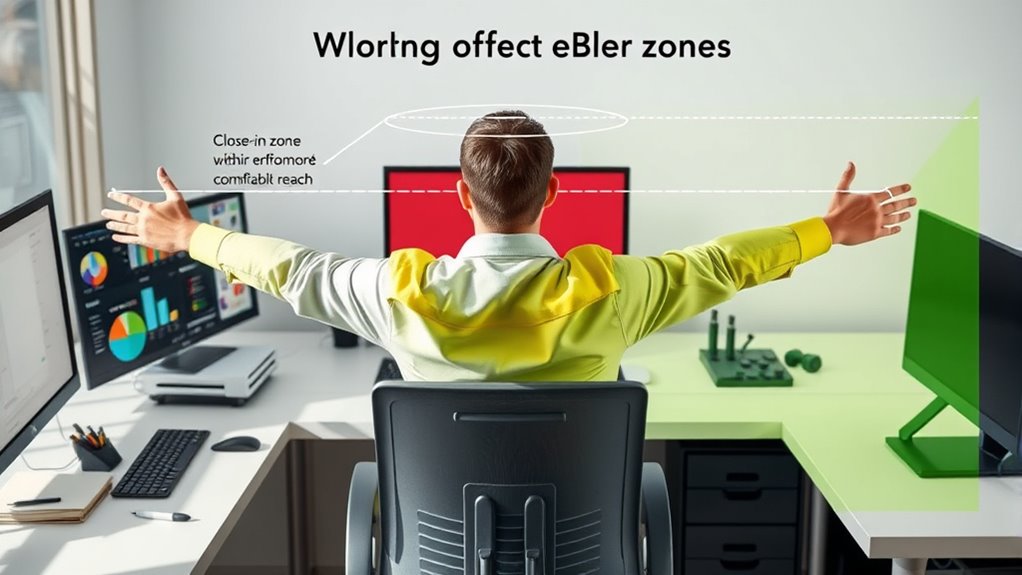
How can you accurately evaluate your workspace to make certain reach zones are optimized for safety and efficiency? Using the right tools and techniques helps you identify areas that need adjustment. First, perform a task analysis by observing how you reach for tools and materials during your work. Second, utilize reach mapping tools, like templates or digital simulations, to visualize safe zones. Third, record and analyze your movements with video recordings or motion-tracking apps to spot unnecessary stretches or awkward positions. These methods help you pinpoint potential hazards and improve your workspace layout. By systematically appraising your reach zones, you ensure your workspace supports ergonomic safety and enhances productivity without unnecessary strain or risk.
How to Arrange Your Workspace for Optimal Reach

To maximize efficiency, keep the items you use most often within easy reach. Arrange your workspace so that tools and materials are organized by task priority, reducing unnecessary movement. This setup helps you stay focused and comfortable throughout your workday.
Keep Frequently Used Items Within Reach
By keeping your most-used items within arm’s reach, you can work more efficiently and reduce unnecessary movements. This setup minimizes strain and saves time during your workflow. To optimize your workspace, focus on these essentials:
- Everyday tools – pens, notepads, or a stapler should be close by for quick access.
- Frequently used electronics – your mouse, keyboard, and phone need to be within easy reach to maintain productivity.
- Reference materials – documents or manuals you often consult should be nearby but not cluttered.
Arrange these items in your primary reach zone, which is directly in front of or slightly to the side of your sitting position. Keeping these essentials accessible streamlines your work and keeps your workspace organized.
Organize by Task Priority
Organizing your workspace by task priority guarantees that your most important activities are always within easy reach, reducing unnecessary movement and increasing efficiency. Start by identifying your primary tasks and placing the tools, documents, or devices you need most often directly in front of you or within the central zone. Less critical items can be stored further away, in secondary zones. This setup minimizes disruptions, so you spend less time searching or reaching across your workspace. Group related tasks together to streamline workflow. Regularly reassess your arrangement to ensure it still aligns with your work habits. By prioritizing your tasks spatially, you create a logical and efficient environment that keeps productivity high and frustrations low. Proper organization by task priority makes your workstation intuitive and easy to navigate.
Common Mistakes That Increase Strain and How to Avoid Them

One common mistake that can increase strain during work is reaching too far or stretching outside your ideal reach zone. This forces your muscles to overextend, leading to discomfort and fatigue over time. To avoid this, pay attention to your workstation setup and be mindful of your movements. Here are three mistakes to watch out for:
- Placing frequently used items too far away, causing you to stretch repeatedly.
- Turning your body or twisting to access your tools, increasing strain on your spine.
- Using a cluttered workspace, which encourages reaching and awkward postures.
Adapting Reach Zones for Different Tasks and Users

To optimize your workspace, it is essential to adapt reach zones based on different tasks and your individual needs. For tasks requiring frequent access, position tools and materials within your primary reach zone—roughly from elbow to hand level—so you can work comfortably without stretching. If you perform occasional tasks, place those items in your secondary zone, slightly farther away but still within easy reach. For infrequent items, use your tertiary zone, which may involve leaning or brief stretching. Adjust your setup to reflect your specific tasks; for example, a computer user should keep the keyboard and mouse close, while a craftsperson might organize tools based on usage frequency. Personalizing reach zones minimizes strain and enhances efficiency, so regularly reassess your workspace to match your evolving needs.
Practical Tips for Maintaining an Ergonomic Workstation
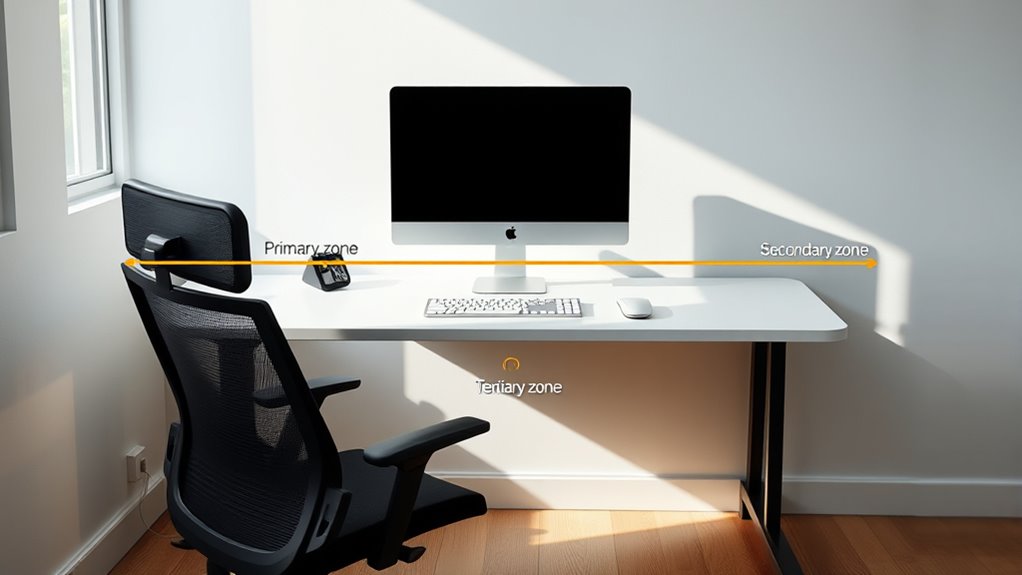
Maintaining an ergonomic workstation requires consistent attention to detail and proactive habits. To keep your setup ideal, follow these tips:
- Adjust your chair and monitor height so your eyes are level with the top of the screen, and your feet rest flat on the floor. This reduces neck and back strain.
- Organize frequently used items within reach—about arm’s length—so you avoid unnecessary stretching or twisting.
- Take regular breaks every 30 to 60 minutes to stretch, change positions, and rest your eyes. It helps prevent fatigue and promotes circulation.
Frequently Asked Questions
How Do Reach Zones Vary for Different Ergonomic Standards?
Reach zones vary based on ergonomic standards by defining ideal, acceptable, and limited areas for arm movement. Different standards, like OSHA or ISO, set specific measurements for these zones, emphasizing comfort and safety. You should position frequently used objects within your primary zone to minimize strain, while less-used items can be placed in secondary or tertiary zones. Adhering to these standards helps prevent discomfort and reduces the risk of injury during work.
Can Adjustable Furniture Improve Reach Zone Ergonomics?
Think of adjustable furniture as your personal ergonomic compass, guiding you smoothly through your workspace. Yes, it can improve reach zone ergonomics by allowing you to customize your setup, reducing strain and increasing comfort. With a simple tweak here or a gentle raise there, you’re actively shaping your environment to fit your needs. This flexibility helps keep your body in harmony, making work feel less like a stretch and more like a breeze.
What Are Signs of Discomfort Indicating Reach Zone Issues?
If you experience frequent stretching, twisting, or leaning while working, these are signs your reach zones aren’t ideal. You might also feel muscle strain, fatigue, or discomfort in your neck, shoulders, or arms. Persistent numbness or tingling can indicate poor positioning. Pay attention to these signals, and adjust your workspace or furniture to guarantee your tools and materials remain within easy reach, reducing strain and preventing long-term injuries.
How Do Reach Zones Change With Workstation Height Adjustments?
Did you know that improper reach zones cause up to 60% of musculoskeletal disorders? When you adjust your workstation height, your reach zones shift, making some areas more accessible and others harder to attain. If you raise your desk, overhead reach zones become more limited, while lower positions expand your reach below. You should regularly reevaluate your setup to guarantee comfort and reduce strain as your workstation height changes.
Are There Specific Tools Designed to Optimize Reach Zones?
Yes, there are specific tools designed to optimize your reach zones. You can use ergonomic assessment tools like reach calculators and workstation layout planners to identify ideal placements. Adjustable monitor arms, keyboard trays, and tool balancers help you position items within comfortable reach. These tools allow you to customize your workspace, reducing strain and increasing efficiency, so you can work comfortably without overstretching or awkward postures.
Conclusion
By understanding your workstation’s reach zones, you can boost efficiency and reduce strain. Notably, research suggests that aligning tools within your near and intermediate zones can actually improve posture and productivity. So, take time to assess and arrange your workspace thoughtfully. When you optimize your reach zones, you not only work smarter but also prevent discomfort. Keep experimenting with your setup—small adjustments can make a big difference in your comfort and performance.