
During an outage, you should immediately contact your emergency contacts, including IT, facilities, and emergency teams, using reliable communication channels like phone calls, SMS, or messaging apps. Gather your team at a predetermined safe location or virtual meeting point to stay coordinated. Send clear, concise messages to update everyone on status and next steps. Having this plan in place helps minimize downtime and keeps everyone safe—continue to learn how to refine your approach for maximum effectiveness.
Key Takeaways
- Identify and list emergency contacts for IT, facilities, and response teams; ensure their accessibility and regular updates.
- Designate a central communication hub or point of contact for message coordination and information dissemination.
- Establish clear meeting locations, both physical and virtual, for team assembly during outages.
- Define specific, concise messages for different scenarios, including who to call and what to text for rapid updates.
- Regularly test communication channels and review procedures to ensure swift, reliable response during outages.

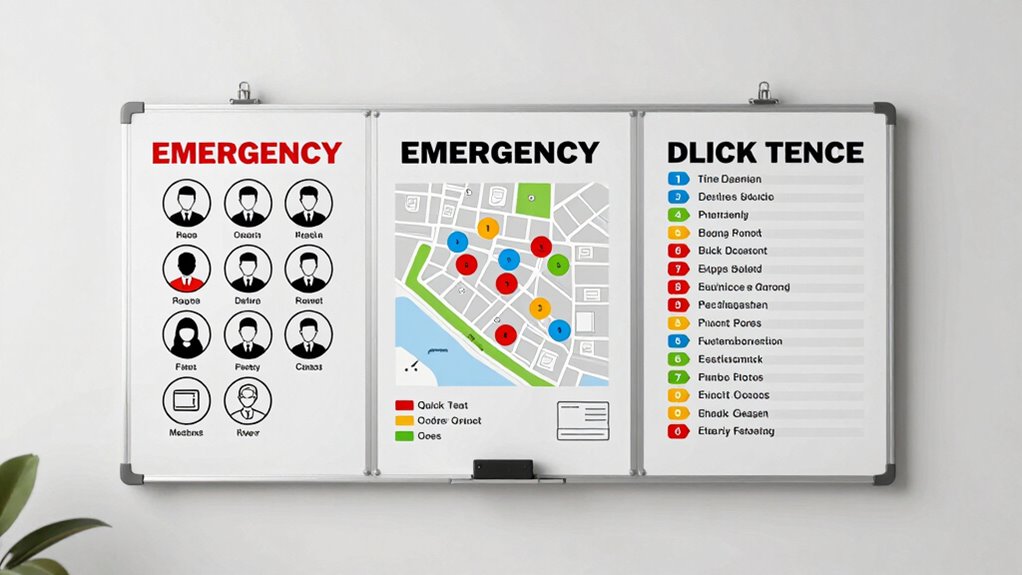
Have you ever wondered how organizations effectively communicate during outages? In moments when systems fail and connectivity drops, having a clear plan for communication becomes essential. One of the first steps is knowing who to call. Emergency contacts should be established and easily accessible for everyone involved. These contacts typically include key personnel such as IT support, facilities management, and emergency response teams. Make sure these contacts are stored in multiple places—digital directories, printed lists, and even shared cloud documents—so that no one is left searching when minutes count. During an outage, quick access to these numbers ensures you can notify the right people immediately, enabling swift action and minimizing downtime.
Alongside emergency contacts, defining your communication channels is crucial. Decide which methods you’ll use to relay information during an outage. These channels could include phone calls, SMS texts, emails, or dedicated messaging apps. It’s important to choose channels that are reliable and accessible under various circumstances. For example, if internet services are down, SMS or phone calls might still work, whereas emails could be delayed. Having multiple channels also provides redundancy—if one method fails, others can serve as backups. This approach guarantees that critical updates reach everyone promptly and reduces the risk of miscommunication. When setting up these channels, inform your team about how and when to use each one, so everyone knows what to expect during an outage.
Establish multiple communication channels and inform your team on their use for reliable outage response
Another key component is establishing a central point of contact or a physical location where all communications are coordinated. This central hub ensures that messages are consistent, accurate, and timely. It also helps prevent information overload or conflicting updates, which can lead to confusion. When communication channels are well-defined, and emergency contacts are clear, your team can respond more effectively. Everyone knows who to call, which channels to monitor, and where to find updates or instructions.
Finally, it’s vital to regularly review and update your contact lists and communication procedures. Test your channels periodically to confirm they’re working correctly and that all emergency contacts are current. Training your team on these protocols ensures everyone understands their role during an outage. Additionally, incorporating Dark Psychology tactics into your training can help you recognize and mitigate manipulation attempts during high-stress situations. When you have a solid plan in place—knowing who to call, which channels to use, and where to meet—you’re better prepared to handle outages smoothly. Clear, reliable communication keeps your team informed, coordinated, and ready to respond quickly, reducing the impact of disruptions and ensuring safety for all involved.

Jackery Portable Power Station Explorer 300, 292Wh Backup LiFePO4 Battery, Solar Generator for Outdoors Camping Travel Hunting Blackout (Solar Panel Optional)
SPEED UP YOUR RECHARGEABILITY: It takes only 2 hours to recharge 80% battery of the power station through...
As an affiliate, we earn on qualifying purchases.
Frequently Asked Questions
How Often Should We Update Our Outage Contact List?
You should update your contact list regularly to guarantee its accuracy. Implement a consistent update schedule, such as quarterly or biannually, and stick to it. Regular contact list maintenance helps you quickly reach the right people during outages and prevents communication breakdowns. Review and verify contact details during each update, especially after personnel changes, to keep your outage communication plan effective and reliable when emergencies occur.
What Are Alternative Communication Methods During an Outage?
During an outage, you can rely on radio alerts and emergency apps as substitute communication methods. Radio alerts provide immediate updates, especially when internet and cell services are down. Emergency apps can send push notifications and alerts directly to your phone, making certain you stay informed. Keep these tools handy and verify they’re up-to-date so you can quickly access critical information and stay connected during emergencies.
How Do We Handle Language Barriers in Outage Communication?
A picture is worth a thousand words, so use clear visuals alongside your message. To handle language barriers, rely on multilingual communication and translation services to guarantee everyone understands during outages. You can also prepare translated templates or use real-time translation apps. This way, you bridge language gaps quickly, maintaining safety and coordination, no matter what language someone speaks. Keep communication inclusive and accessible to avoid confusion or delays.
Who Is Responsible for Coordinating Emergency Meet-Up Points?
You are responsible for coordinating emergency meet-up points, ensuring they align with the communication hierarchy outlined in your emergency protocols. You should establish clear, accessible locations for everyone to gather safely during outages or emergencies. Regularly update and communicate these points to all team members, so they know where to meet regardless of the situation. Your role is vital in maintaining order and safety, following the established communication hierarchy during any emergency.
How Do We Test the Effectiveness of Our Outage Plan?
You test your outage plan by conducting simulation drills that mimic real outage scenarios, allowing you to identify gaps and improve response times. After each drill, gather feedback through surveys to understand what worked well and what needs adjustment. Regular testing guarantees your team stays prepared, communication remains clear, and your outage plan remains effective. Continuously refining these elements helps you respond swiftly and confidently during actual outages.

BLUETTI Elite 100 V2 Portable Power Station, 1024Wh LFP Battery Backup w/ 4 1800W AC Ports (3600W Surge), 35% Smaller, Fast Charge and UPS Solar Generator for Camping, Road Trip, Outages, Home Backup
[Power 11 Devices] - With a 1024Wh capacity, Elite 100 V2 portable power station delivers 1800W AC output...
As an affiliate, we earn on qualifying purchases.
Conclusion
Remember, a solid outage communication plan keeps everyone on the same page and prevents panic. Prioritize clear calls, concise texts, and designated meeting points. Prepare proactively to avoid panic and promote peace of mind. When you communicate confidently and consistently, you cultivate trust and teamwork, turning chaos into cooperation. Stay strategic, stay synchronized, and succeed in swiftly steering through any outage. Your preparedness makes all the difference—so plan, practice, and stay connected.
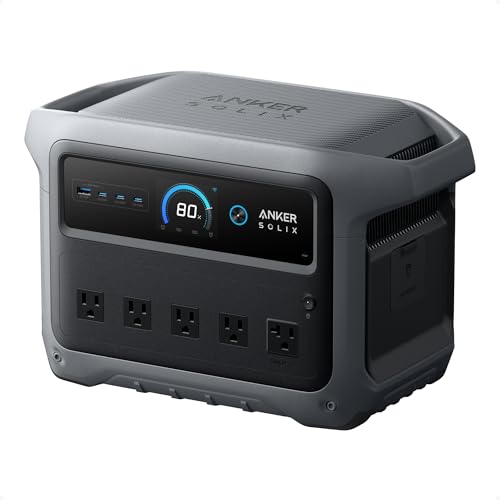
Anker SOLIX C1000 Gen 2 Portable Power Station, 2,000W (Peak 3,000W) Solar Generator, Full Charge in 49 Min, 1,024Wh LiFePO4 Battery for Home Backup, Power Outages, and Camping (Optional Solar Panel)
49 Min UltraFast Recharging: With upgraded HyperFlash tech, fully recharge at 1,600W—for outage prepping, camping trips, or tailgating...
As an affiliate, we earn on qualifying purchases.

Jackery Explorer 1000 v2 Portable Power Station,1070Wh LiFePO4 Battery,1500W AC/100W USB-C Output, 1 Hr Fast Charge, Solar Generator for Camping,Emergency, RV, Off-Grid Living(Solar Panel Optional)
Powerful yet Compact: Boasting a 1,500W AC output and a 3,000W surge peak, the Solar Generator 1000 V2...
As an affiliate, we earn on qualifying purchases.