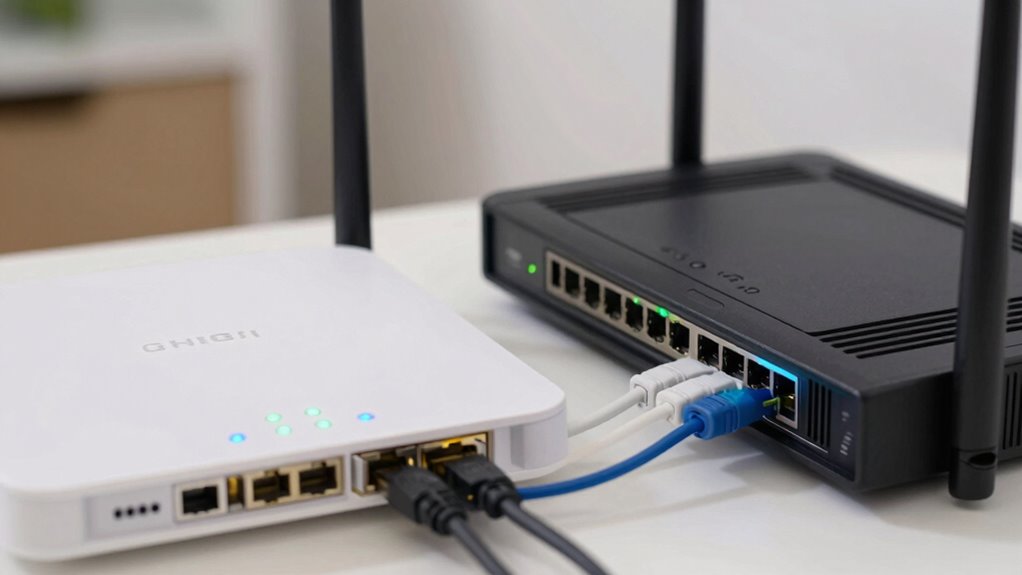

To keep your internet running during outages, ensure your modem, router, and fiber ONT have backup power sources like UPS units. The fiber ONT converts fiber signals and must stay powered to maintain connectivity, so connect it to a reliable backup. Your modem and router also need power to keep your network online. Using affordable UPS devices for these key components can considerably improve your network’s resilience—discover more tips to stay connected no matter what happens.
Key Takeaways
- Use UPS units to provide backup power for modem, router, and fiber ONT during outages.
- Connect all critical devices to a single UPS for seamless power continuity.
- Ensure the fiber ONT has a reliable backup power source to maintain the primary internet link.
- Regularly test backup systems to confirm their functionality during power failures.
- Design a redundant network setup to minimize downtime and improve overall reliability.
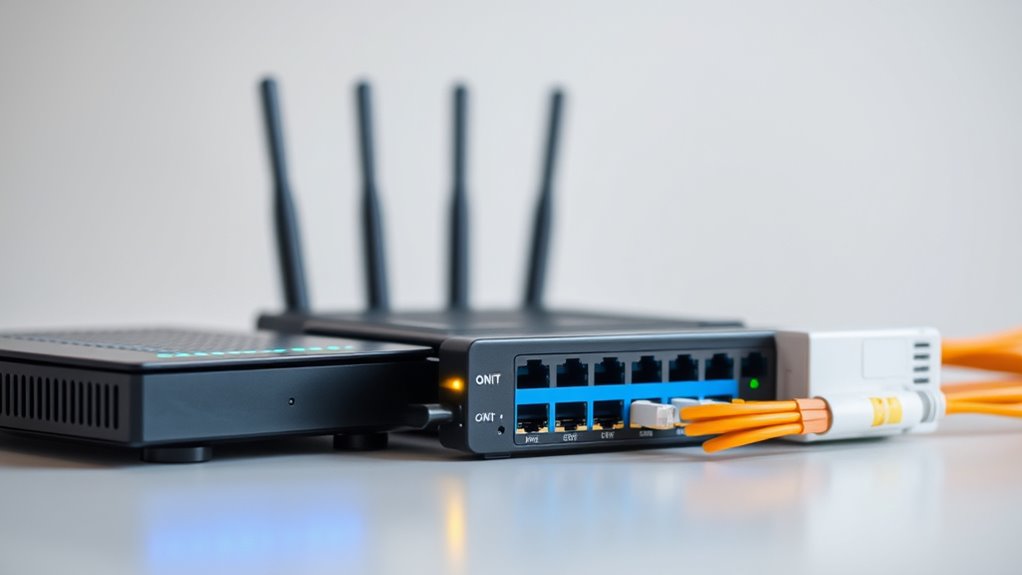
When your internet suddenly drops or becomes unreliable, understanding the roles of your modem, router, and fiber ONT can help you troubleshoot the issue more effectively. These devices form the backbone of your home network, and knowing how they work together can be a game changer during outages. One key concept to explore is network redundancy. This means having multiple pathways or backup systems that keep your internet running if one component fails. For example, incorporating a backup power supply, like an uninterruptible power supply (UPS), ensures that your modem, router, or fiber ONT stays powered during outages caused by power failures. Without backup power, even the most sophisticated network setup can become useless if the electricity cuts out. Additionally, understanding the importance of network redundancy can help you design a more resilient setup. Your fiber ONT (Optical Network Terminal) acts as the critical link between your internet service provider and your home. It converts fiber optic signals into electrical signals your devices can understand. If the fiber ONT loses power or encounters a fault, your entire internet connection can go down. That’s where network redundancy comes in. By connecting your ONT to a backup power source, you minimize the risk of losing internet access during outages. This is especially important if you work from home, run a small business, or rely on internet-based services for emergencies. The modem is your gateway to the internet, translating signals from your provider into a form your devices can use. When your modem loses power, your entire network can become inaccessible. To keep things running, a backup power supply for your modem ensures continuous connectivity. Similarly, your router distributes the internet connection to all your connected devices. Installing a UPS or a dedicated backup power system for your router helps maintain your Wi-Fi even during power interruptions, avoiding the frustration of losing connectivity when you need it most. Having a well-planned backup power setup can make a significant difference. It provides network redundancy, ensuring your internet stays active during outages. This setup is especially valuable in areas prone to storms, outages, or unstable power grids. You don’t need an expensive or complicated system—simple UPS units for your modem, router, and fiber ONT can keep your network alive. To conclude, understanding how these devices work and implementing backup power solutions helps you maintain internet access during outages. It’s a proactive way to ensure your digital life remains uninterrupted, no matter what power or service issues arise.

LEVOIT Air Purifiers for Home Large Room Up to 1875 Ft² with Washable Pre-Filter, AHAM VERIFIDE, Air Quality Monitor, HEPA Sleep Mode for Allergies, Pet Hair in Bedroom, Vital 200S-P, White
𝐖𝐇𝐘 𝐂𝐇𝐎𝐎𝐒𝐄 𝐀𝐇𝐀𝐌 𝐕𝐄𝐑𝐈𝐅𝐈𝐃𝐄 𝐏𝐑𝐎𝐃𝐔𝐂𝐓𝐒: AHAM (Association of Home Appliance Manufacturers) is an ANSI-accredited organization that sets strict...
As an affiliate, we earn on qualifying purchases.
Frequently Asked Questions
How Can I Tell if My Modem or Router Is Faulty?
To see if your modem or router is faulty, start by using diagnostic tools available in their admin settings to check for errors or connectivity issues. Make sure your firmware is up-to-date, as outdated firmware can cause problems. If you notice persistent errors, slow speeds, or device disconnects despite updates, it’s likely time to replace or repair your equipment. Regular diagnostics help keep your internet stable during outages.
What Backup Options Exist if My Fiber ONT Fails?
Sure, when your fiber ONT fails, you might wish you’d prepared better. You can use generator options like a UPS or portable generator to keep essential hardware running. Check hardware compatibility to guarantee your backup devices work seamlessly with your existing setup. Investing in a secondary internet source, like a mobile hotspot, offers a quick fix. So, plan ahead—you’ll thank yourself when outages hit unexpectedly.
How Do I Perform a Quick Reset on My Networking Devices?
To perform a quick reset on your networking devices, first unplug the power cord, wait about 10 seconds, then plug it back in. This simple restart helps with network diagnostics and can resolve minor issues. After rebooting, check for firmware updates to guarantee ideal performance. If problems persist, consider resetting to factory settings, but remember that may erase custom configurations, so back up your settings beforehand.
Can I Use Mobile Data as a Backup During Outages?
During outages, your best bet is a mobile hotspot, which can turn your phone into a mini internet powerhouse—like carrying a personal Wi-Fi cloud. Yes, you can use it as a backup, but beware of data throttling, which can slow you down just when you need speed. Keep an eye on your data to avoid surprises, and switch to your mobile hotspot when your main connection drops like a thunderstorm.
What Security Precautions Should I Take When Maintaining Network Hardware?
You should safeguard your network hardware by enabling network encryption, like WPA3, to protect your data from unauthorized access. Regularly updating firmware keeps your devices protected against vulnerabilities and ensures ideal performance. Change default passwords to strong, unique ones, and disable remote management when not needed. These precautions help safeguard your network and maintain privacy, giving you peace of mind during outages or normal operation.

LEVOIT Air Purifier for Home Large Room Up to 1073Ft² with Air Quality Monitor, AHAM VERIFIDE, Smart WiFi, Washable Pre-Filter, HEPA Sleep Mode for Pets, Allergies, Dust, Pollen, Vital 100S-P, White
𝐖𝐇𝐘 𝐂𝐇𝐎𝐎𝐒𝐄 𝐀𝐇𝐀𝐌 𝐕𝐄𝐑𝐈𝐅𝐈𝐃𝐄 𝐀𝐈𝐑 𝐏𝐔𝐑𝐈𝐅𝐈𝐄𝐑𝐒: AHAM (Association of Home Appliance Manufacturers) is an ANSI-accredited organization that sets...
As an affiliate, we earn on qualifying purchases.
Conclusion
So, next time your internet drops faster than your patience, remember these simple tips. Who knew that a modem, router, and fiber ONT could be the superheroes saving your online life? Or maybe just the sidekicks? Either way, with a little knowledge, you’ll stay connected and avoid the chaos of total digital blackout. Because, let’s face it, in today’s world, losing internet is like losing your coffee—unthinkable!
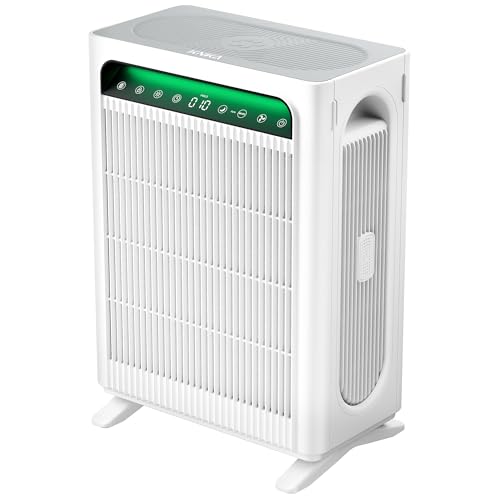
KNKA Air Purifier for Home Bedroom Large Room Up to 1,695 Ft² in 1 Hr, HEPA Air Cleaner with Washable Pre-Filter, AQI Display, ECO Mode, Sleep Mode, Pet Mode for Pets, Dust, Pollen, APH4000
𝐇𝐢𝐠𝐡 𝐂𝐀𝐃𝐑 𝐕𝐚𝐥𝐮𝐞: This air purifier provides reliable performance with a Smoke/Dust/PM2.5 CADR of 226 CFM (384 m³/h)...
As an affiliate, we earn on qualifying purchases.

16 in 1 Air Quality Monitor Indoor 7" Large Display 9 AQI+7 Alerts, CO2 Monitor Air Quality Tester for CO2, TVOC, PM2.5 PM1.0 PM10, HCHO Temperature Humidity AQI & Time Air Quality Meter for Home
【16-in-1 Air Quality Monitor Indoor】Experience the ultimate indoor air quality monitoring with our 16-in-1 Air Quality Monitor, offering...
As an affiliate, we earn on qualifying purchases.